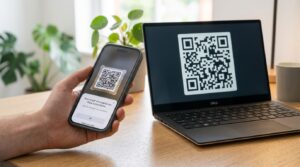
You need a QR code sign. Not a printed piece of paper taped to the wall with sticky tape. A proper sign that looks like it belongs in your space, matches your branding, and gets people to actually scan it.
This guide covers how to create one for free in 60 seconds. What size it needs to scan reliably at distance. And which display format works best for your space.
What is a QR Code Sign?
A QR code sign is a physical display, framed, printed, or mounted, that carries a QR code for customers, guests, or visitors to scan. It belongs anywhere you want to give people a scannable link in a shared space. A shop floor, a hotel lobby, a gym reception, an event venue, a restaurant, or a coworking space.
Unlike a QR code on a business card or product label, a sign is meant to be seen from a distance and scanned without picking anything up. This changes the design requirements, particularly the minimum size needed for reliable scanning.
How to Create a QR Code Sign for Free
The code creation takes 60 seconds at toolshash.com. No account. No signup. Completely free.
Step 1: Choose your QR type
Go to toolshash.com/custom-qr-code-generator and select the QR type that matches your sign’s purpose from the dropdown.
Common choices for signs:
- Website / URL: for linking to a menu, a booking page, a Google review form, a shop website, or any web address
- WiFi: for letting guests connect to your network without typing a password. The most popular sign use case for cafes, hotels, and coworking spaces
- Instagram: for growing your social following from foot traffic in-store
- WhatsApp: for letting customers start a conversation directly from a sign in your shop
- Location: for linking to your address in Google Maps from a physical sign, useful at events or markets where finding the entrance is confusing
Step 2: Enter your content
Fill in the URL, WiFi credentials, or social handle in the field that appears. Double-check every character before generating. A typo in a URL or a WiFi password means everyone who scans the sign hits an error. Finding that mistake after the sign is laminated and on the wall is avoidable.
Step 3: Design the sign QR code
A QR code sign is a visible, permanent fixture in your space. It represents your brand to everyone who walks past it. A plain black code on a white square gets the job done. A code that uses your brand colors, carries your logo, and matches your interior design looks considered and professional.
- Foreground color: match your brand primary color or any dark color from your palette. Use the hex code for an exact match. Keep it significantly darker than the background.
- Background color: white for maximum scannability across all lighting conditions. If your sign has a colored background, place the QR code inside a white box on that background rather than printing the code directly on the color.
- Logo: upload a transparent PNG of your logo. Set error correction to H (High) first and keep the logo under 25% of the code area. A logo in the centre of a sign QR code ties the sign visually to your brand without the customer needing to read anything.
- Dot shape: rounded or dots shapes look more designed for a sign context. Square dots are cleaner for functional signs in industrial or service settings.
- Eye style: rounded or leaf eyes give the sign QR code a finished look.
Step 4: Generate and test at the right distance
Click Generate. Before downloading, scan the preview on your screen. Then simulate the actual scanning distance you expect in real use. A tabletop sign scanned from 30 to 40cm is different from a wall-mounted sign scanned from 60 to 80cm. Back away to that distance and confirm the code scans comfortably.
Step 5: Download SVG for print
Always download SVG for any sign that will be printed. SVG is a vector file that scales to any size without losing quality. The same SVG file produces a sharp result on a small A6 tent card and a large A1 poster. Send the SVG to your designer, print shop, or load it directly into a word processor or design application at the size you need.
Create your QR code sign free at toolshash.com
What Size Should a QR Code Sign Be?
The size of the QR code on the sign is determined by how far away people will stand when they scan it. According to Denso Wave’s official printing guidelines, a QR code scans reliably at a distance of up to ten times its own width. This gives you a straightforward calculation for any sign format.
| Sign format | Expected scan distance | Minimum QR code size | Recommended QR code size |
|---|---|---|---|
| Tabletop tent card | 30 to 50cm (seated) | 3cm x 3cm | 4cm x 4cm |
| Counter sign (A5 or A6) | 40 to 60cm (standing) | 4cm x 4cm | 6cm x 6cm |
| Wall-mounted sign (A4) | 50 to 80cm | 5cm x 5cm | 8cm x 8cm |
| Freestanding display (A3 or larger) | 60 to 100cm | 6cm x 6cm | 10cm x 10cm |
| Window sign or poster | 80 to 150cm | 8cm x 8cm | 15cm x 15cm |
When in doubt, go larger. A bigger QR code on a sign is not a design problem. A sign that people cannot scan because the code is too small is a problem.
Sign Display Formats and When to Use Each
Tabletop tent card
A folded card that stands upright on a surface. The most common QR code sign format for restaurants, cafes, hotel rooms, and meeting tables. Easy to produce in-house on card stock with a home or office printer. Replace them when the content changes without any specialist equipment. Best for: restaurant menu QR codes, WiFi QR codes, Google review prompts.
Framed wall sign
A printed A5 or A4 sign in a standard photo frame. Looks permanent and intentional. Works well in hotel lobbies, gym receptions, coworking spaces, and retail fitting rooms. Use a clip frame for easy replacement when the QR code content changes. Best for: WiFi QR codes in permanent locations, social media follow prompts, loyalty programme links.
Freestanding display
A sign on a stand that can be repositioned around a space. Useful for events, markets, pop-up stalls, and temporary installations. Correx board on a wire stake, a foam board on an easel, or a fabric banner on a frame all work. Best for: event check-in codes, WiFi at conferences, market stall social media follow prompts.
Window cling or sticker
A sticker or static cling applied to a glass door or window. Visible from outside before customers enter. Good for shops, restaurants, and service businesses that want to invite people to scan before they come in. For a full guide on printing QR code stickers, see QR code stickers: print custom scannable stickers for your business.
Printed placemat or table liner
Common in fast food and casual dining. The QR code is printed directly on a disposable placemat or paper table liner. Every customer automatically has the code in front of them without needing to look for a sign. Best for: menu QR codes, ordering system links, Google review prompts.
What to Print Alongside the QR Code
A QR code on its own, with no context, gets scanned less often than one with a short, clear prompt. The prompt tells people what they will get when they scan. That reason to act matters more for a sign than any other format. The person is standing in your space with their phone in their pocket. They need a reason to take it out.
Keep prompts short and specific:
- WiFi sign: “Scan to connect to our WiFi. No password needed.”
- Menu sign: “Scan to view our full menu.”
- Google review sign: “Enjoyed your visit? Scan to leave us a review.”
- Instagram sign: “Follow us on Instagram for new arrivals and behind the scenes.”
- Booking sign: “Scan to book your next appointment.”
Print the prompt in a legible font at a size readable from the scanning distance. For a wall sign scanned from 80cm, the prompt text needs to be at least 14pt to read comfortably. For a tabletop card scanned from 40cm, 10pt is acceptable but 12pt is more comfortable for all ages.
Frequently Asked Questions
Can I create a QR code sign without a designer?
Yes. Download the SVG from toolshash.com and place it in a free tool like Canva or Google Slides to add your prompt text, logo, and any other design elements. Set the canvas size to your target print dimensions, export as PDF or high-resolution PNG, and send to a print shop or print at home. No design experience needed.
How do I update the sign when the content changes?
If you used a static QR code, create a new code with the updated content and reprint the sign. The process takes under two minutes at toolshash.com. If you used a dynamic QR code through a third-party platform, update the destination URL in your dashboard and the existing sign keeps working without reprinting. For a full comparison of the two options, see static vs dynamic QR codes: which one do you actually need?
What is the best material for a QR code sign?
For indoor permanent signs, foam board, correx, or a standard photo frame with printed insert are all good options. For outdoor signs, weather-resistant vinyl or aluminium composite board holds up to rain and sun. Avoid glossy laminate on outdoor signs in direct sunlight. Glare from a glossy surface in bright light can make the QR code difficult to scan. Matte laminate is safer for outdoor and window placements.
Does the QR code on a sign expire?
No. A static QR code has no expiry date and no scan limit. It works as long as the destination URL or content it points to is still live. If you take down the page the sign links to, the sign stops working. The code itself has no built-in time limit. See the full explanation at what is a QR code?
Can I put two QR codes on the same sign?
Yes. Two codes on the same sign is common. Businesses often combine a WiFi code and a menu link, or a Google review code and a booking link, in one place. Keep them clearly separated with a label above each code so people know which to scan. Make each code large enough to scan at the expected distance. Do not place them so close together that the phone camera struggles to distinguish which code to focus on.
Will a QR code sign work in low light?
Modern phone cameras handle low light well, but QR code contrast becomes more important in dim conditions. High-contrast codes (dark on white) scan more reliably in low light than mid-tone colors on light backgrounds. For dim venues such as restaurants, bars, or event spaces, use a dark foreground on white and go larger than the minimum recommended size. Adding small LED lighting to illuminate the sign directly improves scan rates significantly in dark environments.
Read these next: