You give a talk at an event. Fifty people are in the room and they are engaged. You mention your YouTube channel at the end. Half of them mean to look it up later. Two of them actually do.
A QR code on your slide, your handout, or your business card changes that ratio. They scan before they leave the room. Your channel opens. One tap and they are subscribed. The connection you made in the room becomes a subscriber before the applause stops.
This guide covers how to create a YouTube QR code for free. Which URL to use for a channel versus a specific video versus a direct subscribe link. And where creators get the most value from placing one in the physical world.
What is a YouTube QR Code?
A YouTube QR code is a standard QR code that stores a YouTube URL. When someone scans it, their phone opens YouTube directly on your channel page, a specific video, a playlist, or a subscribe prompt. If YouTube is installed, the app opens directly. If it is not, the YouTube website opens in the browser instead.
The QR code stores the URL you enter when creating it. Everything else, the design, the context, the placement, is under your control.
How to Get Your YouTube URL
Different use cases call for different YouTube URLs. Here is how to get each one.
Your YouTube channel URL
The cleanest URL for general promotion. When someone scans, they land on your channel homepage and see your latest content, your about section, and the Subscribe button.
To find it: go to your YouTube channel, click your channel name or icon, and copy the URL from the browser address bar. If you have a custom handle set up, it looks like https://www.youtube.com/@yourhandle. If you do not, it looks like https://www.youtube.com/channel/[channel-id]. The custom handle URL is shorter and produces a simpler QR code. Set one up in YouTube Studio settings if you have not already.
A specific video URL
Use this when you want to send people to one particular video. A tutorial, a product demo, a talking head that introduces you, or your most-viewed video. Go to the video on YouTube and copy the URL from the address bar. It looks like https://www.youtube.com/watch?v=[video-id].
A playlist URL
Useful for event talks, course content, or series. When someone scans, they land on the playlist and can watch through multiple videos in sequence. Go to the playlist on YouTube and copy the URL. It looks like https://www.youtube.com/playlist?list=[playlist-id].
A direct subscribe URL
This is the most powerful option for subscriber growth. A direct subscribe URL opens YouTube with a subscribe confirmation prompt already appearing. The person just taps Confirm. One step to subscribe instead of landing on the channel and having to find the button themselves.
The format is: https://www.youtube.com/channel/[your-channel-id]?sub_confirmation=1
To find your channel ID: go to YouTube Studio, click Settings, then Channel, then Advanced settings. Your channel ID is displayed there. Replace [your-channel-id] in the URL above with your actual ID. Test it in a browser before creating the QR code to confirm the subscribe prompt appears.
How to Create Your YouTube QR Code for Free
This takes under 60 seconds at toolshash.com. No account. No signup. Completely free.
Step 1: Open the generator and select Website / URL
Go to toolshash.com/custom-qr-code-generator. From the QR Type dropdown, select Website / URL. This is the correct type for any YouTube link.
Step 2: Paste your YouTube URL
Paste the channel URL, video URL, playlist URL, or subscribe URL into the input field. Confirm it starts with https://www.youtube.com/. Open it in a browser tab first to confirm it loads the right content before building the QR code around it.
Step 3: Customise the design
Creators with a strong channel identity should spend two minutes here. A QR code that matches your channel branding looks intentional on merch, posters, and business cards rather than like a generic afterthought.
- Foreground color: match your channel’s visual identity or brand color palette. Enter the hex code for an exact match. Keep the foreground significantly darker than the background for reliable scanning.
- Gradient: a two-color gradient works well for creators with bold, visual branding. Toggle on, pick a second color, and set the direction. Keep both colors in a similar dark tonal range.
- Logo: upload your channel logo or profile picture as a transparent PNG. Set error correction to H (High) first and keep the logo under 25% of the code area. Full guidance at how to add a logo to a QR code.
- Dot shape: rounded or dots shapes suit most creator brands. Square dots work better for corporate or educational channels.
- Eye style: leaf or rounded eyes add visual character without affecting scannability.
Step 4: Generate, test, and download
Click Generate. Scan the preview with your phone. Confirm YouTube opens on the right content. If you used the subscribe URL, confirm the subscribe prompt appears. Download as SVG for print materials and PNG for digital use.
Create your YouTube QR code free at toolshash.com
Where Creators Place YouTube QR Codes
The value of a YouTube QR code depends entirely on placement. Here are the placements that convert browsing into subscribers most consistently.
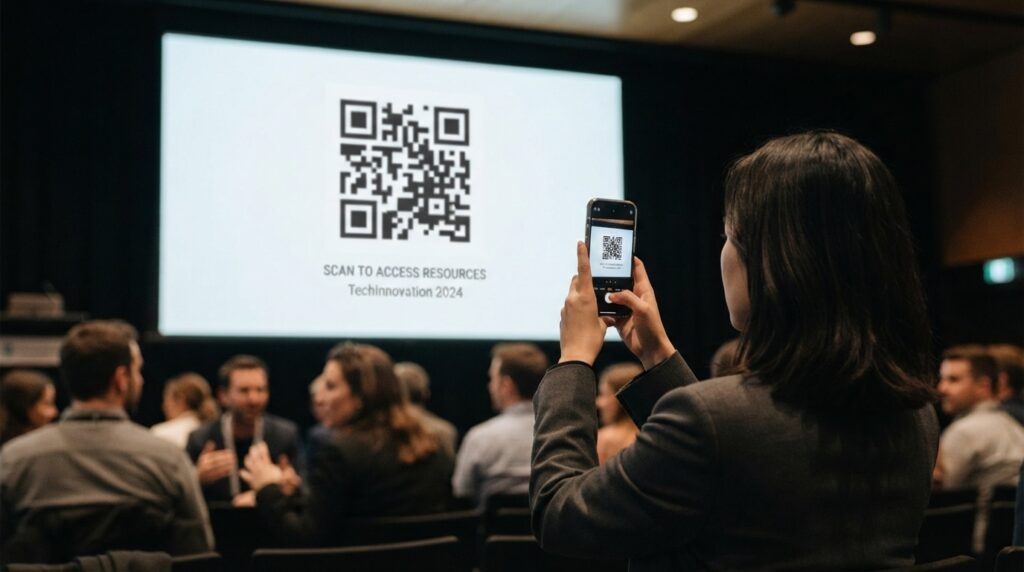
Event talks and presentations
Put the QR code on your final slide with a prompt like “Subscribe for more on this topic.” The audience is at peak engagement. They just spent 20 or 40 minutes with your thinking. That is the optimal moment to give them a direct path to more. According to Statista’s global social network rankings, YouTube is the second most-visited website globally after Google, meaning virtually every person in your audience already has the app installed.
Printed handouts and worksheets
Distribute printed materials at a workshop or class? A QR code in the footer linking to the relevant video or playlist keeps your audience engaged long after they leave. A QR code on a worksheet that links to the accompanying tutorial video removes the need to search for it later.
Merchandise and packaging
For creators who sell branded merchandise, a QR code on a clothing tag or packaging insert linking to your channel keeps buyers connected to your content. A fan who bought your product is your most engaged audience member. Giving them a direct path back to your channel reinforces that connection.
Business cards
A YouTube QR code on the back of a business card lets anyone you meet in person access your video content without searching for your channel name. This works particularly well for educators, speakers, coaches, and anyone whose video content serves as a portfolio or proof of expertise. See the full guide on QR codes for business cards.
Printed marketing materials
Flyers, posters, and direct mail pieces with a YouTube QR code turn a one-way communication into an interactive engagement. A flyer for a course or workshop with a QR code linking to a free preview video gives potential attendees a way to sample your teaching before committing. That preview video does the selling for you.
Other social media and printed profiles
Adding your YouTube QR code to your Instagram bio image, your email newsletter, or your LinkedIn banner gives online audiences a frictionless path to your video content. It works particularly well in an email newsletter where a QR code in the footer lets readers scan from the printed newsletter to watch on their phone.
Channel URL vs Subscribe URL: Which One to Use?
This is the most important decision when creating a YouTube QR code for subscriber growth.
A channel URL takes someone to your homepage. They see your content, they read your about section, and they can choose to subscribe. The experience is exploratory. It works well when your audience does not know you yet and needs to evaluate before committing.
A subscribe URL opens YouTube with the subscribe confirmation dialog already on screen. All they do is tap Confirm. No browsing, no searching for the button. This works best when someone has already seen you speak or teach. The QR code is the next step after they have decided they want more.
For most event and in-person use cases, the subscribe URL converts better. For general promotion on packaging or printed materials where the audience does not know you yet, the channel URL gives a better first impression.
What to Print Next to the QR Code
A QR code with no prompt gets scanned less often than one with a specific reason to act. For YouTube, the prompt should tell people what they will find when they subscribe, not just that a channel exists.
Prompts that work well:
- On an event slide: “Subscribe for weekly videos on [your topic]. Scan to follow along.”
- On a handout: “Scan to watch the full tutorial for this worksheet.”
- On merchandise: “Scan to watch the video that inspired this design.”
- On a business card: “Scan to see my work on YouTube.”
Specific beats vague in every context. “Weekly videos on personal finance” gives someone a reason to subscribe. “Find us on YouTube” gives them nothing.
Frequently Asked Questions
Does the YouTube QR code work if someone does not have the YouTube app?
Yes. The QR code stores a standard web URL starting with https://www.youtube.com/. If YouTube is installed, the app opens directly. If it is not, YouTube loads in the browser. Both paths reach the same content. The web version of YouTube is fully functional for watching videos and subscribing.
Can I create a QR code for a private YouTube video?
Technically yes, but it will not work for most people. A private YouTube video requires the viewer to be signed in to a Google account that has been granted access. Anyone who scans a QR code for a private video without the correct account sees an access denied error. For QR codes intended for general use, always link to public or unlisted videos. Unlisted videos are not searchable but accessible to anyone with the direct link. That makes them a practical option for paid course content or member-only materials shared via QR code.
Will the QR code still work if I change my YouTube channel name?
It depends on which URL you used. If you used the custom handle URL (https://www.youtube.com/@yourhandle) and you change the handle, the QR code stops working. If you used the channel ID URL (https://www.youtube.com/channel/[channel-id]), it keeps working regardless of name changes because the channel ID never changes. For materials that will be in print long-term, the channel ID URL is more durable even though it is longer and produces a denser QR code.
Can I use a YouTube QR code on a product I sell in shops?
Yes. A QR code on product packaging that links to a YouTube video is common for consumer products, particularly for how-to content, assembly guides, and recipe ideas. The QR code on packaging follows the same design rules as any product sticker. Download SVG for print, confirm the video is public and has no age restrictions, and test the code on the actual printed packaging before committing to a full production run. For full guidance on packaging QR codes, see QR code stickers: print custom scannable stickers for your business.
How do I track how many people scanned my YouTube QR code?
The QR code itself does not have built-in analytics since it is a static code. For tracking, use a free link shortener like Bitly to create a tracked link that redirects to your YouTube URL. Build the QR code using that link and monitor clicks in the Bitly dashboard. YouTube Studio also shows traffic source data that can help you identify spikes in views or subscribers that correlate with a specific physical QR code placement.
What size should the YouTube QR code be on a presentation slide?
On a slide displayed on a projector or large screen, the QR code needs to be large enough to scan from the back of the room. According to Denso Wave’s printing guidelines, a QR code scans reliably at up to ten times its own width. For a room where the back row is 10 metres from the screen, the code needs to be at least 100cm wide on the projected image. That means filling a significant portion of the slide. For a room of 30 to 50 people within 8 metres of the screen, a code taking up roughly one third of the slide height scans from most seats.