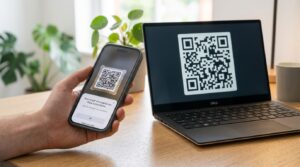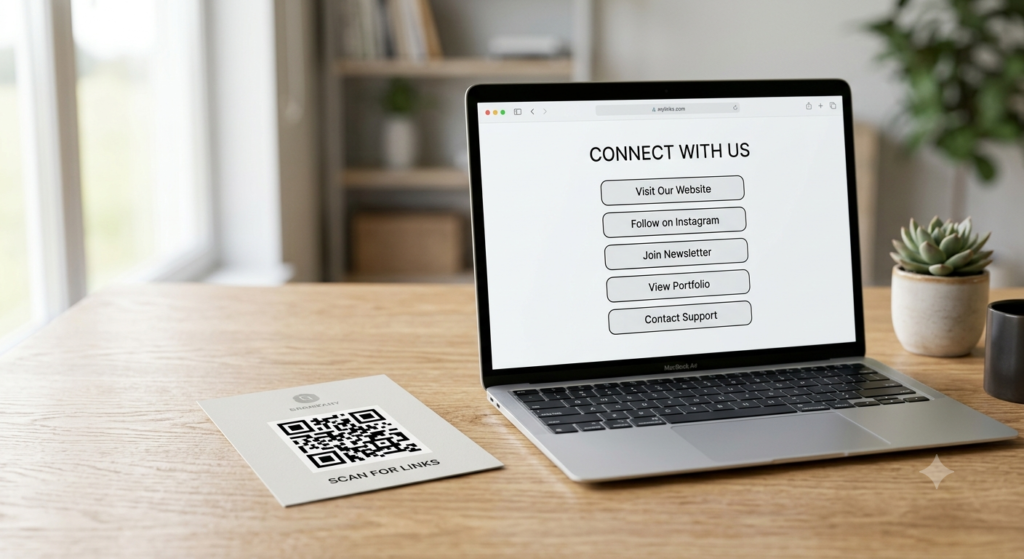
A QR code can only point to one destination at a time. That is a technical fact, not a limitation you can engineer around at the code level. But the destination itself can be a page that contains multiple links — and that changes everything. One QR code, one scan, and the person lands on a page where they can choose from your website, your social profiles, your menu, your booking link, or anything else you want to offer.
Here are three practical ways to make a single QR code deliver multiple links to whoever scans it.
Can a QR Code Have Multiple Links?
Not directly. A QR code encodes one URL — one destination. There is no QR code format that splits a scan between two different URLs or presents a choice at the code level itself. The way to work around this is to point the QR code at a single page that contains multiple links, and let that page do the routing.
This approach works well and is widely used. The destination page becomes a simple link hub — a clean, mobile-optimised page that lists your most important links in one place. Anyone who scans the QR code lands on that page and chooses where to go from there.
Method 1: Use a Linktree or Bio Link Page
Linktree and similar bio link tools — Beacons, Later Link in Bio, Carrd, and others — create a simple hosted page that displays multiple links under your name and branding. You add your links through the platform’s dashboard, and the platform gives you a single URL for the page.
To create a QR code for your Linktree:
- Set up your Linktree page and add all the links you want to include
- Copy your Linktree URL — it looks like
https://linktr.ee/yourname - Open the QR code generator, paste your Linktree URL as the destination, and generate the code
- Customise the design, download as SVG or PNG, and use it on any printed or digital material
Linktree’s free plan generates its own QR code within the platform, but it carries Linktree branding and offers limited design options. Generating the code separately gives you full design control — custom colours, your own logo, and high-resolution output — without paying for Linktree Pro.
The same process applies to any bio link platform. Copy the URL of your link hub page and create the QR code externally for a better-designed, more flexible result.
Method 2: Build a Custom Link Hub Page
A custom link hub page gives you complete control without relying on a third-party platform. You create a simple page on your own website — or a free tool like Carrd or Google Sites — that lists your links, and then generate a QR code pointing to that page URL.
This approach works particularly well for businesses that want the destination to match their brand precisely, without Linktree’s domain or interface appearing in the URL. A URL like yoursite.com/links looks more professional on printed materials than a third-party bio link URL, and it keeps all traffic on your own domain.
For a simple multi-link destination page, keep the design minimal and mobile-first. Large tap targets, clear link labels, and fast load time matter most since every visitor arrives on a mobile device after scanning. Avoid cluttering the page with navigation menus or unrelated content — the page exists to present the links clearly and nothing else.
Method 3: Use a Dynamic QR Code with a Redirect Page
A dynamic QR code points to a redirect URL managed through a platform dashboard. You can set that redirect destination to any URL at any time — including a multi-link landing page, a Linktree, or your own link hub.
The advantage of the dynamic approach is flexibility. If you want to update which links appear, change the destination page, or swap the entire link hub to a different platform, you update the redirect in the dashboard and every existing printed code immediately points to the new destination. No reprinting required.
For printed materials with a long shelf life — signage, packaging, or permanent displays — the dynamic approach adds a layer of future-proofing that static codes cannot provide. The QR code printed today can serve a completely different set of links in six months without any physical change.
For a detailed explanation of how dynamic redirects work and what to look for in a platform, the dynamic QR code guide covers the full mechanics and platform considerations.
QR Code for All Social Media Links
One of the most common multi-link QR use cases is consolidating social media profiles into a single scannable destination. Instead of printing five separate QR codes for Instagram, Facebook, LinkedIn, YouTube, and TikTok, you create one page that lists all five and point a single QR code at it.
Bio link tools handle this particularly well since most are designed exactly for this purpose. Add your social profile URLs to your Linktree or Beacons page, generate a QR code from that URL, and use it on business cards, flyers, packaging, and any other material where you want people to follow you across platforms.
For events and conferences where making it easy for people to connect across all your channels matters, a single multi-link QR code on a badge, a poster, or a handout does the work of five separate codes with far less visual clutter.
QR Code for Multiple Links on a Business Card
A multi-link QR code works especially well on a business card as a replacement for listing every social profile URL individually. One code in a corner of the card opens a clean page with your website, LinkedIn, Instagram, booking link, and anything else relevant to your work.
Keep the card design clean. One QR code, one label such as “Scan for all links,” and your primary contact details. The QR code handles everything else. For sizing and placement guidance specific to business cards, the QR code for business cards guide covers all the practical details.
How Many Links Can You Put on a QR Code Landing Page?
There is no hard limit on the number of links a destination page can contain. In practice, more than eight to ten links on a single page starts to create decision paralysis — visitors face too many choices and leave without clicking any of them. Research on link hub pages consistently shows that pages with four to six clearly labelled links perform better than pages with ten or more.
Prioritise the links that matter most for your specific audience and context. A musician might prioritise Spotify, Instagram, and ticket booking. A consultant might prioritise LinkedIn, a booking calendar, and a portfolio page. A restaurant might prioritise the menu, a reservation link, and Google Maps. Context shapes the list.
Frequently Asked Questions
Can a QR code link to multiple websites?
Not directly — a QR code encodes one URL. However, that URL can point to a page containing multiple links, such as a Linktree, a custom link hub, or any landing page with several link options. From the scanner’s perspective, one scan leads to a choice of destinations.
How do I create a QR code for multiple links?
Create a link hub page — a Linktree, Beacons, or a simple page on your own website — containing all the links you want to offer. Copy the URL of that page and paste it into a QR code generator. The resulting code takes scanners directly to the link hub where they choose their destination.
How do I create a QR code for Linktree?
Set up your Linktree page and add your links. Copy your Linktree URL from the address bar or the Linktree dashboard. Paste it into a QR code generator as the destination URL, customise the design, and download. This gives you a better-designed code than Linktree’s built-in QR feature without requiring a paid Linktree plan.
Can I use one QR code for all my social media?
Yes. Add all your social media profile URLs to a bio link page like Linktree or Beacons, then generate a single QR code from that page’s URL. Anyone who scans it lands on a page showing all your social profiles and can follow whichever ones they choose.
What is the best tool for a multi-link QR code page?
Linktree is the most widely used option and works well for most purposes on a free plan. Beacons offers more design flexibility on its free tier. Building your own page on your website gives you the most control and keeps traffic on your own domain. All three work equally well as QR code destinations.
How many links should I put on a QR code landing page?
Four to six links generally perform better than longer lists. Too many choices create decision paralysis and reduce click-through on any individual link. Prioritise the destinations most relevant to your specific audience and remove any links that are not directly useful to the people most likely to scan your code.
One Code, Every Destination
The technical limitation is real — one QR code, one URL. But pointing that URL at a well-built link hub page turns a single scan into a full menu of options. Whether you use Linktree, a custom page, or a dynamic redirect, the result is the same: one code does the work of many.
Build your multi-link QR code now using the QR code generator — paste your link hub URL, add your branding, and download in the format that suits your materials. And if you want to track which of your links gets the most engagement after the scan, the QR code tracking guide shows you how to connect scan data to Google Analytics.