You scan a QR code. One second later you are on a website. It feels instant and almost magical. But there is actually a precise process happening in that single second, and once you understand it, QR codes make a lot more sense.
This guide explains how QR codes work in plain English. No engineering degree required. No complicated diagrams. Just a clear explanation of how a square pattern stores information and how your phone reads it in under a second.
The Short Answer
A QR code is a visual representation of data. The black and white squares are not random. They are a carefully arranged pattern of binary code, where each combination of filled and empty squares represents a letter, number, or symbol.
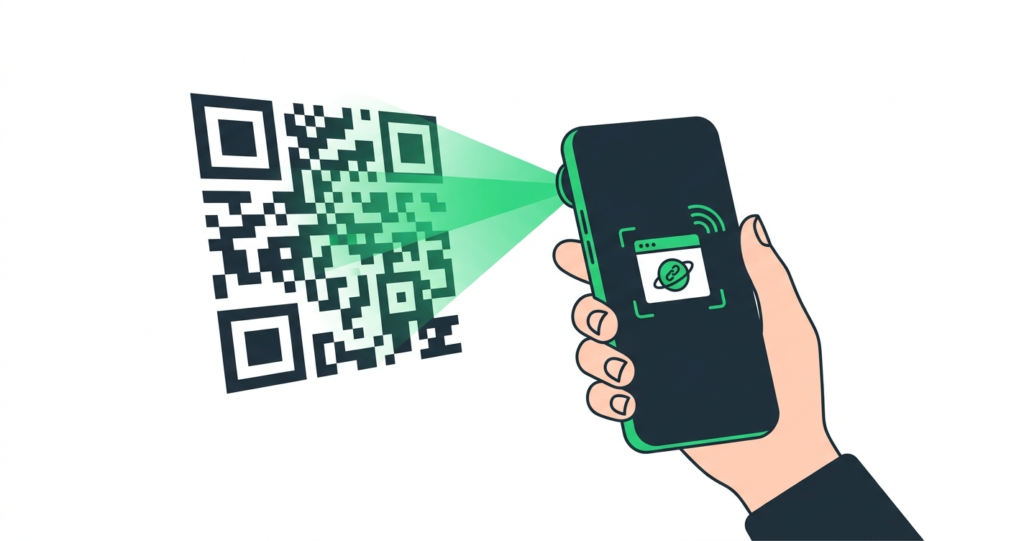
When your phone camera points at a QR code, it photographs the pattern, decodes the binary information inside it, and then acts on whatever that information says. If the data is a URL, your phone opens the browser. If it is a WiFi password, your phone connects. If it is a contact card, your phone saves the details.
The whole process takes roughly one second from scan to result.
Where QR Codes Come From
QR codes were created in 1994 by Masahiro Hara, an engineer at Denso Wave, a Japanese automotive components company. The original problem was tracking car parts on a factory floor. Standard barcodes could only hold about 20 characters of data, which was not enough to identify individual components in a complex supply chain.
Hara and his team designed a two-dimensional code that could hold much more data and be read from any angle. According to Denso Wave’s official documentation, the name Quick Response was chosen specifically because the goal was instant readability at high speed in a factory environment.
Denso Wave made the QR code standard openly available, which is why anyone can generate and use QR codes for free today. The format is governed by the ISO/IEC 18004 international standard.
The Four Parts of a QR Code
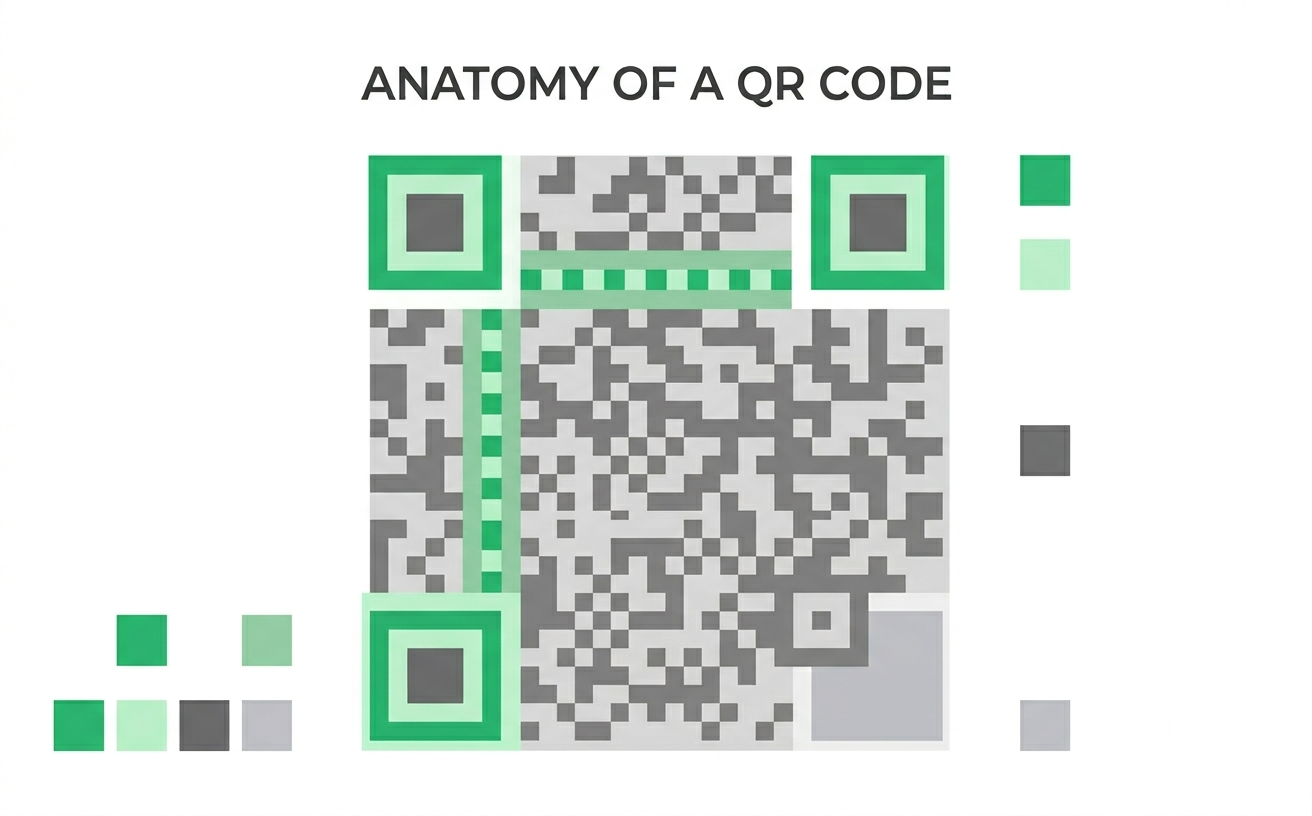
Every QR code you have ever seen is made up of the same four functional zones. Each one has a specific job.
1. Finder patterns
The three large squares sitting in the top-left, top-right, and bottom-left corners are called finder patterns. Their only job is to tell your phone’s camera that it is looking at a QR code and where the edges of the code are.
Because finder patterns always look exactly the same regardless of the QR code’s content, your phone can locate them instantly. Once it finds all three corners, it knows the size of the code, the angle it is being viewed from, and where to start reading the data.
This is why you can scan a QR code at almost any angle and still get a result. Your phone triangulates the three corners and corrects for the tilt automatically.
2. Timing patterns
Running between the finder patterns are alternating black and white squares called timing patterns. They work like a ruler. They tell the scanner how many rows and columns of data squares exist in this particular QR code. This matters because different QR codes hold different amounts of data and therefore use different grid sizes.
A simple QR code storing a short URL might have a 21×21 grid. A complex one storing a full contact card might have a much larger grid. The timing patterns let the scanner calibrate to the right size every time.
3. Format information
Near the finder patterns sits a small band of squares called format information. This stores two things: the error correction level being used (L, M, Q, or H) and the mask pattern applied to the data.
The mask pattern is worth explaining briefly. Raw QR code data sometimes produces patterns that look similar to finder patterns, which would confuse a scanner. To prevent this, the data is XOR-masked with a specific repeating pattern before the QR code is finalised. The format information tells the scanner which mask was applied so it can reverse it when reading.
4. Data modules
The rest of the squares, the bulk of what you see, are the data modules. This is the actual information. Each square is either filled (1) or empty (0), forming binary code. Groups of these binary values are encoded using Reed-Solomon error correction. This system adds redundant data so the code still scans even if part of it is damaged or covered.
The official QR code specification by Denso Wave puts the maximum capacity at 7,089 numeric characters or 4,296 alphanumeric characters. The actual figure depends on the data type and error correction level chosen.
How Your Phone Reads a QR Code
Here is the step-by-step process happening in that one second between scan and result.
Step 1: The camera captures the image
Your phone’s camera takes a photograph of whatever is in the viewfinder. It does not need perfect focus or perfect lighting, but it does need enough contrast to distinguish the dark squares from the light background.
Step 2: The software locates the finder patterns
The QR reading software scans the image looking for the three distinct finder pattern squares. Once it finds all three, it knows the orientation and boundaries of the QR code.
Step 3: It reads the format information
Before reading any data, the software checks the format information zone. This tells it which error correction level and mask pattern were used when the code was created.
Step 4: It reads the data modules
Working through the data zone in a specific zigzag pattern defined by the ISO/IEC 18004 standard, the software reads each square as a 0 or 1. It then reverses the mask pattern and decodes the binary values into characters using the encoding mode specified in the code.
Step 5: Error correction kicks in
If any modules are damaged, dirty, or partially covered, the Reed-Solomon algorithm uses the redundant data to reconstruct the missing information. This is how a logo can sit in the centre of a branded QR code without breaking the scan. This is why QR codes still scan reliably even when they have a logo covering part of them, as long as the right error correction level was chosen.
Step 6: The decoded data triggers an action
The software now has the decoded string. If it starts with https://, the phone opens it as a URL. If it starts with WIFI:, the phone connects to the network. If it starts with BEGIN:VCARD, the phone prompts you to save a contact. The action depends entirely on what data was stored in the code.
Why QR Codes Can Still Scan When Damaged
One of the most useful things about QR codes is that they keep working even when part of them is missing or obscured. This is because of Reed-Solomon error correction, a mathematical technique originally developed for NASA deep space communications in the 1960s and later adapted for data storage and QR codes.
The ISO/IEC 18004 QR code standard defines four error correction levels:
- L (Low): recovers up to 7% of damaged data
- M (Medium): recovers up to 15% of damaged data
- Q (Quartile): recovers up to 25% of damaged data
- H (High): recovers up to 30% of damaged data
Higher error correction means more of the code is taken up by redundant data, which slightly reduces the total amount of information the code can store. But it also means the code is far more resilient. When you add a logo to a branded QR code, you should always use Q or H level so the logo does not cause a scan failure.
How Much Data Can a QR Code Actually Hold?
More than you might expect. The Denso Wave capacity specification lists the maximums as:
- Numeric data: up to 7,089 digits
- Alphanumeric data: up to 4,296 characters
- Binary data: up to 2,953 bytes
- Kanji characters: up to 1,817 characters
In practice, most QR codes store far less than the maximum. A standard URL is typically 30 to 100 characters. A WiFi password is rarely more than 30 characters. A full vCard contact with name, phone, email, and address sits around 200 to 300 characters. The QR code handles all of these easily within a small grid size.
The more data you store, the denser the QR code becomes (more tiny squares), and the harder it can be to scan from a distance. For most uses, keeping the data short and using a URL shortener if needed gives you a cleaner, more reliable code.
What Happens When You Scan Different QR Code Types
The internal mechanics are the same for every QR code. What changes is the data string stored inside and how your phone interprets it. Here is how the most common types work:
URL QR codes
The data stored is simply the full web address, for example https://toolshash.com/custom-qr-code-generator/. Your phone recognizes the https:// prefix and opens the URL in the default browser automatically.
WiFi QR codes
The data is stored in a specific format: WIFI:T:WPA;S:NetworkName;P:Password;;. Your phone recognizes this format and prompts you to connect to the network without any manual input.
vCard QR codes
The data follows the standard vCard format beginning with BEGIN:VCARD. Your phone recognizes this and offers to save the contact details directly to your address book. This is the format used in vCard QR codes for business cards.
SMS QR codes
The data uses the format SMSTO:PhoneNumber:Message. Scanning it opens your messaging app with the number and message pre-filled.
Email QR codes
The data uses a mailto: format. Scanning it opens your email app with the recipient address, and optionally the subject line, already filled in.
Why QR Codes Replaced Barcodes for Many Uses
Traditional barcodes, the kind you see on supermarket products, use a one-dimensional pattern of lines. They were designed for a single purpose: storing a short product identification number to look up a price in a database.
QR codes are two-dimensional. They store data both horizontally and vertically, which is why a QR code the same physical size as a barcode can hold hundreds of times more information. According to Denso Wave’s own comparison data, a QR code holds approximately 350 times more data than a traditional barcode of the same size.
For everyday business uses like restaurant menus, business cards, event check-ins, and social media links, QR codes are a far better fit than barcodes. Barcodes still dominate retail inventory and supply chain because the infrastructure is deeply established, but for anything customer-facing, QR codes have taken over.
Do You Need an App to Scan QR Codes?
No. Native QR code scanning is built into the default camera app on every modern smartphone.
Apple added native QR scanning to the iPhone camera starting with iOS 11, released in September 2017. Android phones gained native QR support through Google Lens, which is integrated directly into the camera app on all devices running Android 8 and above.
For older devices, a free QR scanning app from the App Store or Google Play handles it just as well.
How to Create Your Own QR Code
Now that you know how they work, creating one is straightforward. You do not need to understand any of the technical encoding process. A good QR code generator handles all of that automatically.
At toolshash.com you can create a fully customised QR code in under 60 seconds, for free, with no account required. Choose from 14 QR types including WiFi, URL, vCard, Instagram, WhatsApp, TikTok, and more. Add your logo, pick your colors, choose your dot shape and eye style, and download in PNG or SVG.
Create your free QR code at toolshash.com
Frequently Asked Questions
Can a QR code be read upside down?
Yes. The three finder patterns in the corners are specifically designed to tell the scanner the orientation of the code. Your phone corrects for rotation automatically, so a QR code scans correctly from any angle.
Why do some QR codes look more complex than others?
The more data a QR code stores, the more squares it needs and the denser the pattern becomes. A QR code storing a short URL looks relatively simple. One storing a full contact card with name, multiple phone numbers, email addresses, and a website will look noticeably more complex. Higher error correction levels also add complexity because more of the code is used for redundant recovery data.
Can two different QR codes store the same information?
Yes. The same data can be encoded using different mask patterns, which changes the visual appearance of the QR code even though the stored information is identical. This is why two QR codes pointing to the same URL might look slightly different.
What happens if you scan a damaged QR code?
It depends on how much damage there is and what error correction level was used when the code was created. If the damage is within the error correction threshold for that code (up to 30% for High level), the code will still scan correctly. If the damage exceeds that threshold, the scan will fail and you will need to create a new code.
Is there a limit to how many times a QR code can be scanned?
No. A static QR code can be scanned an unlimited number of times. It does not wear out or expire. The only thing that makes a QR code stop working is if the destination URL goes offline or the page is removed.
Do QR codes work offline?
Scanning a QR code itself works offline, since the scanner just reads the visual pattern. But if the QR code contains a website URL, you need an internet connection to load the page. QR code types that store data directly, like WiFi credentials, plain text, or vCard contacts, work completely offline.