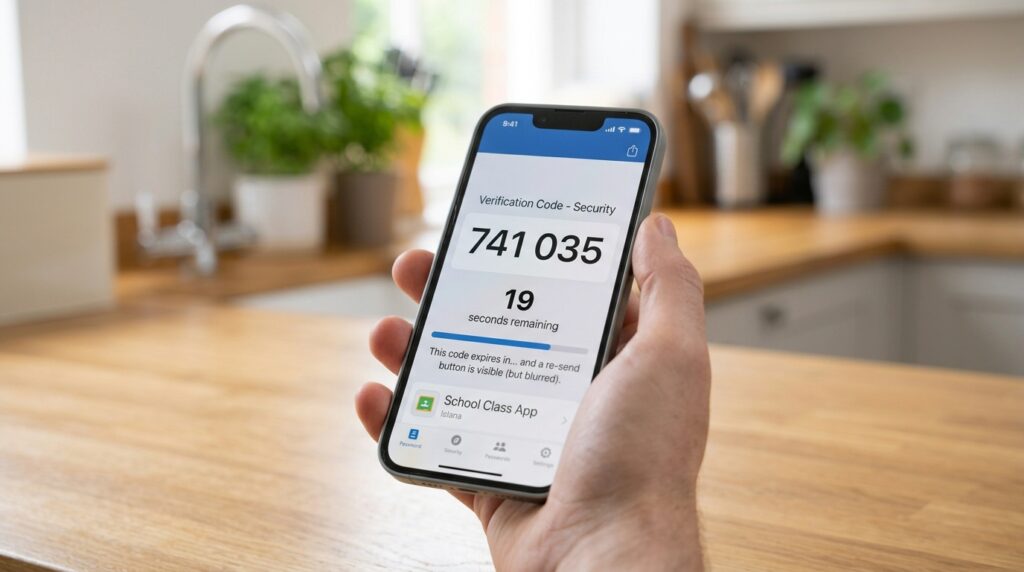
A one time password generator has nothing to do with creating a login password. Instead, it produces a short code, usually six digits. That code changes every thirty seconds and works alongside a password you already have. People searching for this term are often confused about how it relates to the password generator they used to create their account in the first place. That confusion is worth clearing up before anything else.
This guide covers what one of these tools actually does. It also explains how it differs from a regular password generator, and what happens if you ever lose access to one.
What a One Time Password Generator Actually Does
A tool like this produces a short numeric code tied to a specific account, usually refreshing every thirty seconds. You enter this code alongside your regular password when a site asks for a second verification step. This process is commonly called two factor authentication. The code itself is the second factor, rather than a replacement for the first one. Because both factors work together, an attacker needs both pieces at the same time to break in.
The code only works once and only for a short window of time. Even if someone intercepted a code, it would already be useless by the time they tried to use it. That short lifespan is the entire point, since it removes the value of stealing a code after the fact. A stolen password alone becomes far less dangerous once this second layer sits behind it. An attacker would need to act within seconds of intercepting the code, which almost never happens in practice.
One Time Password Generator vs Password Generator: Not the Same Tool
These two tools solve completely different problems, even though the names sound similar. A password generator creates the credential you use to log in. The other kind creates a second, temporary code you enter after that password. That code exists purely as proof you also have access to a trusted device. Neither tool can substitute for the other, no matter how strong either one is on its own.
| Factor | Password Generator | One Time Password Generator |
|---|---|---|
| What it creates | A long term login credential | A short lived verification code |
| How long the result lasts | Until you change it | Usually thirty seconds |
| What it protects against | Guessing or cracking attempts | Someone who already has your password |
| Where you use it | Account login and signup forms | A second verification step during login |
The table makes the split obvious once you see it laid out side by side, which is often the fastest way to clear up the confusion between the two tools.
How OTP Generators Actually Work
Most tools in this category rely on a method called Time-based One-Time Password, or TOTP. When you set one up, the service and your app agree on a shared secret key. This key usually gets exchanged through a QR code during setup. From that point forward, both your app and the service independently calculate the same code. Each side uses that secret key combined with the current time, without ever needing to communicate again after the initial setup.
Because both sides calculate the code the same way, at the same moment, they match without ever sending the secret key back and forth again. This is why the code changes automatically every thirty seconds without an internet connection on your device. The math, not a network request, produces the next code. That design also means the code still works even if your phone briefly loses signal, which makes it more reliable than methods that depend on a live connection.
Common OTP Apps and Built In Options
Standalone authenticator apps handle this function on most phones, generating codes for dozens of accounts inside one app. Several password managers also include this feature directly, storing both your password and your OTP codes in the same vault. Combining both in one place is convenient. However, it does mean a single compromised vault could expose more than a password alone would. That single point of failure is worth weighing before you decide where to store everything.
Keeping the two separate, using a dedicated authenticator app instead of a combined vault, adds a layer of separation. Some people prefer this extra step for their most sensitive accounts, such as email or banking. Neither approach is wrong, but the tradeoff is worth understanding before you choose one. Convenience and separation pull in opposite directions here, and only you can weigh which one matters more for a given account. There is no universally correct answer for every situation.
What Happens If You Lose Access to Your OTP Generator
Losing the device running your authenticator app is more disruptive than losing a password. You cannot simply generate a new code without setting up the account again from scratch. Most services provide backup codes during initial setup specifically for this situation. Saving those codes somewhere safe is not optional if you want a way back in later. Printing them and storing the paper somewhere secure works just as well as any digital backup.
Without a backup code, account recovery usually means proving your identity through a slower, more manual process. Some services make this quite difficult by design, precisely because they cannot easily tell a legitimate user from an attacker at that point. Treat backup codes with the same care as a password. Anyone else who finds them can use them the same way you would, which makes a random sticky note a poor place to keep them. A locked drawer or a password manager’s secure notes feature works far better.
Common Mistakes With One Time Passwords
- Never saving the backup codes provided during setup, which leaves no way back in if the device is lost.
- Taking a screenshot of the setup QR code and storing it somewhere unprotected, which exposes the secret key itself.
- Assuming this kind of code replaces the need for a strong regular password, when it only adds a second layer of protection.
- Setting up the same OTP account on multiple devices without understanding which one stays the primary source of truth.
Each of these mistakes undoes at least part of the protection a second factor is supposed to add in the first place. None of them require much effort to avoid once you know they exist, and most take only a minute or two to fix properly. Instead, a quick review of your setup now is worth more than dealing with a lockout later, especially for an account you would hate to lose.
Frequently Asked Questions
Is a one time password generator the same as a password manager?
No, though many password managers include OTP generation as one feature among several. The core password manager still stores your login credentials separately from the temporary codes.
Do I still need a strong password if I use a one time password generator?
Yes, since the code only adds a second layer rather than replacing the first one. According to the NIST digital identity guidelines, multi factor authentication works best alongside a strong password, not instead of one.
What happens if my phone breaks and I lose my OTP app?
Use the backup codes provided when you first set up two factor authentication for that account. Without them, you will likely need to go through a slower account recovery process with the service directly.
Can someone steal a one time password code and use it later?
Generally not, since most codes expire within thirty seconds of being generated. This short window is what makes the codes far less useful to an attacker compared to a stolen password.
Should I use the same authenticator app for every account?
Using one authenticator app for everything is convenient and works well for most people. Just make sure you save the backup codes for each account in case that single app or device is lost.
Is it safer to use a separate app instead of my password manager’s built in OTP feature?
It adds a layer of separation, since a compromised password vault would not also expose your OTP codes. Whether that tradeoff is worth the extra app depends on how sensitive the accounts involved actually are.
Use Both Layers Together
A one time password generator and a password generator solve two different problems, and neither one replaces the other. Strengthen the password first, then add this second layer wherever a service supports it. The two together cover far more ground than either one manages alone, and setting both up takes only a few extra minutes per account. That small investment of time is easy to forget about once it becomes routine, which is exactly when it matters most.
Try this password generator now to create the strong password that second layer is meant to protect. For more on how length affects strength, see Is a 12 Character Password Actually Long Enough Today. If you would rather use a passphrase instead of a character string, The Passphrase Trick That Makes Passwords Easy to Recall covers that option in detail. Either format pairs well with a second factor once both pieces are properly in place.