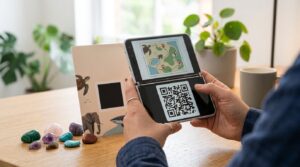
Tomodachi Life uses QR codes to share Mii characters between players. Scan someone’s QR code and their Mii appears on your island. Generate a code for your own Mii and share it with anyone who wants to add that character to their game. The system works on both the 3DS and through the Citra emulator on PC, though the emulator version requires a workaround that most guides skip over.
Here is how Tomodachi Life QR codes work, how to scan and generate them, where to find community-made character codes, and how to use them on Citra.
How QR Codes Work in Tomodachi Life
Tomodachi Life on the Nintendo 3DS encodes each Mii character’s full appearance data into a QR code. The code captures the Mii’s face shape, skin tone, hair style, eye shape, and all other physical customisation settings. When another player scans that QR code, the Mii appears in their game with the exact same appearance and can be added as an island resident.
The QR code does not transfer the Mii’s personality, relationships, or progression from the original game. It transfers appearance only. The Mii starts fresh on the new island with a blank personality and no relationships, regardless of what they were in the originating game.
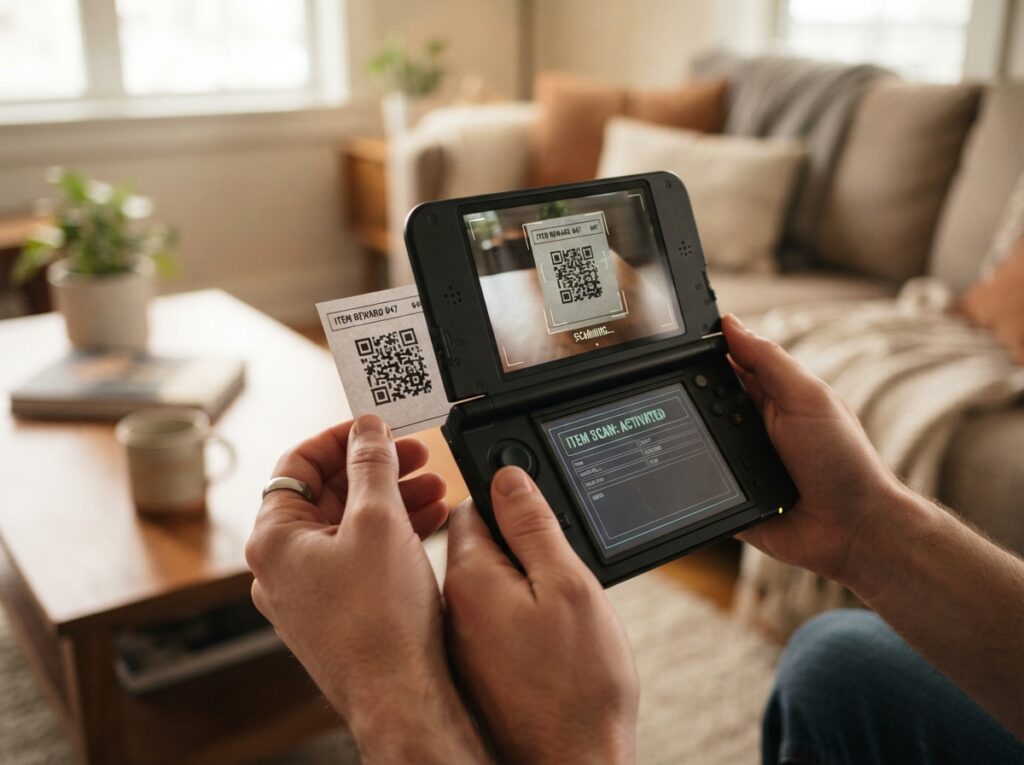
How to Scan a QR Code in Tomodachi Life
- From the Tomodachi Life main menu, select the Mii Apartments building
- Once inside, press the Home button to access game options, or look for the QR Code option in the menu that appears when managing residents
- Alternatively, from the main island map, tap the menu icon and look for Mii QR Code options
- Select Scan QR Code
- The 3DS camera activates — hold it steady and point it at the QR code image
- The Mii encoded in the code appears on screen for you to confirm and add to your island
The QR code scanning in Tomodachi Life uses the 3DS camera and works with the game’s own Mii data format. Scanning a Tomodachi Life QR code with a standard smartphone camera opens an error or an unreadable string rather than any Mii data, because the format is specific to the 3DS Mii system.
How to Generate Your Own Tomodachi Life QR Code
Generating a QR code for your own Mii characters works through the Nintendo 3DS Mii Maker app rather than from within Tomodachi Life directly.
- Open the Mii Maker app from the 3DS home screen
- Select the Mii you want to share
- Choose QR Code / Image Options from the Mii’s menu
- Select Save as QR Code
- The 3DS displays a QR code for that Mii on the top screen
- Photograph the screen with another device to save the code for sharing
The QR code encodes the full Mii appearance data and can be scanned by any 3DS or compatible device running a game that accepts Mii QR imports, including Tomodachi Life, StreetPass Mii Plaza, and other Mii-compatible titles.
Tomodachi Life QR Codes on Citra Emulator
Citra is a Nintendo 3DS emulator for PC, Mac, and Android. Tomodachi Life runs on Citra, and importing Miis via QR codes works, but the process differs from the physical 3DS because there is no camera to point at a QR code image.
The Citra method uses the emulator’s built-in QR code import feature:
- Open Tomodachi Life in Citra and navigate to the Mii QR code scan option in the game
- When the camera activates in the game, Citra displays a prompt to load an image from your computer instead of using a physical camera
- Click the folder or import option in the Citra camera overlay
- Select the QR code image file saved on your computer
- Citra processes the image and passes the Mii data to the game as if it had been scanned with a real camera
The Citra method requires the QR code image to be saved as a file on your computer first. Download QR code images from community sites or generate them from Mii Maker through a physical 3DS and photograph the screen. The image quality needs to be sufficient for Citra to read the pattern correctly — a clear, uncompressed PNG works best.
Some versions of Citra handle the camera import differently depending on the build. If the image import option does not appear automatically, check the Citra settings under Camera to configure it to use image files rather than a webcam.
Where to Find Tomodachi Life QR Codes
The Tomodachi Life community has created and shared Mii QR codes extensively over the years. Several sources maintain active collections:
- r/tomodachilife on Reddit: The main Tomodachi Life subreddit has regular QR code sharing threads where players post codes for celebrity Miis, fictional character Miis, and original creations
- Tomodachi Life wikis and fan sites: Several fan wikis maintain catalogues of Mii QR codes organised by category including celebrities, anime characters, video game characters, and original designs
- Discord servers: Tomodachi Life Discord communities maintain pinned QR code databases and allow members to share and request specific Miis
- YouTube tutorials: Many YouTube videos about Tomodachi Life include QR codes in the video description or as images displayed on screen that viewers can scan
Tomodachi Life: New Life Plus QR Codes
Nintendo released Tomodachi Life: New Life Plus in 2024 as a new entry in the series for Nintendo Switch. The QR code system in New Life Plus differs from the original 3DS game because the Switch does not have the same Mii QR format as the 3DS.
New Life Plus uses Nintendo Account-linked Miis rather than the QR-based sharing system of the original game. Sharing characters between players in New Life Plus works through different social mechanics built into the Switch’s online infrastructure rather than through scannable QR codes. QR codes from the original 3DS Tomodachi Life are not compatible with New Life Plus.
For players specifically looking to use QR codes with the original Tomodachi Life, that means the 3DS version or Citra emulator. For New Life Plus on Switch, follow the in-game character sharing features rather than looking for QR code support.
Frequently Asked Questions
How do I scan a QR code in Tomodachi Life?
Access the Mii QR code option through the game menu when managing island residents, or through the Mii Apartments section. Select Scan QR Code, which activates the 3DS camera. Hold the camera up to the QR code image to import the Mii. The scan must happen within the game, not with a standard smartphone camera.
How do I get a QR code for my Mii in Tomodachi Life?
Open the Mii Maker app on the 3DS home screen, select your Mii, choose QR Code or Image Options, then Save as QR Code. The 3DS displays the code on the top screen. Photograph it with another device to share it. The code can be scanned by any 3DS running a compatible Mii-importing game.
How do I use Tomodachi Life QR codes on Citra?
In Citra, navigate to the QR code scan option within Tomodachi Life. When the camera activates, Citra provides an option to load a QR code image file from your computer instead of using a webcam. Select your saved QR code image file and Citra imports the Mii data. If the option does not appear, check Citra’s camera settings to configure it for image file input.
Where can I find Tomodachi Life QR codes?
The r/tomodachilife subreddit has regular sharing threads. Tomodachi Life fan wikis maintain categorised Mii QR code databases. Discord communities for the game keep pinned QR code collections. Many YouTube Tomodachi Life videos include character QR codes in descriptions or on screen.
Do Tomodachi Life QR codes work in Tomodachi Life: New Life Plus?
No. New Life Plus on Nintendo Switch uses a different character sharing system based on Nintendo Account-linked Miis rather than the QR code format used in the original 3DS game. QR codes from the original game are not compatible with New Life Plus.
Can I scan a Tomodachi Life QR code with my phone camera?
No. Scanning a Tomodachi Life QR code with a standard smartphone camera opens an error or unreadable data string because the code encodes Mii data in a format specific to the 3DS system. The scan must happen within the game or through Citra’s image import function for the Mii to import correctly.
Share Your Island, One Mii at a Time
Tomodachi Life QR codes let you bring any Mii into your island, whether it is a celebrity recreation someone spent hours crafting, a character from your favourite game, or a friend’s real-life Mii. The 3DS version scans directly. Citra on PC uses image file import. New Life Plus on Switch works differently and QR codes from the original game do not cross over.
For creating QR codes that work with any standard smartphone scanner, including codes for sharing websites, contact details, or social profiles, the QR code generator handles any web URL with full design options. And if you want to understand how QR codes encode and store different types of data, the how QR codes work guide covers the mechanics clearly.