You are about to print 500 flyers. Or redesign your restaurant menu. Or put QR codes on your product packaging. And someone just told you there are two types of QR codes and you need to pick the right one before printing anything.
They are right. Choosing the wrong type can mean reprinting everything or losing the ability to track your results.
This guide explains exactly what static and dynamic QR codes are, how they differ, what each one costs, and which one makes sense for your specific situation.
What is a Static QR Code?
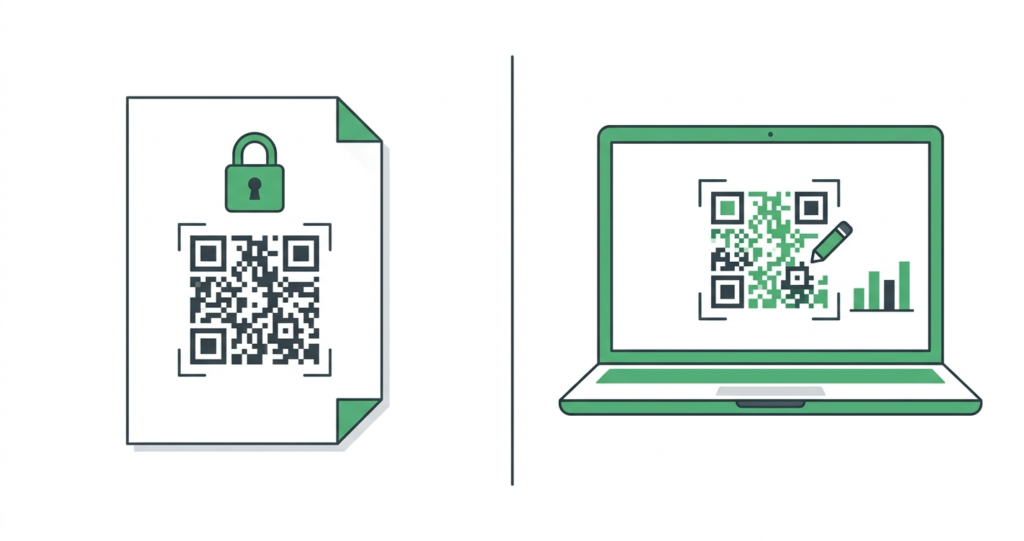
A static QR code has its destination permanently encoded into the code itself. The URL, contact details, WiFi password, or text you enter when creating the code is baked directly into the pattern of black and white squares.
Once you generate and download a static QR code, that information cannot be changed. Ever. If the URL changes, the page moves, or you made a typo, there is only one fix. Create a new QR code and replace every printed or displayed copy of the old one.
What static QR codes are good at
- They are completely free to create with no account needed
- They work forever with no expiry date
- They have no scan limits
- They do not require any third-party service to keep working
- They are the right choice for any destination you are confident will never change
Where static QR codes fall short
- You cannot edit the destination after creation
- There is no way to track how many times the code was scanned
- If the linked page moves or the URL changes, the code becomes useless immediately
What is a Dynamic QR Code?
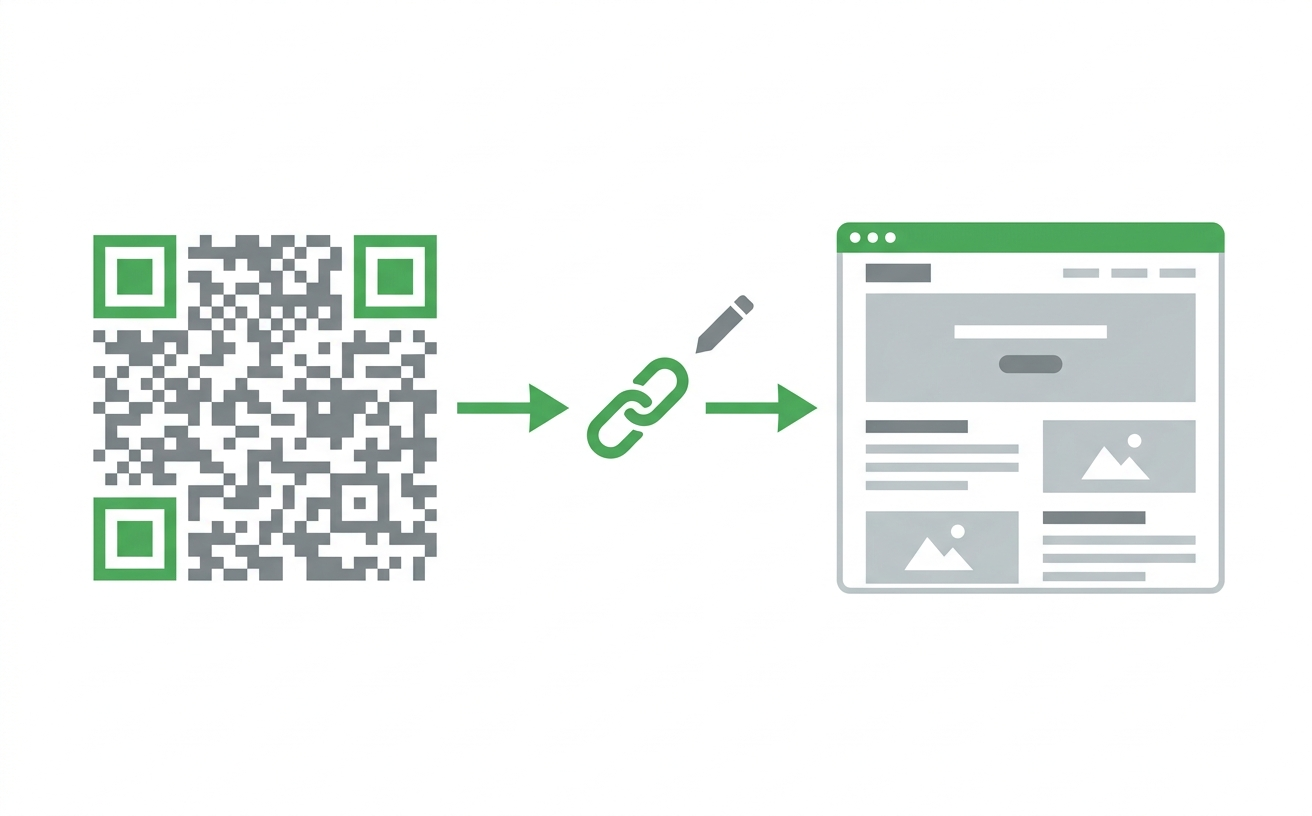
A dynamic QR code works differently. Instead of storing your destination URL directly inside the code, it stores a short redirect URL. That redirect points to your actual destination.
The QR code always points to the same short redirect. But you can change where that redirect sends people at any time, from any device, without touching the printed QR code at all.
Think of it like a road sign that always says “Follow this road.” You can change where the road leads without changing the sign.
What dynamic QR codes are good at
- You can change the destination URL at any time without reprinting
- Every scan is tracked with data on time, location, and device type
- You can run A/B tests by swapping destinations and comparing scan rates
- They work well for campaigns where the content changes seasonally or regularly
- They give you real data on whether your print marketing is actually working
Where dynamic QR codes fall short
- They usually require an account with a QR code platform
- Free tiers on most platforms have scan limits or feature restrictions
- If the platform you used shuts down or you cancel your plan, your codes stop working
- They add a layer of dependency on a third-party service
The Key Differences Side by Side
Here is how the two types compare across the factors that matter most:
| Feature | Static QR code | Dynamic QR code |
|---|---|---|
| Destination editable after printing | No | Yes |
| Scan tracking and analytics | No | Yes |
| Cost to create | Free | Free tier available, paid for full features |
| Account required | No | Usually yes |
| Expiry date | Never expires | Depends on platform and plan |
| Scan limits | Unlimited | Limited on free plans |
| Relies on third-party service | No | Yes |
| Code complexity | Varies with data length | Simpler pattern (short redirect URL) |
How Dynamic QR Codes Track Scans
When someone scans a dynamic QR code, their request goes through the redirect URL hosted by the QR code platform. The platform logs the scan before forwarding the person to the final destination. This is where the analytics data comes from.
Typical data captured per scan includes:
- Timestamp: the exact date and time of the scan
- Location: the country and sometimes the city, based on IP address
- Device type: whether the scan came from an iPhone, Android, or another device
- Operating system: iOS, Android, Windows, and so on
- Total scan count: how many times the code has been scanned in total
This data is valuable for marketers running print campaigns who need to know whether their physical materials are actually generating engagement. According to Statista, QR code scanning in the US has grown year on year since 2020. That growth makes measurability increasingly important for any campaign that spans both print and digital.
For more on what you can do with QR code analytics, see our guide on QR code tracking: how to know how many people scanned your code.
Which One Should You Choose?
The right answer depends on what you are using the QR code for. Here is a straightforward guide.
Choose a static QR code when:
- The destination will never change. A QR code linking to your homepage, a permanent contact page, or a fixed PDF is a good static candidate.
- You want something free with zero ongoing dependencies. Static codes work independently forever with no account, no monthly fee, and no platform to worry about.
- You are creating a personal QR code. Business cards, personal websites, and one-off projects rarely need tracking or editability.
- Speed matters more than analytics. If you need a QR code today and have no time to set up an account or a campaign, a static code from toolshash.com is ready in 60 seconds.
Choose a dynamic QR code when:
- The destination might change. Restaurant menus, event pages, and seasonal promotions all change regularly. A dynamic QR code means you never have to reprint your materials when the content updates.
- You need to measure campaign performance. If you are running a print marketing campaign and need to prove ROI, dynamic tracking data is essential.
- You are managing multiple QR codes for a business. Dynamic codes let you update and monitor all your codes from one dashboard.
- You are doing A/B testing. Swap between two destination pages and compare scan rates to see which one performs better with the same printed material.
The Restaurant Menu Argument
The most common question about this choice comes from restaurant owners. They want to know whether to use a static or dynamic code for their menu.
The honest answer is: it depends on how often your menu changes.
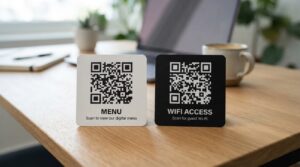
If you have a fixed menu that stays the same for months or years at a time, a static QR code pointing to a stable PDF or webpage works perfectly. Create it once, print it, and forget about it.
If your menu changes weekly, seasonally, or whenever suppliers run out of ingredients, a dynamic code is worth the small overhead. You update the destination URL on your platform, and every printed table card instantly points to the new menu without you touching a single physical item.
For a full walkthrough of setting up a QR code for your restaurant, see how to make a QR code for your restaurant menu.
What About the Cost?
Static QR codes are free. Full stop. You can create as many as you want at toolshash.com with no account, no subscription, and no cost.
Dynamic QR codes are a different story. While most platforms offer a free tier, the free plans typically come with restrictions. Common limitations on free dynamic plans include scan caps (often 500 scans per month), a cap on the number of active codes, and reduced analytics detail. Some platforms also add branding or watermarks to the short URL on free tiers.
Paid dynamic QR code plans range from around $5 to $30 per month depending on the platform and the number of codes and scans you need. If you are a business running active campaigns, the tracking data usually justifies the cost. If you are a small business owner with one or two QR codes pointing to a stable website, a free static code does everything you need.
A Common Mistake to Avoid
Many businesses create a dynamic QR code on a free platform and print it across thousands of menus or packaging items. Then they hit the scan limit. Or the platform changes its pricing. Either way, the printed codes stop working or start showing an error page. When that happens, the printed codes stop working or start showing an error page.
Before printing any dynamic QR code at scale, make sure you understand the platform’s limits and pricing. Check whether the free tier covers your expected scan volume. And make sure you have a plan for what happens if the platform changes its policies.
Static QR codes have none of this risk. They work as long as the destination URL stays live, regardless of which tool you used to create them.
Can You Convert a Static QR Code to Dynamic?
No. The two types are fundamentally different in how they store information. A static QR code has the full destination baked into its pattern. A dynamic code has a short redirect baked in. You cannot change one into the other.
If you created a static QR code and later decide you want tracking or editability, you need to create a new dynamic QR code and replace the printed version. This is worth planning for before you commit to a large print run.
How to Create Both Types for Free
At toolshash.com you can create fully customised static QR codes in under 60 seconds with no account required. Choose from 14 QR types, add your logo, pick your colors, and download in PNG or SVG.
The process takes no technical knowledge. You pick the type, enter your content, customise the design if you want to, and download. That is it.
Create your free QR code at toolshash.com
Frequently Asked Questions
Do static QR codes expire?
No. A static QR code lasts forever. It has no expiry date and no scan limit. The code stops working only if the destination URL goes offline or the page is removed. Codes created at toolshash.com are static by default and never expire.
Can I track scans on a static QR code?
Not directly through the QR code itself. However, you can add UTM parameters to the URL you encode in the code, then track clicks through Google Analytics. For example, encoding https://yoursite.com?utm_source=flyer&utm_medium=qr lets Google Analytics show you how many people arrived via that specific QR code. It is not as detailed as dynamic tracking, but it works for basic measurement without any paid platform.
Is a dynamic QR code more reliable than a static one?
Static codes are actually more reliable in one important sense. They work independently of any platform or service. A dynamic code stops working if the platform hosting the redirect goes down, changes pricing, or closes. A static code keeps working as long as your destination URL is live.
Will a dynamic QR code look different from a static one?
Not necessarily. Both types look like standard QR codes. The visual difference comes from what is encoded. A dynamic code encodes a short URL, which means fewer data characters and a slightly simpler, less dense pattern. A static code encoding a long URL will have a more complex, denser pattern. But to a casual observer they look the same.
Can I use a static QR code for a restaurant menu?
Yes, as long as the menu URL stays the same. If you host your menu as a permanent PDF at a stable URL, a static QR code is perfectly fine. If your menu changes regularly, a dynamic code gives you the flexibility to update it without reprinting your table cards. See our full guide on QR codes for restaurant menus for more detail.
What happens to a dynamic QR code if I cancel my subscription?
This depends on the platform. Most platforms deactivate the redirect when a subscription lapses, which means the QR code stops working. Some offer a grace period. Before printing dynamic codes at scale, check the platform’s cancellation policy and understand the risk before committing to a large print run.
Read these next: