A printed worksheet sent home with students. A textbook chapter that links to outdated information. A class video hosted somewhere students have to search for instead of finding instantly. Teaching has always involved a gap between the resource and the student’s ability to access it quickly.
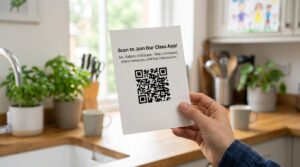
QR codes close that gap. A code on a worksheet takes students directly to a tutorial video without searching. A code on a classroom door handles attendance without a register. A code on a poster takes a parent to the school newsletter without a paper copy.
This guide covers ten practical classroom applications and how to set each one up for free.
How to Create a QR Code for Any Classroom Resource
Every classroom QR code starts with the same two-minute process at toolshash.com. No account. No signup. Completely free.
- Go to toolshash.com/custom-qr-code-generator.
- Select Website / URL from the QR Type dropdown.
- Paste the URL of the resource: a YouTube video, a Google Form, a Google Doc, a PDF, a website, or any accessible link.
- Customize the color to match your school or department branding if needed.
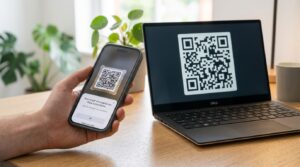
- Click Generate. Scan the preview with a phone to confirm it works.
- Download as PNG for documents and presentations. Download as SVG for any printed materials that will be resized.
The code is static, meaning it works permanently with no platform dependency, no scan limit, and no expiry. You can print it on a worksheet once and it will still work next year.
10 Practical Ways to Use QR Codes in Schools
1. Link worksheets to tutorial videos
A QR code in the corner of a printed worksheet that links to a tutorial video transforms a static resource into an interactive one. Students who need extra help can scan the code and watch the relevant video without the teacher having to repeat the explanation individually. Students who finish early can scan and explore extension content.
Host the video on YouTube (unlisted if you prefer it not to be publicly searchable), Google Drive, or your school’s learning management system. Copy the link and create the QR code. Print one code per worksheet and update it each time the worksheet changes.
2. QR code attendance in lectures and classes
For large groups, a QR code at the start of a session linking to a Google Form attendance register is faster than paper and more reliable than an honor system.
Create a Google Form with fields for student name or ID number and the date. Display the QR code on a slide at the start of each session with a time limit. Students scan and submit within the first five minutes. Responses go directly into a Google Sheet for easy tracking.
Research in the journal Computers in Human Behavior found that QR code attendance systems in higher education significantly reduce admin time while maintaining or improving accuracy over traditional registers.
3. Scavenger hunts and interactive learning activities
QR codes placed around a classroom or school building, each linking to a clue, question, or resource, create an interactive scavenger hunt without any specialist technology or paid platform. Students work through the clues by scanning each code and following the instructions it reveals.
Set up a chain: each QR code links to a page or document that contains the next clue plus a question the student must answer before moving on. Use Google Forms or Google Sites to host each stage. The activity works for any subject and any age group.
4. Link to the correct version of a video or audio recording
Music teachers, language teachers, and science teachers regularly use audio and video resources in class. Finding the right version of a piece of music or the correct pronunciation guide during class takes more time than it should.
A QR code on a printed resource or on a classroom poster that links directly to the exact recording removes the search entirely. Students arrive at exactly the right version, at the right timestamp if needed, every time.
5. Parent communication and newsletters
A QR code on a paper letter sent home reduces printed pages and gives parents a direct path to digital resources like the newsletter, term calendar, or parent portal. For schools trying to reduce paper use, QR codes on printed communications are a practical bridge between paper and digital.
According to the Sustainable Schools Project, schools that reduce paper use through digital alternatives save an average of several hundred pounds per year in printing costs. A QR code on a single A4 letter replaces a multi-page attachment and costs nothing to add.
6. Book recommendations and reading lists
A QR code on a library display or a classroom wall that links to a curated reading list gives students instant access to recommendations without copying down titles. Libraries can create QR codes linking to their catalogue search results for specific genres or topics. Teachers can link to annotated reading lists hosted on Google Docs or the school website.
7. Google Form quizzes and formative assessments
A QR code linking to a Google Form quiz lets students submit answers from any device without the teacher having to hand out paper, collect it, or mark it manually. Google Forms grades multiple-choice questions automatically and presents results in real time in a linked Google Sheet.
For a full guide on creating QR codes for Google Forms specifically, see how to turn a Google Form into a QR code.
8. Science experiment instructions and safety guides
A QR code in the lab linking to a video demonstration lets students review the method at their own pace. No more watching a single demonstration from varying distances. A QR code on a hazard sign linking to the full safety protocol gives students complete information on demand without a printed laminated sheet.
9. Differentiated resources for different ability levels
Different QR codes on different versions of the same worksheet allow teachers to differentiate quietly. Students do not know they have received different materials. The worksheet looks the same. The QR code takes each group to the resource appropriate for their level.
This works for any subject. A math worksheet where the QR code links to either a basic explanation or an extension problem set. A science worksheet where the QR code links to a simple explainer video for some students and a more detailed journal article for others.
10. Exit tickets and end-of-lesson feedback
Display a QR code at the end of the lesson linking to a short Google Form with two or three reflection questions. It takes less time than a paper exit ticket and produces digital data the teacher can review before the next session. Students scan the code, submit their response, and leave. The teacher opens the Google Sheet and reviews responses that evening.
This takes three minutes to set up. The form can be reused every lesson by clearing the previous responses or by adding a date field so each lesson’s responses are stored separately.
QR Codes in Primary School vs Secondary School vs University
The practical application varies significantly by age group.
In primary schools, QR codes work best as teacher-managed resources embedded in printed materials. Young children benefit from a code that immediately takes them to a relevant video or activity rather than navigating a website themselves. The teacher creates the code, prints it on the resource, and the student only needs to point a tablet or phone at the square.
In secondary schools, QR codes work well for both teacher-led and student-led activities. Attendance, scavenger hunts, differentiated resources, and formative assessment all fit naturally into secondary school workflows. Students are capable of scanning and interacting with the linked content independently.
In universities and colleges, QR codes are most valuable for lecture attendance, instant access to slides and supplementary materials, and connecting printed reading lists to digital library resources. Lecturers using QR codes on slide decks allow students to access resource links without typing URLs.
What Devices Do Students Need to Scan QR Codes?
Any smartphone running iOS 11 or later or Android 8 or above scans QR codes natively with the built-in camera, as confirmed by Apple’s iOS documentation and Google’s Android documentation. No app download is required.
For schools with device schemes or shared tablets, most modern tablets including iPads and Android tablets support QR scanning through the native camera app. For schools with Chromebooks, students can use the camera app or a browser extension to scan QR codes from printed materials.
For students without a personal device, a shared class set of tablets at a scanning station covers activities where everyone accesses the same code. For attendance and individual worksheet links, device availability is worth checking before embedding QR codes in every resource.
Printing QR Codes on School Materials
A few practical points for teachers adding QR codes to printed resources.
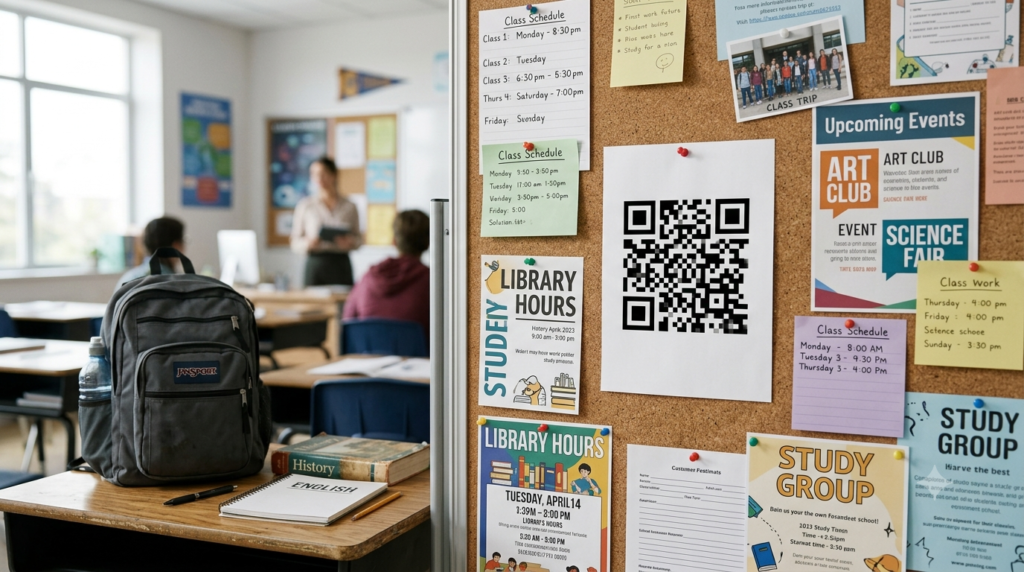
Keep the code at least 2cm x 2cm on any printed material. According to Denso Wave’s printing guidelines, this is the minimum for reliable scanning at close range. For a worksheet scanned from a desk, 2.5cm x 2.5cm is more comfortable. For a poster scanned from a standing distance, 5cm x 5cm or larger is better.
Download SVG format for any resource that will be resized. A QR code on a worksheet can be small, but the same code on a classroom poster needs to be large. SVG scales without quality loss. PNG does not scale up cleanly and appears blurry when enlarged.
Always test the printed code before distributing to the class. Scan the printed version, not just the on-screen preview. Ink on paper reflects light differently from a screen, and a code that scans on screen may not scan on a low-quality printed copy. Test on both a phone and a tablet if students will use both.
Frequently Asked Questions
Do QR codes cost anything to use in schools?
No. Creating QR codes at toolshash.com is completely free with no account required. Static QR codes have no scan limits and never expire. The only cost is the paper and ink to print them, which is the same as any other printed classroom resource.
Do students need data or WiFi to scan a QR code?
Scanning the QR code itself does not require an internet connection. However, to access the resource the code links to (a video, a website, a Google Form), students need either a WiFi connection or mobile data. For schools with strong WiFi coverage, this is not a problem. For outdoor activities or poor-coverage areas, link to resources that can be loaded before the activity starts. Or use QR codes that store the resource text directly rather than a URL. For WiFi access in classrooms, see WiFi QR code generator: share your password without saying a word.
Can I reuse the same QR code for different lessons?
A static QR code always points to the same destination. If you want to reuse a printed code for different content, the destination needs to change. Create a Google Doc or Google Site as a landing page. Put the QR code on all your materials pointing to that page and update the content each lesson. The QR code never changes but the resource it links to updates. This saves reprinting every time the content changes.
Is it safe to use QR codes with young students?
Yes, as long as the QR codes are created by the teacher and point to verified, appropriate resources. A QR code created by the teacher pointing to a school-approved YouTube video or Google Form is no different in safety terms from giving students a URL to type. For safeguarding, always verify the destination of any QR code before including it in classroom materials and ensure linked resources are appropriate for the age group.
Can parents scan classroom QR codes with older phones?
Most smartphones from 2017 onwards support native QR scanning. For older devices, a free QR scanner app from the App Store or Google Play reads QR codes without any issues. If you are sending QR codes home on paper letters, include a short written URL as a fallback for any parent whose phone does not support QR scanning.
What is the best free tool for creating QR codes for teachers?
toolshash.com covers every classroom use case: URLs, Google Form links, WiFi codes, vCard codes for teacher contact information, and more. It requires no account, creates static codes that never expire, and produces both PNG and SVG downloads. For a full comparison of free tools, see best free QR code generator.