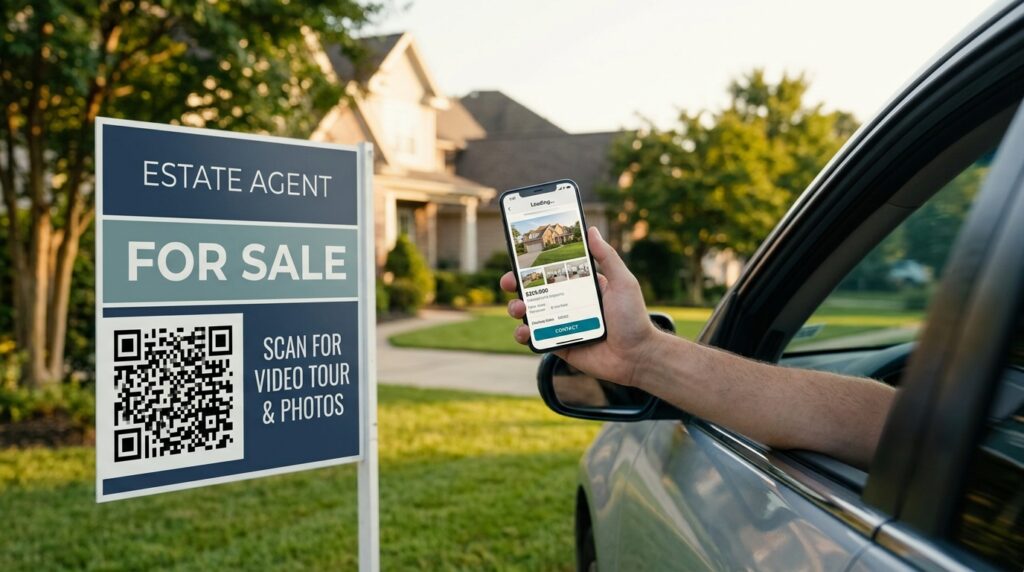
Someone slows their car to read a for-sale sign. They note the price, glance at the house, and drive on. They mean to look it up later. They forget. The interest disappears before they ever make contact.
A QR code on that sign gives them a direct path to the listing in the moment of interest. They scan from the car, the listing opens on their phone, they save it, they call or email from the page. The lead that would have evaporated is captured.
This guide covers practical QR code applications in property marketing, how to create each one free, and what to link each code to for the best scan-to-enquiry conversion.
What to Link Property QR Codes To
The destination determines whether a scan converts to a lead. A QR code that lands on an estate agent homepage wastes the moment of intent. The right destination depends on which material the code appears on.
For-sale and to-let sign
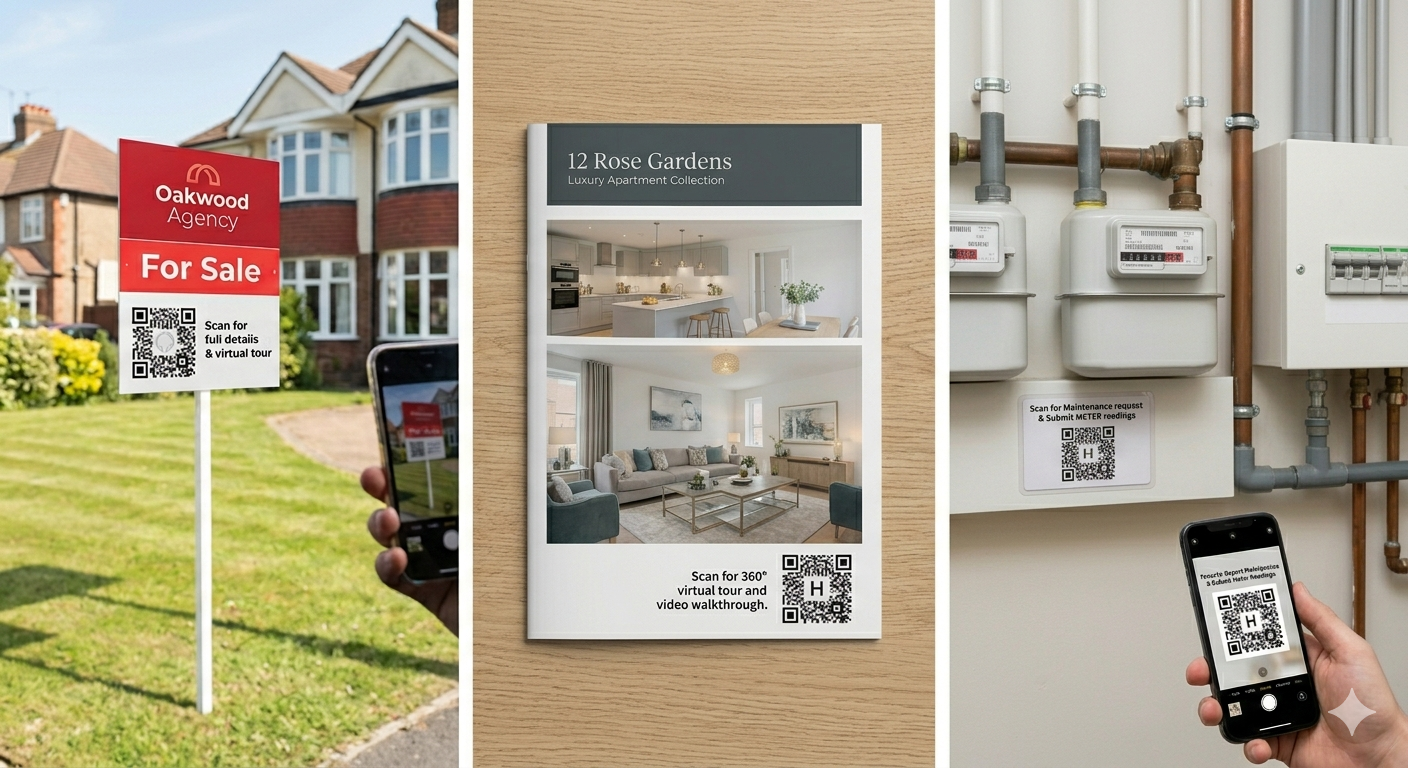
Link directly to the individual property listing page on your website or portal. The page should show photographs, the full description, the price, the key features, and a clear contact button or form. The person scanning has already shown intent by stopping to read the sign. Removing every extra click between the scan and the enquiry form is the job.
If the property is listed on Rightmove, Zoopla, or OnTheMarket, use the direct listing URL from that portal. These pages load quickly on mobile, have strong photography display, and include tap-to-call functionality that converts well from a QR scan on a street sign.
Estate agent window card
A QR code on a window display card links to the same property listing. The key difference from a street sign is that window browsers are typically on foot with more time to engage. A QR code linked to a virtual tour, a video walkthrough, or an extended photo gallery performs well here because the viewer has more patience than a drive-past.
Printed property brochure
A QR code on a printed brochure links to supplementary digital content: a video tour, a 360-degree walkthrough, a floor plan download, or a viewing booking link. A printed brochure cannot hold video. A QR code extends it into digital space without replacing the physical piece.
Business card
An estate agent’s business card QR code links to a personal profile page, a current listings page, a Google reviews page, or a vCard contact file. For letting agents and property developers, a business card QR code linking to a portfolio of recent sales or lettings demonstrates track record at the moment of introduction. See QR code for business cards for the full setup guide.
Direct mail
A QR code on a prospecting letter or a just-sold mailer links to the property, the recent sale evidence, or a booking page for a free valuation. Direct mail with a QR code converts at higher rates than text-only mail. The path to action is immediate rather than requiring the recipient to type a URL or search for the agent’s name.
Where to Place QR Codes in a Property Marketing Campaign
Placement is about matching the QR code to the moment of intent. Here is how each placement serves a different stage of the buyer or tenant journey.
For-sale board: capturing drive-past interest
The QR code belongs on the lower third of the sign board where it is visible to someone standing beside it or scanning from a slowly moving vehicle. The code needs to be at least 8cm x 8cm at this size and placement. According to Denso Wave’s printing guidelines, a QR code scans reliably at up to ten times its own width. A 10cm code scans from up to 100cm, comfortably covering the distance from a pavement to a front-of-garden sign.
“Scan for photos, floor plan, and virtual tour” tells the viewer what they will get and increases scan rates compared to a code with no context.
Agent office window: capturing foot traffic
A QR code on each window display card, positioned consistently so browsers know where to look. A laminated A5 or A4 card with the property photo, headline price, and QR code is visible through glass and scannable from the pavement. Set the code to at least 5cm x 5cm for comfortable scanning through a window at 60 to 80cm.
Open day or viewing: capturing in-person interest
A QR code at an open day linking to a second-viewing booking form or a mortgage calculator captures buyers who are interested but not yet ready to offer. A small card on the kitchen counter with the QR code converts in-person interest into a next step without the agent being present for every conversation.
Portal listings: supplementing digital with digital
Adding a QR code slide at the end of the portal photo gallery linking to a virtual tour gives browsers an extra depth of experience beyond standard photographs. Rightmove does not embed QR codes directly, but a slide saying “Scan for video tour” with a visible code adds a discoverable link for mobile viewers.
How to Create Property QR Codes for Free
All property QR codes are created using the same process at toolshash.com. No account. No signup. Completely free.
- Go to toolshash.com/custom-qr-code-generator.
- Select Website / URL from the QR Type dropdown.
- Paste the destination URL: the listing page, the virtual tour, the booking form, or the agent profile.
- Set error correction to H (High). For-sale boards are outdoors. They face rain, sun, and physical contact. H-level correction means the code still scans with up to 30% of the pattern degraded.
- Customize the design. Match the foreground color to the agency’s brand colors. Add the agency logo in the centre: upload a transparent PNG, keep it under 25% of the code area. See how to add a logo to a QR code.
- Click Generate. Scan the preview on your phone. Confirm the listing page loads.
- Download as SVG for boards and printed materials. SVG scales to any size from a business card to a large outdoor sign without quality loss.
Tracking Enquiries From Property QR Codes
A QR code on a for-sale board with no tracking is guesswork. Adding UTM parameters to the destination URL before creating the QR code gives you Google Analytics data showing exactly how many people scanned the sign and visited the listing page.
A tracking URL for a sign board looks like:
https://youragency.com/property/123-high-street?utm_source=sign_board&utm_medium=qr_code&utm_campaign=123_high_street
Use a different QR code for the sign board, window card, and brochure, each with a different utm_source value, and you can see which placement drives the most scans. That data informs where to invest in future campaigns. For the full tracking setup, see QR code tracking: how to know how many people scanned your code.
QR Codes for Property Management and Landlords
QR codes serve property professionals beyond sales and marketing. For letting agents and landlords managing multiple properties, several operational applications reduce admin and improve tenant experience.
Maintenance request QR code
A QR code sticker inside a rental property linking to a maintenance request form gives tenants a frictionless path to report issues. The form pre-populates the property address. The landlord or agent receives an email notification. Every request is logged with a timestamp. For the form setup, see how to turn a Google Form into a QR code.
Property information card
A QR code in a welcome pack linking to a digital property guide covers bin days, boiler instructions, emergency contacts, and utility account details. The same information that used to live in a printed folder that nobody could find is now one scan away. Update the Google Doc behind the QR code when information changes without reprinting anything.
Meter reading submission
A QR code near the utility meters linking to a meter reading submission form removes the back-and-forth of tenants texting meter readings to landlords. Every reading is logged with a date and time in a Google Sheet automatically.
Frequently Asked Questions
Can I use the same QR code across multiple properties?
Only if all the properties point to the same destination, which is rare in property marketing. Each listing typically needs its own QR code pointing to that specific listing page. For a large portfolio, create one QR code per property pointing to that property’s page. The process takes under two minutes per code at toolshash.com. For dozens or hundreds of properties, use the bulk generation method in bulk QR code generator: create hundreds of unique QR codes at once.
What happens when a property sells and the listing page comes down?
The QR code keeps scanning but opens a dead page or a 404 error. Once a property is sold, the for-sale board comes down, so the sign QR code becomes irrelevant. For window cards and brochures that might circulate after a sale, point the QR code to the agency homepage or agent profile rather than the specific listing. The scan always lands somewhere useful even after the property is off the market.
Should I use a static or dynamic QR code for a property listing?
Static for most property uses. The listing URL is fixed for the duration of the campaign. A static QR code costs nothing, has no scan limits, and never expires. A dynamic code is only worth using if the destination URL will change after the board is printed, for example shifting from the listing to a sold-subject-to-contract page. For that specific scenario, a dynamic code with an editable destination saves reprinting. For a full comparison, see static vs dynamic QR codes: which one do you actually need?
How large should the QR code be on a for-sale board?
At minimum 8cm x 8cm for a standard estate agent board scanned from pavement or kerbside distance. A 10cm x 10cm code is more comfortable for the range of distances people actually scan from. Denso Wave’s 10x rule means a 10cm code scans reliably from up to 100cm, which covers most realistic sign-scanning scenarios. For boards in positions where scanning distance is greater, such as behind a fence or across a wide front garden, go to 12cm or larger.
Can a QR code on an outdoor sign survive rain and sun?
Standard printed paper or card will not survive prolonged outdoor exposure. For outdoor estate agent boards, the QR code should be printed on weather-resistant vinyl or applied as a weatherproof laminated panel. Most board manufacturers who produce outdoor estate agent signage use materials rated for outdoor exposure. Confirm with your board supplier that the QR code panel uses UV-resistant, weatherproof materials. A code that has faded or swelled from moisture may not scan reliably even if it is visually intact.
Do I need a separate QR code for each agent in the office?
If each agent has their own personal profile page or listing portfolio, yes. Each agent’s business card QR code points to their individual profile. For general agency marketing where any agent can handle the enquiry, one shared QR code per property pointing to the listing page is sufficient. The enquiry form on the listing page routes to the right person regardless of which agent’s materials the prospect saw first.