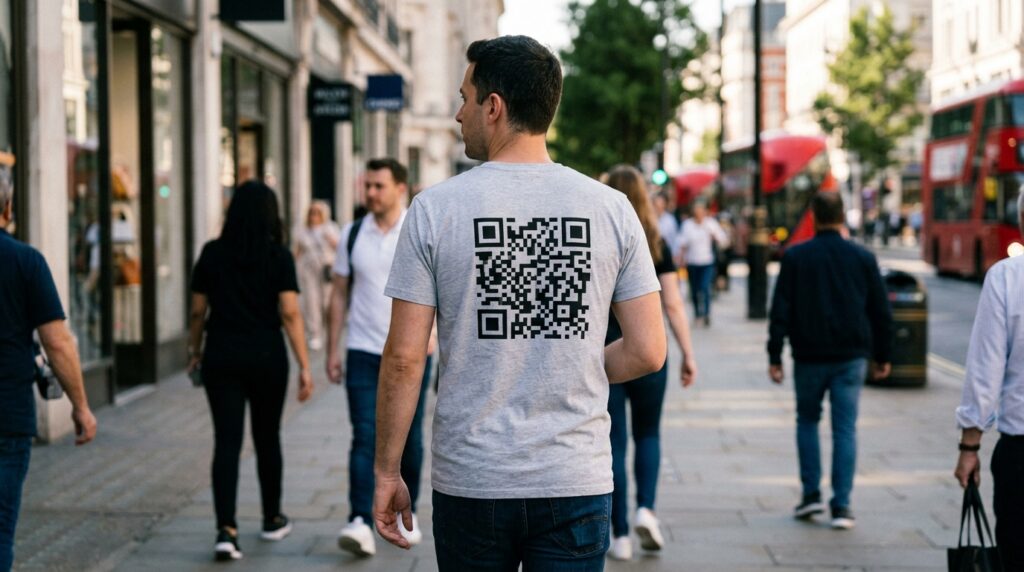
A QR code on a t-shirt turns a piece of clothing into a moving advertisement, a business card, or a conversation starter. Anyone who sees it and scans it goes exactly where you want them to go. No exchange of details, no searching for a name, no forgetting to follow up.
Musicians wear them to festival sets. Artists wear them at gallery openings. Speakers wear them at conferences. Small businesses put them on staff uniforms. And plenty of people wear them just because they want a shirt that does something unexpected when someone points a phone at it.
This guide covers what to link to, the right print size, how to get it on a shirt, and how to create the QR code free before any of that.
What to Link Your T-Shirt QR Code To
The destination determines whether someone who scans the code gets something worth scanning for. A QR code that links to a generic homepage wastes the moment of curiosity. A QR code that lands somewhere specific and immediately interesting holds it.
Music and audio
A link to your Spotify artist page, a SoundCloud track, a Bandcamp release, or a specific YouTube music video. Anyone who scans at a gig, a market, or on the street hears your music in seconds. The QR code becomes the best business card a musician can carry. For the Spotify-specific guide, see Spotify QR code generator: share any song, album, or playlist with one scan.
Portfolio or showreel
For designers, photographers, videographers, and other visual creatives, a QR code linking to an online portfolio lets anyone who expresses interest see the work immediately. A conversation at a networking event that ends with a scan is more memorable than one that ends with “I’ll send you a link.”
Social media profile
A QR code linking directly to an Instagram profile, a YouTube channel, a TikTok page, or a LinkedIn profile. Worn at events, markets, or anywhere with a relevant audience. For the YouTube-specific guide, see QR code for YouTube: grow your subscribers from print and events.
Personal website or Linktree
A link that gives scanners multiple options: portfolio, social media, contact form, booking page. A Linktree or equivalent aggregator page lets a single QR code serve multiple purposes without forcing a choice about which destination matters most.
Product or Merch store
For brands and creators who sell products, a QR code linking directly to the shop. Someone who sees the shirt, wants it, and scans the code arrives at the store page before the moment passes. Self-referential in the best possible way.
A joke, a message, or something unexpected
Not every QR code t-shirt needs to serve a commercial purpose. A code that links to a favorite video, a poem, a playlist for a specific mood, or a message to whoever takes the time to scan. The unexpectedness is part of the appeal.

How to Create Your T-Shirt QR Code for Free
Create the QR code at toolshash.com before approaching any print service. The file you download determines the quality of what ends up on the garment.
- Go to toolshash.com/custom-qr-code-generator.
- Select Website / URL for any web link destination. Select Instagram, YouTube, TikTok, or Twitter / X if the destination is a specific social platform.
- Enter the destination URL.
- Set error correction to H (High). Garments flex, stretch, and wash. A QR code on fabric faces more physical distortion than one on a rigid surface. H-level correction recovers up to 30% of a degraded or distorted pattern. On clothing, that buffer matters.
- Design the code. A black code on a white shirt is the highest-contrast option and the most reliable scanner. A dark colored code on a light shirt works well and looks more considered. For a branded look, match the code to the shirt’s design palette. See can QR codes be different colors? for the contrast rules.
- Add a logo or icon in the centre if the design calls for it. Upload a transparent PNG, keep it under 25% of the code area. See how to add a logo to a QR code.
- Click Generate. Scan the preview with your phone to confirm the destination loads.
- Download as SVG. This is non-negotiable for garment printing. SVG is a vector file that scales to any print size without pixelating. Every garment printer worth using accepts SVG. A PNG file printed large on a shirt will look soft or blurry at close inspection. SVG will not.
Create your t-shirt QR code free at toolshash.com
How Large Does the QR Code Need to Be on a T-Shirt?
A t-shirt QR code is scanned at arm’s length: typically 30 to 60cm from the scanner to the shirt. According to Denso Wave’s printing guidelines, a QR code scans reliably at up to ten times its own width. For reliable scanning at 50cm, the code needs to be at least 5cm x 5cm.
In practice, a QR code on a t-shirt chest print is typically 8cm to 12cm on a side. This scans comfortably from a normal conversational distance, catches the eye, and is proportional to a chest or back print on most adult garment sizes.
Smaller codes work if the expected scanning distance is consistently short. A code that will be scanned at 20 to 30cm, for example on a business card held in hand, can be 2cm to 3cm. On a shirt worn by a person standing in front of someone, the practical minimum is 5cm.
How to Get the QR Code Printed on a T-Shirt
Print-on-demand services
The easiest path for a single shirt or small runs. Services like Printful, Printify, Redbubble, and Teespring print directly from uploaded artwork. Upload the SVG (or a high-resolution PNG exported from the SVG at 300 DPI or higher), position the QR code on the garment preview, and order. Print quality is consistently good. Turnaround is typically 3 to 7 days. Cost per shirt is higher than bulk screen printing but there is no minimum order quantity.
Test the printed shirt before ordering in bulk. Print one, wear it, scan it from a realistic distance in normal indoor lighting, and confirm it scans on both iPhone and Android before committing to a larger run.
Direct to garment (DTG) printing
A local or online DTG printer accepts the SVG file and prints directly onto the fabric using inkjet technology. Good for runs of 5 to 100 shirts. DTG produces full-color results and handles fine detail well, which matters for a QR code where module precision affects scan reliability. Ask for a test print and scan it before the full run.
Screen printing
The standard for larger runs of 50 shirts or more. Screen printing requires minimum quantities that make it uneconomical for single or small orders. It produces sharp, durable prints that hold up to repeated washing better than DTG. For a single-color QR code (black on white, or one brand color on a light shirt), screen printing produces excellent results. Complex multi-color QR code designs with gradients are harder to screen print accurately.
Heat transfer vinyl (HTV)
A cut-vinyl method where the QR code is cut from vinyl film and heat-pressed onto the garment. HTV produces a raised surface finish rather than an ink print. It handles single-color designs well but is not suitable for complex or gradient QR codes. One advantage of HTV is that it can be applied at home with a heat press, making it accessible for one-off custom shirts. The raised surface can affect scan reliability if the vinyl creates shadows around the modules. Test before committing to a batch.
Will the QR Code Still Scan After Washing?
This depends on the print method and care routine. DTG and screen printing with quality inks on quality fabric survive repeated washing well when washed inside-out in cool water. HTV is durable but can crack at fold lines over many wash cycles, which may affect the QR code modules. Heat transfer paper prints (the home-printer iron-on method) degrade fastest and are not recommended for any QR code that needs to scan reliably beyond a handful of washes.
Set error correction to H when creating the code. A code where some modules have degraded from washing still scans at H level as long as less than 30% of the data is lost. This is the single most important step for garment QR codes.
Frequently Asked Questions
What is the best color combination for a QR code on a t-shirt?
Dark modules on a light background gives the highest contrast and the most reliable scanning. Black on white is the gold standard. Dark green, navy, or charcoal on white or light grey all work well. Avoid light-colored modules on a light shirt or dark modules on a dark shirt: the contrast disappears when the fabric is viewed at an angle or in lower light. For any non-standard color combination, test scanning in normal lighting before printing.
Can I put the QR code on the back of the shirt instead of the front?
Yes. A large back-print QR code is particularly effective because it can be scanned by someone walking behind the wearer without requiring any interaction. A code on the back of a shirt at a conference or market gets scanned passively. Make it at least 10cm x 10cm for comfortable scanning from 60 to 80cm. Add a short prompt above or below the code: “Scan to hear my music” or “Scan to see my work.”
Can I wash a QR code t-shirt?
Yes, with care. Turn the shirt inside-out before washing. Use cool or warm water rather than hot. Avoid tumble drying on high heat. These steps apply to any quality garment print, not just QR codes. Screen-printed and DTG-printed QR codes survive hundreds of washes when treated correctly. HTV prints are more vulnerable to heat and abrasion. Home iron-on transfers degrade quickly and are not suitable for a QR code you want to remain functional long-term.
How do I make the QR code look like part of the shirt design rather than something stuck on?
Design the QR code in the same color palette as the shirt’s other graphic elements. Use rounded dot shapes and leaf or rounded eye styles for a softer look. Embed a relevant icon or logo in the centre. Position it intentionally: centered on the chest, as part of a larger graphic arrangement, or as the main design element rather than an add-on. A QR code that is designed into the shirt concept from the start looks intentional. One that is dropped onto an existing design as an afterthought does not.
Will a QR code on a t-shirt scan through a phone case?
The person scanning points their phone camera at the code. Phone cases do not interfere with the camera or the QR scanning process. The case surrounds the phone, not the camera lens. Any standard phone held at arm’s length pointing at a well-sized QR code on a shirt scans without issue.
Is there a minimum number of shirts I need to order?
Not with print-on-demand services. Printful, Redbubble, and similar platforms print and ship single items with no minimum. For screen printing the economic minimum is typically 25 to 50 shirts depending on the printer. DTG printing usually handles runs from a single item upward. For a QR code shirt you are testing, start with one print-on-demand shirt, confirm it scans well, then decide on quantity and method.