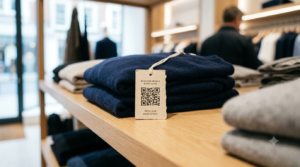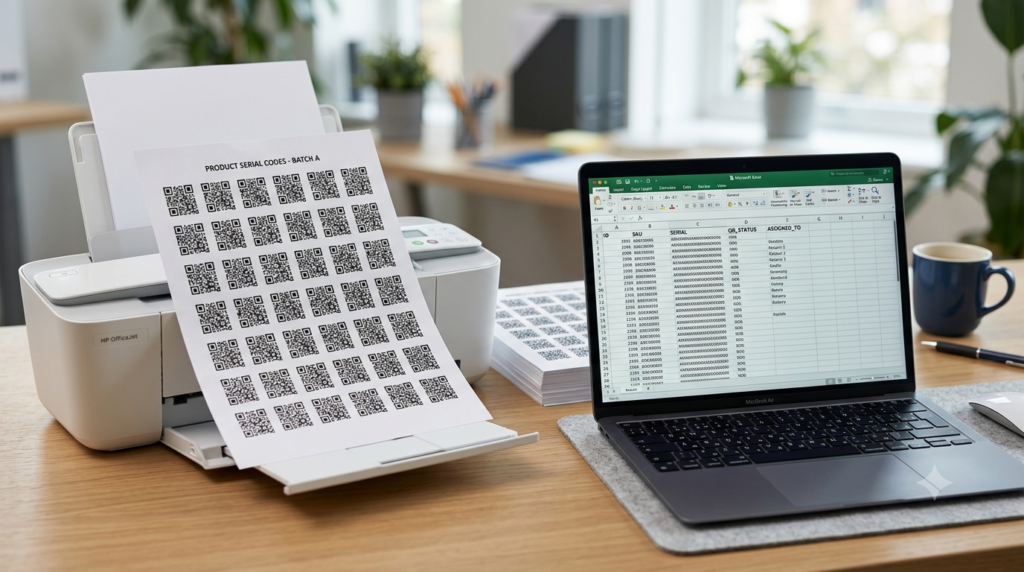
You have 200 products that each need a unique QR code on the label. Or 500 event attendees who each need a personalized QR code for check-in. Or 50 shop locations that each need a QR code pointing to their specific page.
Creating these one at a time is not an option. You need a way to go from a spreadsheet of URLs to a folder of QR code files without clicking generate 200 times.
This guide covers three practical methods for bulk QR code generation. What each one costs, when to use it, and the fastest path from a spreadsheet list to a batch of print-ready files.
When You Actually Need Bulk QR Code Generation
Before working through the methods, it is worth being precise about what bulk generation means in practice. There are two distinct scenarios that people describe as needing bulk codes, and they have different solutions.
Scenario A: Multiple codes pointing to different destinations
This is the true bulk use case. Each QR code in the batch is unique because each one points to a different URL. Product labels where each product has its own page. Event badges where each attendee has a unique check-in code. Inventory assets where each item has its own tracking link. A serial number QR code where each unit gets a unique identifier.
This requires a bulk generation tool that can take a list of URLs as input and produce a corresponding list of QR code image files as output.
Scenario B: Multiple copies of the same code
This is actually a print question, not a generation question. If every copy of the code points to the same destination, you only need to create one QR code. The printing process handles the copies. Create the code at toolshash.com once, download the SVG, and send it to a printer with the quantity you need. No bulk generation tool required.
Most people who think they need bulk QR code generation actually fall into Scenario B. If your situation is Scenario A, read on.
Method 1: Google Sheets with a QR Code Image Formula
The fastest free method for generating a batch of QR code images from a list of URLs requires no downloads, no paid tools, and no coding knowledge. It uses a Google Sheets formula that calls a free QR code API.
How it works
Google Sheets has an IMAGE() function that displays an image from any URL. Google also provides a free QR code generation endpoint that returns a QR code image when given a URL as a parameter. Combining these two produces a QR code image directly inside a spreadsheet cell, automatically generated for every URL in your list.
Step by step
- Open a new Google Sheet.
- In column A, paste your list of destination URLs. One URL per row.
- In cell B1, enter this formula:
=IMAGE("https://chart.googleapis.com/chart?chs=200x200&cht=qr&chl="&ENCODEURL(A1))
- Press Enter. A QR code image appears in cell B1, generated for the URL in A1.
- Drag the formula down column B to generate a QR code for every URL in column A.
- Resize the rows and columns to display the QR codes at a visible size.
The QR codes update automatically if you change the URLs in column A. Scan a few cells with your phone to confirm they resolve to the correct destinations before processing the full batch.
Limitations of this method
The QR codes generated by this method are plain black and white with no color customization, no logo, and no dot or eye style options. They are plain static codes, which is fine for inventory, check-in, and internal tracking use cases where visual branding is not needed. For customer-facing branded codes, this method produces codes that are functional but generic in appearance.
Exporting the images requires taking a screenshot of each cell or using a Google Apps Script to download the images programmatically. For small batches under 50 codes, screenshots work. For larger batches, the script approach is faster.
Method 2: Google Sheets with a QR Code Formula
Method 2 uses a Google Apps Script to automatically export all QR code images from the spreadsheet to a Google Drive folder as individual PNG files. This is the best free approach for batches of 50 to 500 codes where you need individual files for printing.
Step by step
- Set up your Google Sheet with URLs in column A and QR code images in column B using the formula from Method 1.
- In Google Sheets, click Extensions, then Apps Script.
- Delete any existing code in the editor and paste the following script:
function exportQRCodes() {
  var sheet = SpreadsheetApp.getActiveSpreadsheet().getActiveSheet();
  var folder = DriveApp.createFolder('QR Codes Export');
  var lastRow = sheet.getLastRow();

  for (var i = 1; i <= lastRow; i++) {
    var url = sheet.getRange(i, 1).getValue();
    if (!url) continue;

    var qrUrl = 'https://chart.googleapis.com/chart?chs=400x400&cht=qr&chl=' + encodeURIComponent(url);
    var response = UrlFetchApp.fetch(qrUrl);
    var blob = response.getBlob();
    blob.setName('qr_code_' + i + '.png');
    folder.createFile(blob);
  }

  Logger.log('Done. Files saved to: ' + folder.getName());
}- Click Save, then click Run.
- Authorize the script when prompted. It needs permission to access your Drive and fetch external URLs.
- The script creates a folder called “QR Codes Export” in your Google Drive containing one PNG file per URL in your list.
This produces 400×400 pixel PNG files, which are suitable for most digital and mid-size print applications. For large format print or labels requiring SVG quality, see Method 3.
Method 3: Paid Bulk QR Code Platforms
For large batches requiring branded QR codes with custom colors, logos, and SVG output, a dedicated paid bulk platform is the most practical option.
What paid platforms offer over free methods
- CSV or spreadsheet import with a column of URLs as input
- Batch design customization applying brand colors and logos to the entire batch
- SVG or high-resolution PNG export for every code in the batch
- Dynamic code creation at scale with analytics per code
- Automated file naming based on spreadsheet data (useful for inventory and product labels)
Platforms worth considering
QR Code Generator Pro offers a bulk generation feature on paid plans starting at around $10 to $20 per month depending on the scale. It handles CSV import and produces customized codes in bulk with design options applied across the batch.
Beaconstac is an enterprise-focused platform with strong bulk generation and analytics. Pricing is on the higher end but it is designed for large-scale operations with team management and campaign tracking.
Flowcode offers bulk QR code creation with brand customization on its team and enterprise plans. It is particularly strong for marketing agencies managing multiple clients with separate brand identities.
For any paid platform, always test whether the codes it produces are static or dynamic. Dynamic codes on a paid plan are only as permanent as your subscription. For product labels and inventory assets that need to work indefinitely, static codes are always safer.
Which Method to Use for Your Use Case
| Use case | Best method | Why |
|---|---|---|
| Under 50 unique codes, plain design | toolshash.com one at a time or Google Sheets formula + screenshots | Fastest for small batches, no setup required |
| 50 to 500 unique codes, plain design | Google Sheets formula + Apps Script export | Free, automated, produces individual PNG files |
| Any size batch requiring branded design | Paid bulk platform | Only option for custom colors, logo, and SVG at scale |
| Multiple copies of one code | Create once at toolshash.com, send SVG to printer | Not a bulk generation problem, it is a print problem |
| Serial number or asset tracking codes | Google Sheets formula + Apps Script or paid platform | Requires unique codes per item at volume |
Bulk QR Codes for Specific Industries
Retail and product labels
Each product SKU needs a QR code pointing to its specific product page. The Google Sheets method handles this well for up to a few hundred products. Export the PNG files, size them to your label dimensions, and send to a label printer. For premium packaging where the code needs to be branded and printed at high quality, a paid platform with SVG export is the right tool.
Events and conference badges
Each attendee badge needs a unique QR code for check-in or session tracking. Export your attendee list as a CSV with a URL column where each URL contains the attendee’s unique identifier. Run the Google Sheets + Apps Script method to generate one PNG per attendee. Import the PNGs into your badge design template. For large conferences over 500 attendees, a paid event management platform with built-in QR generation is more practical than a spreadsheet approach.
Inventory and asset management
Each asset in your inventory needs a unique QR code that links to its record in your management system. Generate the QR codes using the spreadsheet method, print them on label stock, and apply to each asset. For a full guide on using QR codes for inventory specifically, see QR code inventory management: track assets and stock with a simple scan.
Restaurant table cards
If every table in your restaurant needs a QR code pointing to the same menu, this is Scenario B. Create one code at toolshash.com, download the SVG, and print it on as many table cards as you have tables. If each table needs its own ordering URL (for table-specific ordering systems), that is Scenario A and the spreadsheet method handles it cleanly. For menu QR codes specifically, see how to make a QR code for your restaurant menu.
Testing a Batch Before Printing at Scale
Before committing a batch of QR codes to print, test a sample from different positions in the list. Test the first code, the last code, and a few from the middle. If you have a specific URL format that varies across the batch, test one from each variation.
Scan each test code on both an iPhone and an Android. Confirm the correct destination loads. For check-in codes, confirm the identifier in the URL resolves to the correct record in your system.
Catching an error in one row of a spreadsheet before printing costs nothing. Catching it after 300 labels are applied to products costs the labels, the printing, and potentially the products themselves if the labels cannot be removed cleanly.
Frequently Asked Questions
Can I generate bulk QR codes for free?
Yes. The Google Sheets formula method generates plain black and white QR codes for any number of URLs at no cost. The Apps Script export method automates the download of individual PNG files at no cost beyond having a Google account. Both methods produce functional static QR codes with no scan limits and no expiry. The limitation is design flexibility. Custom colors, logos, and SVG output require a paid platform for bulk generation.
Can I add my logo to bulk QR codes for free?
Not easily at scale. Adding a logo requires individual customization for each code or a paid bulk platform that applies brand settings across a batch. For small batches of under 20 branded codes, creating each one individually at toolshash.com is faster than setting up a paid platform. For larger branded batches, a paid tool is the practical choice.
What file format should bulk QR codes be in?
PNG is sufficient for digital use and for print at fixed sizes. For labels and packaging where the QR code needs to be printed at varying sizes without quality loss, SVG is the correct format. The Google Sheets method produces PNG only. SVG bulk export requires a paid platform. For most inventory and check-in use cases where size is fixed, PNG at 400×400 or higher resolution is adequate.
Is there a limit to how many QR codes I can generate in bulk?
With the Google Sheets method, the practical limit is a few hundred rows before the spreadsheet becomes slow. Google Apps Script has execution time limits that cap a single run at around 6 minutes. For batches over 500, break the list into chunks of 200 to 300 and run the script multiple times. Paid platforms handle thousands of codes per batch without these constraints.
Can bulk QR codes be dynamic?
Yes, but dynamic bulk codes carry the same subscription dependency risk as any dynamic code. If the platform you used for bulk dynamic generation changes its pricing or closes, all the codes stop working simultaneously. For product labels, inventory assets, and any printed material with a long shelf life, static bulk codes are significantly safer. For short-duration campaigns where the ability to update destinations across the batch is valuable, dynamic is worth the trade-off. For a full comparison, see static vs dynamic QR codes: which one do you actually need?
Do bulk QR codes expire?
Static bulk codes created through the Google Sheets method or at toolshash.com never expire. The URLs are encoded directly in the code patterns. Dynamic bulk codes from paid platforms expire if the subscription lapses or the platform deactivates the codes. For the full explanation of QR code expiry, see do QR codes expire?