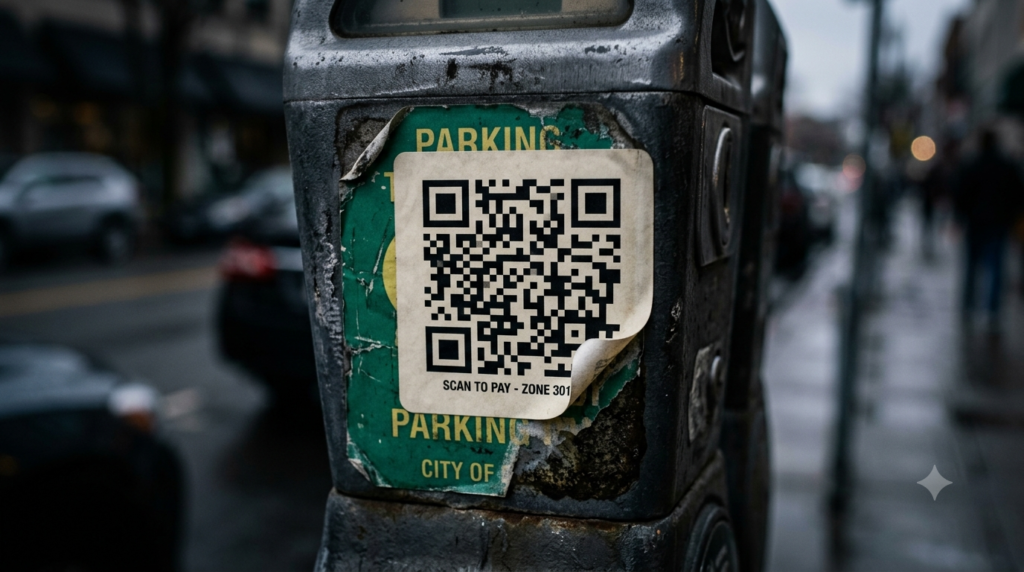
You are at a parking meter. There is a QR code sticker on the machine telling you to scan to pay. You scan it, enter your card details, and pay. Except the sticker was not put there by the city. A scammer placed it there, and your payment just went to them. This is not a hypothetical. It happened across dozens of cities in the United States and Europe, and it is one of the most common QR code scams in circulation right now.
QR codes are convenient precisely because they remove friction. Scan and go. Scammers exploit that same convenience by making their fake codes look indistinguishable from legitimate ones. Here is how these scams work, how to spot them, and what to do if you scan a malicious code.
What Is a QR Code Scam?
A QR code scam involves a fake or tampered QR code that redirects scanners to a malicious destination instead of the legitimate one they expected. The destination is usually a phishing website designed to steal login credentials or payment information, a fraudulent payment portal, or a page that triggers a malware download.
Because QR codes encode their destination as an invisible pattern, most people have no way to preview where a code goes before scanning it. That opacity is exactly what scammers rely on. A fake code looks identical to a real one at a glance.
Cybersecurity researchers and law enforcement agencies have given this category of attack a specific name: quishing, a combination of QR code and phishing. As QR code usage has grown, quishing incidents have followed the same upward trend.
How Fake QR Code Scams Work
Most QR code scams follow one of three patterns.
Sticker Replacement
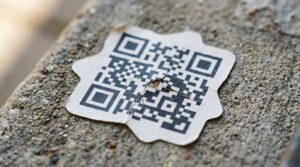
A scammer prints a fake QR code sticker and places it directly over a legitimate code on a public surface. Parking meters, restaurant table cards, event posters, and public notice boards are common targets. The physical setting looks entirely normal. Only the destination has changed.
Because dynamic QR codes redirect through a server, the scammer can change the destination at any time after placing the sticker, making detection harder and the attack more flexible.
Phishing Emails and Messages
QR code phishing via email has grown significantly as email security filters have become better at catching suspicious links. A scammer embeds a QR code image in an email that appears to come from a bank, delivery company, or government agency. The message asks the recipient to scan the code to verify their account, track a parcel, or claim a refund. The code leads to a convincing fake login page designed to capture credentials.
Because the malicious URL lives inside an image rather than as clickable text, many email security filters do not flag it. This makes QR code phishing emails particularly effective at bypassing standard detection.
Fake QR Codes in Public Materials
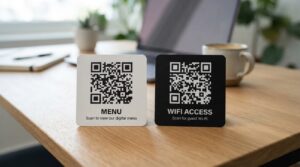
Scammers also create entirely fabricated materials: fake parking notices, counterfeit restaurant menus, or fraudulent event flyers that include a QR code as a centrepiece. The material looks professional enough to pass casual inspection, but the QR code leads to a data-harvesting or payment-fraud site.
How to Spot a Fake QR Code
No single check guarantees safety, but several habits together reduce the risk significantly.
Check for Stickers Over Existing Codes
If a QR code sits on a sticker that appears to sit on top of another surface or existing code, treat it with suspicion. Run your finger across the edges. A legitimate code printed directly on a surface sits flush. A replacement sticker often has raised edges or slightly misaligned corners. In public settings like parking machines and café tables, a sticker-on-sticker situation is a clear warning sign.
Preview the URL Before Tapping
Most smartphone cameras show a preview of the URL before you tap to open it. On iPhone, the banner notification displays the destination link. On Android, Google Lens and most camera apps show the URL in a popup. Read it before tapping. Look for misspellings, unusual domain names, or URLs that do not match the organisation the code claims to represent.
A QR code on a bank statement that leads to secure-bankname-login.com instead of bankname.com is almost certainly fraudulent. The same applies to payment URLs that do not match the official domain of the merchant.
Be Sceptical of Unsolicited QR Codes
Legitimate companies rarely send unsolicited emails asking you to scan a QR code urgently. Banks do not ask you to verify your account via a QR code in an email. Delivery companies do not require QR code scans to release a parcel. If an email or message creates urgency and includes a QR code, that combination is a strong indicator of a phishing attempt.
Check the Physical Condition of the Code
On physical materials, check whether the QR code looks like it belongs. Does the design match the surrounding material? Is the code positioned consistently with other elements on the page or surface? Replacement stickers sometimes have slightly different sizing, colour saturation, or alignment compared to the original printed design. These small inconsistencies are worth noticing.
What to Do If You Scan a Fake QR Code
If you scan a malicious QR code, the response depends on what happened after the scan.
- If you only scanned and did not tap through: No action is strictly necessary. The scan itself does not compromise your device. Simply close the preview and do not visit the URL.
- If you visited the site but did not enter any information: Close the browser immediately. Run a security scan on your device if you want reassurance. Note the URL and report it.
- If you entered login credentials: Change your password immediately on any account you may have accessed. If you use the same password elsewhere, change those too. Enable two-factor authentication on the affected accounts.
- If you entered payment details: Contact your bank or card provider immediately and report the transaction as potentially fraudulent. Request a new card if needed. File a report with your local consumer protection authority or cybercrime reporting service.
- If the site prompted an app download: Do not install anything. If you already did, remove the app and run a security scan on your device.
Are QR Codes Inherently Dangerous?
No. QR codes themselves are a neutral technology. A QR code is simply a way to store and share data. The code does not contain malware or execute code on your device by itself. The risk comes from the destination it points to, not from the act of scanning.
Scanning a QR code is comparable to clicking a link. Most links are fine. Some are not. The same judgment that applies to clicking links in emails applies to scanning QR codes in unfamiliar contexts. In trusted environments, like scanning a code at a known restaurant or on a product you purchased, the risk is minimal.
For a broader look at QR code safety covering what scanning actually does to your device and which risks are real versus overstated, the are QR codes safe guide covers the full picture.
How to Create a Trustworthy QR Code for Your Business
If you run a business and use QR codes on physical materials, there are straightforward steps you can take to reduce the chance of your legitimate codes being tampered with or impersonated.
- Print QR codes directly onto materials rather than applying them as separate stickers where possible
- Use branded QR codes with your logo embedded in the centre, making sticker replacements visually obvious
- Check your physical QR codes periodically, especially in high-traffic public locations
- Use a dynamic QR code so you can monitor scan patterns and detect unusual activity in the analytics
- Add a short URL text label beneath the QR code so scanners can verify the destination before tapping
The ToolsHash QR code generator lets you create branded QR codes with a logo, custom colours, and high-resolution output — all of which make your codes harder to replicate convincingly with a generic sticker replacement.
Frequently Asked Questions
What is a QR code scam?
A QR code scam involves a fake or tampered QR code that redirects scanners to a malicious destination such as a phishing site, a fraudulent payment portal, or a page that initiates a malware download. Scammers place fake codes over legitimate ones in public spaces or embed them in phishing emails to steal credentials or payment information.
What is quishing?
Quishing is QR code phishing. It refers to attacks where scammers use fake QR codes in emails, messages, or physical materials to redirect victims to fraudulent websites designed to steal login details or financial information. The term combines QR code and phishing.
Can scanning a QR code hack your phone?
Scanning a QR code alone does not hack your phone. The risk comes from visiting the destination the code points to. Malicious sites can attempt to steal information you enter, prompt you to download harmful apps, or exploit browser vulnerabilities on unpatched devices. The scan itself is safe; the destination may not be.
How do I know if a QR code is fake?
Check for stickers placed over existing surfaces, preview the URL before tapping and look for suspicious or misspelled domain names, and be sceptical of any QR code that arrived unsolicited via email or message. On physical materials, check whether the code looks consistent with the surrounding design and that no sticker edges are visible.
What should I do if I scanned a fake QR code?
If you only scanned and did not proceed, no action is needed. If you visited the site and entered credentials, change your passwords immediately and enable two-factor authentication. If you entered payment details, contact your bank or card provider right away and report the transaction as potentially fraudulent.
Are QR codes safe to scan?
In most everyday contexts, yes. Scanning a QR code at a known restaurant, on a product you bought, or from a trusted source carries minimal risk. Apply the same judgment you would to clicking a link: familiar and expected contexts are generally fine, while unsolicited codes in unusual places warrant caution.
Stay Aware, Not Anxious
QR code scams are real and worth understanding, but they do not make QR codes dangerous as a technology. The same awareness that keeps you safe clicking links online transfers directly to scanning codes in the physical world. Preview the URL, check for anything that looks out of place, and trust your instincts when something feels off.
For businesses using QR codes on printed materials, the ToolsHash QR code generator gives you the design tools to create branded, verifiable codes that are harder to replicate. And for a full breakdown of what scanning actually does and does not do to your device, the are QR codes safe guide answers every common concern clearly.