People search for double QR codes for a few different reasons. Some want to know if two QR codes can contain the same data and look identical. Some are asking about placing two QR codes side by side on a design. Some have seen a QR code that looks unusual and wonder if it is two codes combined. These are all different questions with different answers, so here is what actually happens with each one.
Can Two QR Codes Contain the Same Data
Yes. Two QR codes that encode the exact same data, using the same QR version, error correction level, and encoding mode, produce the same visual pattern. The QR code standard is deterministic for a given set of inputs. If you generate a QR code for the URL https://example.com twice using the same settings, you get an identical pattern both times.
In practice, many online QR code generators introduce variation through mask pattern selection, which is one of eight rotational masks applied to the module grid during encoding to improve readability. Different generators sometimes choose different mask patterns for the same data, producing codes that look visually different but decode to the exact same content. Both are valid and both scan correctly.
So two QR codes for the same URL may look different even though they contain identical data, because the generator applied a different mask. And two QR codes for the same URL generated with the same tool under the same settings produce an identical pattern.
What Are Double QR Codes
The term double QR codes does not refer to a standard QR code format. It appears in a few different contexts online depending on who is using it:
Two QR codes side by side in a design: Some marketing materials, business cards, and product packaging place two QR codes next to each other linking to different destinations. One might link to a website and the other to a phone number or social profile. This is simply two standard QR codes placed in the same design, not a special format.
A QR code with a visible inner pattern: Some custom QR code designs create a visual effect that looks like a smaller QR code nested inside a larger one. This is purely decorative. The inner pattern is part of the overall module design rather than a functioning separate code. Only the outer complete code scans correctly.
Dual-format codes: Some specialty codes combine a QR code and a barcode in one symbol, or stack two different encodings together. These are niche industrial formats not used in standard consumer applications.
Duplicate codes in a campaign: When a business prints the same QR code on multiple materials, all copies are functionally identical and all point to the same destination. These are sometimes called double codes in the sense that the same code appears twice or more across different printed pieces.
Can You Use the Same QR Code Twice
A static QR code can be scanned an unlimited number of times by any number of people. There is no scan limit on a static code. Printing the same QR code on 10,000 flyers produces 10,000 usable copies, and each copy works indefinitely.
A dynamic QR code works the same way in terms of scan count unless the platform managing it imposes a monthly scan cap on free plans. The code itself has no built-in limit. Platform-level restrictions are the only source of scan limits on dynamic codes.
Can Two Different QR Codes Point to the Same Place
Yes, and this happens regularly. Two QR codes pointing to the same URL but generated by different tools, using different mask patterns, or even different QR versions will look visually different but scan to the same destination.
A simple example: generate a QR code for your website URL using two different online generators. The patterns will likely differ visually because of mask pattern variation. Both scan to the same URL. Neither is wrong or broken.
The QR code generator generates codes using consistent settings so the same input always produces the same output, which matters for brand consistency when the same code appears across multiple materials.
Placing Two QR Codes in One Design
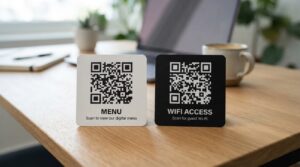
Putting two QR codes on the same printed piece, business card, or digital asset is a practical design choice when you want to offer two different destinations from one material. Common combinations include:
- Website URL and phone number (calling QR code) on a business card
- Menu link and WiFi code on a restaurant table card
- Download link and social profile on a product insert
- Payment QR code and review QR code on a receipt
When using two QR codes in one design, size and spacing both matter. Each code needs its own quiet zone, the white border that tells scanners where the code ends. If the two codes are placed too close together, the quiet zones overlap and both may fail to scan correctly. Keep a gap of at least 5mm between the outer edges of the two codes as a minimum.
Label each code clearly so the person scanning knows which one to use for which purpose. Two unlabeled QR codes next to each other create confusion and reduce the likelihood that either gets scanned.
QR Codes That Look Like Two Codes Combined
Some artistic QR codes incorporate a visual design in the center that resembles a smaller QR code. This is a design choice using the error correction capacity of the main code. A QR code with level H error correction can have up to 30 percent of its modules covered or altered while still scanning correctly. Designers sometimes use that space to create a visual element that mimics a second inner QR pattern.
These inner patterns are not functional QR codes. Scanning the inner pattern alone produces no result. Only scanning the complete outer code at the full size and correct distance decodes the actual encoded data.
For more on how error correction enables this kind of design flexibility, the QR code design guide covers how logos, overlays, and artistic elements can be incorporated while keeping the code scannable.
Frequently Asked Questions
What are double QR codes
Double QR codes most commonly refers to two separate QR codes placed side by side in a design, each linking to a different destination. It can also refer to duplicate copies of the same QR code appearing across multiple printed pieces, or to decorative QR code designs that visually suggest an inner and outer code structure.
Can two QR codes be the same
Yes. Two QR codes encoding the same data with the same settings produce identical patterns. QR codes for the same URL generated with different tools may look slightly different due to mask pattern variation, but both decode to the same destination. Neither is incorrect.
Can you use the same QR code twice
Yes. A static QR code has no built-in scan limit and works indefinitely for any number of scans by any number of people. Dynamic QR codes on free platform plans may have monthly scan caps imposed by the platform, but the code format itself has no restriction on repeat use.
Can two different QR codes link to the same URL
Yes. Multiple QR codes pointing to the same destination are common when a business generates fresh codes from different tools or at different times. The codes may look visually different due to mask pattern variation but scan to the same place.
How close can two QR codes be placed together
Keep at least 5mm between the outer edges of two QR codes placed in the same design. Each code needs its quiet zone, the white border around it, to remain intact. Overlapping quiet zones cause both codes to fail at scanning. Label each code clearly so users know which one to scan for which purpose.
Is there a QR code format that contains two codes in one
Not in standard consumer use. Some industrial formats stack two different encodings together or combine a QR code with a barcode, but these are specialty formats not used in everyday QR applications. What appears to be a double code in consumer contexts is almost always either two separate codes placed side by side or a decorative inner design that is not a functioning second code.
One Code or Two, the Rules Are the Same
Whether you are placing one QR code or two on a design, the fundamentals do not change. Each code needs its quiet zone, adequate size for the scanning distance, a clear label, and a test scan before anything goes to print. Two codes on one material means double the testing before it leaves your hands.
Generate clean, correctly formatted QR codes for any destination using the QR code generator, and for the full breakdown of how QR codes encode data at a technical level, the how QR codes work guide covers the encoding mechanics clearly.