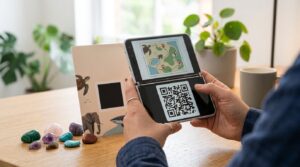
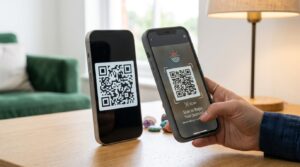
Infinity Nikki has a built-in outfit sharing system where players generate a QR code for any look they have styled, and other players scan it to copy that outfit or use it as inspiration. It is one of the more social features in the game and one that has driven a lot of community content sharing on YouTube, Reddit, and Discord. If you found someone’s look you want to recreate, or you want to share your own styled outfit with others, here is exactly how the system works.
What Is the Infinity Nikki Dress Share QR Code
The dress share QR code in Infinity Nikki encodes an outfit look that another player styled. When you scan the code within the game, it shows you the exact outfit composition including every clothing piece and styling detail used in that look. You can then either save it as a reference or, if you own the same pieces, apply the look directly to your character.
The QR code does not transfer the clothing items themselves. It transfers the outfit data, which is a record of which pieces are used and how they are styled. If you do not own a particular piece in the look, the game shows you what is missing and where to obtain it.
How to Generate a Dress Share QR Code in Infinity Nikki
- Open Infinity Nikki and go to your Wardrobe or Dressing Room
- Style an outfit you want to share
- Look for the Share or Export option, which typically appears as a share icon or button in the outfit styling screen
- Select Share Outfit or Generate QR Code from the options that appear
- The game generates a QR code representing your current styled look
- Save the QR code image to your phone’s camera roll or share it directly through the platform’s sharing options
The QR code image saves as a standard image file that you can post to social media, Discord servers, Reddit, or send directly to friends. Anyone with the Infinity Nikki app can scan it to see your look.
How to Scan a Dress Share QR Code in Infinity Nikki
- Open Infinity Nikki and navigate to the Wardrobe or the outfit scanning section
- Look for a Scan QR Code or Import Look button within the dressing interface
- The camera activates in scan mode
- Point the camera at the QR code image on your screen or hold it up to a printed version
- The game loads the outfit data and displays the full look with all pieces listed
- Review the outfit and choose to apply it or save it for reference
You can also scan a dress share QR code from a saved image in your camera roll if the game supports image import from gallery. Check the scanning screen for an option to select from photos rather than using the live camera if you have the QR code saved as an image file on your device.
Where to Find Infinity Nikki Outfit QR Codes
The Infinity Nikki community is active across several platforms where players share outfit QR codes regularly:
- r/InfinityNikki on Reddit: The main subreddit has dedicated threads and flair categories for outfit sharing where players post QR codes alongside screenshots of the finished look
- Infinity Nikki Discord servers: Official and fan Discord servers maintain outfit sharing channels where members post QR codes organized by theme, event, or clothing type
- YouTube: Outfit showcase videos frequently include a QR code in the description or displayed on screen during the video for viewers to scan
- TikTok and Instagram: Short-form video creators in the Infinity Nikki community often display outfit QR codes in their videos or link to them in their bio pages
Dress Share QR Code Not Working in Infinity Nikki
A few issues cause outfit QR codes to fail in Infinity Nikki.
Game version mismatch: Outfit data may reference clothing items or styling options added in a specific game version. If you are running an older version of the game and the shared outfit uses items from a newer update, the code may not load correctly. Update Infinity Nikki to the latest version before scanning codes shared by other players.
Low image quality: QR codes shared through social media platforms sometimes get compressed enough to prevent reliable scanning. If a code from Reddit or Discord is not scanning, try asking the original poster for a higher resolution version of the image.
Wrong scanning location: Some players try to scan outfit QR codes from their phone’s standard camera app. Infinity Nikki outfit QR codes require the in-game scanner to process the outfit data correctly. The standard camera reads the encoded data as a text string or URL rather than loading it as an outfit look.
Sharing Outfit QR Codes on Social Media
When sharing your outfit QR code on social media, a few things make it more useful to people who find it.
Include a screenshot of the finished outfit alongside the QR code so people know what they are scanning before they open the game. List the key outfit pieces in the caption or post description so players without access to the game can see what items are needed. Mention whether the outfit includes limited or event-exclusive pieces that may be difficult to obtain, since this affects how useful the code is for players who want to recreate the look.
For sharing codes across platforms, saving the QR code at the highest available resolution before posting preserves scannability after platform image compression. If you are posting to Twitter or X, which applies heavier compression to images, consider uploading to Imgur or a similar image host and sharing the link rather than attaching the image directly.
Frequently Asked Questions
What is the Infinity Nikki dress share QR code
The dress share QR code in Infinity Nikki encodes the outfit data for a styled look. Scanning it within the game shows you the exact clothing pieces and styling used in that outfit. You can apply the look if you own all the pieces or use it as a reference to collect the items you are missing.
How do I share my outfit as a QR code in Infinity Nikki
Style your outfit in the Wardrobe or Dressing Room, then tap the Share or Export button in the styling screen. Select Share Outfit or Generate QR Code. The game creates a QR code image you can save to your camera roll or share directly to social media and messaging apps.
How do I scan an outfit QR code in Infinity Nikki
Go to the Wardrobe or outfit section in Infinity Nikki and find the Scan QR Code or Import Look option. Tap it to activate the in-game camera scanner and point it at the QR code image. The game loads the outfit data and displays all the pieces used in the look.
Why is my Infinity Nikki outfit QR code not working
The most common causes are an outdated game version, a compressed low-quality QR image, or trying to scan with the standard camera app instead of the in-game scanner. Update the game, find a higher resolution version of the code if possible, and always scan from within the Infinity Nikki app rather than from your phone’s camera.
Where can I find Infinity Nikki outfit QR codes to scan
The r/InfinityNikki subreddit, official and fan Discord servers, YouTube outfit videos, and TikTok creators in the Infinity Nikki community all share outfit QR codes regularly. Look for posts that include both a screenshot of the finished look and the QR code so you know what you are scanning before opening the game.
Does a dress share QR code give me the clothing items
No. The QR code transfers outfit data showing which pieces are used and how they are styled. It does not transfer the clothing items themselves. If you do not own all the pieces in the look, the game shows you what is missing. You need to obtain those items through normal gameplay before you can apply the full look.
Find a Look You Love and Make It Yours
The Infinity Nikki outfit QR code system makes it easy to discover looks from other players and bring them into your own game. Post your best outfits and scan others to build a collection of looks for every occasion the game throws at you.
For creating QR codes outside of Infinity Nikki for sharing any web link, social profile, or content, the QR code generator handles any URL with full design customization and free download. And for a look at how other games use QR codes in similar sharing systems, the Animal Crossing QR codes guide covers the design sharing system in that game in detail.