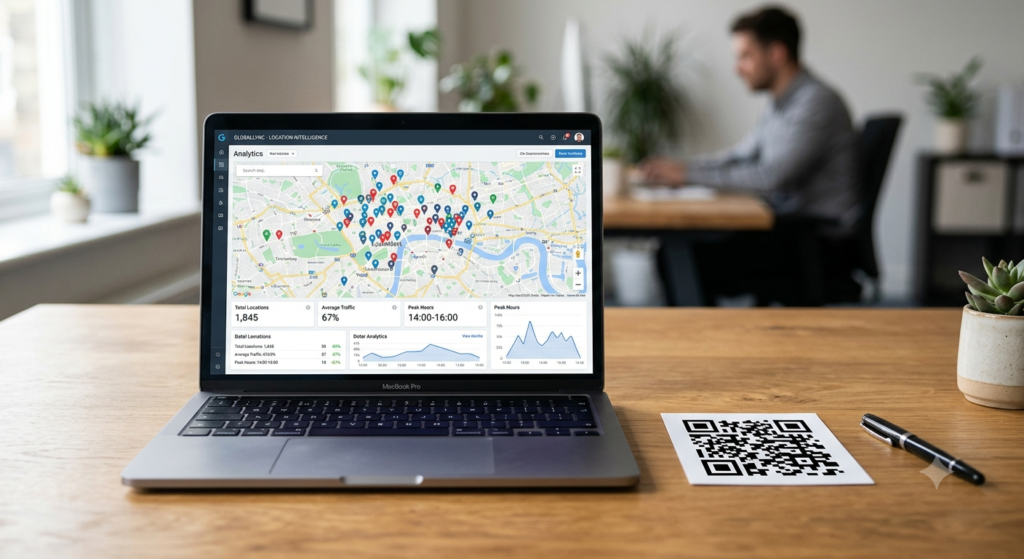
You print 1,000 flyers with a QR code and send them out. Two weeks later, do you know how many people scanned it? Which city had the most scans? Whether more people used iPhone or Android? Without tracking, a printed QR code is a one-way door. With tracking, it becomes a measurable channel — one you can optimise, compare, and report on just like any digital campaign.
Here is exactly how QR code tracking works, what data it collects, and how to set it up — including a free method using Google Analytics.
How Does QR Code Tracking Work?
QR code tracking relies on dynamic QR codes. When someone scans a dynamic QR code, their device first contacts the redirect server that manages the code. That server logs the scan data — time, device type, location, browser — before sending the scanner to the final destination. The entire process takes a fraction of a second and happens invisibly to the user.
Static QR codes cannot track scans. Because static codes send the scanner directly to the destination with no server in the middle, there is no point in the chain to intercept and record the scan. If tracking matters to you, dynamic is the only viable option.
For a clear explanation of the difference between static and dynamic codes and when each makes sense, the static vs dynamic QR code guide covers the full comparison.
What Data Can You Track with a QR Code?
The data available depends on the platform managing the dynamic redirect, but most tracking-capable QR code platforms collect the following:
| Data point | What it tells you |
|---|---|
| Total scans | How many times the code was scanned in total |
| Unique scans | How many individual devices scanned it (removes repeat scans) |
| Scan date and time | When scans happen — useful for identifying peak engagement periods |
| Device type | iOS vs Android split across your audience |
| Browser used | Which browser opened the destination after scanning |
| Country and city | Geographic distribution of scans — useful for location-based campaigns |
| Operating system | Specific OS versions for technical compatibility insight |
More advanced platforms add campaign tagging, A/B destination testing, and conversion tracking when combined with analytics tools on the destination page. IP-level tracking is generally not available for privacy compliance reasons, so individual user identification is not part of standard QR analytics.
How to Track QR Code Scans
Two main approaches handle QR code scan tracking: using a dedicated QR code platform with built-in analytics, or using UTM parameters combined with Google Analytics.
Method 1: Built-in Platform Analytics
Most dynamic QR code generators include a dashboard that displays scan data automatically. Create a dynamic QR code on the platform, distribute it, and log into the dashboard to view scan statistics. No additional setup required.
The advantage of this method is simplicity. The platform handles all data collection and presents it in a purpose-built interface. The limitation is that the data stays within the platform — it does not connect to your broader marketing analytics unless you export it manually or use an integration.
Method 2: QR Code Tracking with Google Analytics
Tracking QR code scans in Google Analytics gives you unified reporting alongside your website traffic, goal completions, and conversion data. The method uses UTM parameters — tags added to the destination URL that Google Analytics reads to attribute the visit correctly.
Here is how to set it up step by step:
- Take your destination URL — for example,
https://yoursite.com/offer - Add UTM parameters to it using Google’s Campaign URL Builder or manually. A typical tagged URL looks like:
https://yoursite.com/offer?utm_source=flyer&utm_medium=qr_code&utm_campaign=summer_2025 - Paste the tagged URL into your QR code generator as the destination
- Generate and distribute the QR code
- View scan-driven traffic in Google Analytics under Acquisition, then Traffic Sources, filtering by the campaign name or medium you specified
With this method, every scan that results in a page visit appears in Google Analytics attributed to your QR code campaign. You see not just scan counts but what visitors do after scanning — pages visited, time on site, goal completions, and conversions.
For even more granularity, create separate QR codes with different UTM campaign values for each physical location or material. A flyer in London and a poster in Manchester each get their own tagged URL, letting you compare performance across locations directly in Analytics.
How to Track QR Codes in Google Analytics 4
Google Analytics 4 (GA4) reads UTM parameters the same way as Universal Analytics. Tagged QR code visits appear under Reports, then Acquisition, then Traffic Acquisition. Filter by Session medium to find qr_code or whatever medium value you specified in your UTM tags.
To see goal completions and conversions from QR scans, set up Events and Conversions in GA4 for the actions you care about — form submissions, purchases, video plays — and the attribution automatically includes QR-driven sessions when you used UTM tagging correctly.
One practical note: GA4 sessions require JavaScript to fire, which means the page the QR code links to must load fully in a browser for the visit to register. PDF links, app store links, and other non-web destinations do not trigger GA4 events directly. For those destination types, platform-level scan tracking in the QR generator dashboard is the more reliable measurement method.
Can You Track QR Code Scans for Free?
Yes, with the UTM plus Google Analytics method described above. Google Analytics is free, UTM parameters cost nothing to add, and any QR code generator that accepts a custom URL works for the destination. The scan data that reaches GA4 is free and unlimited.
The trade-off is that you only see data for scans that result in a completed page load. Scans where the user closes the browser before the page loads, or scans of non-web destinations, do not appear in GA4. For complete scan counting including failed page loads, a paid dynamic QR platform with server-side logging captures every scan regardless of what the user does after.
To create a dynamic QR code with a UTM-tagged destination URL ready for tracking, the QR code generator lets you enter any destination URL including fully tagged ones, customise the design, and download in print-ready format.
QR Code Scan History: Can You See Past Scans?
On dedicated dynamic QR code platforms, scan history is available in the dashboard for as long as your account remains active. Most platforms store historical scan data and let you filter by date range, device, or location. Some platforms limit history depth on free plans.
In Google Analytics, scan-driven session data stays in your property according to GA4’s standard data retention settings, which you can configure between two and fourteen months under Admin settings. For longer retention, export reports regularly or use BigQuery export if your GA4 property supports it.
Standard smartphone camera apps do not record QR scan history. The camera reads the code and opens the destination without logging anything on the device. Third-party QR scanner apps sometimes log scan history locally, but that data stays on the device and is not accessible from outside it.
QR Code Tracking Software
Several dedicated platforms offer QR code tracking as their primary feature. When evaluating options, look for these capabilities:
- Real-time scan dashboard with filter options by date, device, and location
- Unique vs total scan distinction to understand reach versus repeat engagement
- CSV or API export for use in external reporting tools
- Integration with Google Analytics or other marketing platforms
- No scan caps on paid plans for high-volume campaigns
- Reliable redirect uptime with transparent infrastructure
For most small business needs, the combination of a dynamic QR code platform and UTM-tagged destinations feeding into Google Analytics covers everything without significant cost.
Frequently Asked Questions
How do I track QR code scans?
Use a dynamic QR code with built-in platform analytics, or add UTM parameters to your destination URL and track visits through Google Analytics. Platform analytics capture every scan server-side. Google Analytics tracks visits that result in a completed page load and provides deeper behavioural data beyond the scan itself.
Can you track QR code scans for free?
Yes. Add UTM parameters to your destination URL and connect it to a free Google Analytics 4 property. Every scan that results in a page visit appears in GA4 attributed to your QR code campaign. For complete server-side scan counting including visits that do not complete, a paid dynamic QR platform is required.
What data does QR code tracking collect?
Standard QR code tracking collects total scan count, unique scan count, scan date and time, device type, browser, operating system, and geographic location by country and city. Individual user identification is not part of standard QR analytics for privacy compliance reasons.
How do I track QR codes in Google Analytics?
Add UTM parameters to your destination URL before generating the QR code. Use utm_source, utm_medium, and utm_campaign to tag the URL. In Google Analytics 4, scan-driven sessions appear under Acquisition then Traffic Acquisition filtered by the medium or campaign name you specified.
Can you see QR code scan history on iPhone?
The iPhone Camera app does not record QR scan history. Third-party QR scanner apps sometimes log scans locally on the device, but that data is not accessible externally. To track scans systematically, use a dynamic QR code platform that logs scan data server-side regardless of which device or app the user scanned with.
Does a static QR code track scans?
No. Static QR codes send the scanner directly to the destination with no redirect server involved. Because there is no intermediary to log the scan, static codes cannot collect any scan data. Tracking requires a dynamic QR code that routes through a redirect server.
Can you track QR code scans in Canva?
Canva’s built-in QR code tool does not provide scan analytics. To track scans on a QR code placed in a Canva design, generate the code separately using a dynamic QR platform or a UTM-tagged URL, then import the resulting image into your Canva design.
Make Every Print Measurable
QR code tracking turns printed materials into a measurable channel for the first time. Whether you use platform analytics for quick scan counts or connect UTM-tagged codes to Google Analytics for full campaign attribution, the data tells you what is working in the physical world in the same way web analytics tells you what works online.
Start by creating a dynamic QR code with a UTM-tagged destination using the QR code generator. And if you want to go deeper on dynamic QR codes specifically — how the redirect system works and what to look for in a tracking platform — the dynamic QR code guide covers every detail.