Most QR codes in print fail for the same reasons. The code is too small. The landing page does not work on mobile. There is no reason given to scan. Or the code was generated at low resolution and blurred when enlarged for print. None of these are hard problems to fix. But they all need to be addressed before the materials go to a printer, not after 5,000 copies come back.
This guide covers how to use QR codes in every major print format, what makes them actually work, and the specific mistakes that cause most print QR failures.
Why QR Codes Work Well in Print
Print advertising has always had one limitation digital does not: it cannot be clicked. A reader sees something interesting in a magazine, a poster, or a direct mail piece and has no immediate path to act on it. A phone number requires a call. A URL requires typing. Neither is frictionless enough to capture the impulse moment when it is strongest.
A QR code changes that. One scan from a smartphone opens whatever destination you choose, immediately, without typing. Print becomes interactive. The impulse to learn more or buy now has a direct, zero-friction path. That is the core value proposition of QR codes in print, and it is why their adoption in physical advertising has grown consistently since smartphone cameras gained native QR scanning capability.
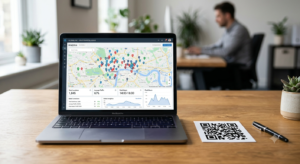
Tracking adds a second layer of value. A QR code on a printed poster or direct mail piece gives you scan data: how many people scanned, when, from which device, and from which location. Print advertising has historically been unmeasurable in precise terms. A QR code changes that completely. For a full breakdown of how to set up scan tracking, the QR code tracking guide covers UTM parameters and Google Analytics setup in detail.
QR Code on a Poster
Posters get scanned from a distance. A person standing two to three feet away needs to be able to scan comfortably without moving closer. The minimum QR code size for a poster scanned at that distance is 5 x 5 cm. For larger format posters displayed in transit environments or at a distance of more than one metre, scale up using the 1:10 rule: the code should measure at least one tenth of the intended scanning distance.
Placement on a poster matters as much as size. A QR code buried in the bottom corner gets ignored. Position it in the lower third of the poster, clearly separated from other design elements, with a call-to-action label directly above or below it. “Scan for tickets,” “Scan for the full menu,” or “Scan to book” tells people exactly what the scan delivers before they commit to opening their camera.
Poster QR codes should always link to a mobile-optimised destination. When someone scans a poster, they are on a phone. A desktop-formatted page that requires pinching and zooming kills the conversion before it starts.
QR Code Signage
Signage QR codes — window stickers, A-frame signs, counter displays, and wall-mounted signs — sit in a category where scanning distance and durability both matter.
For window signage, position the QR code at a height between 100 and 150 cm from the ground so most adults can scan without crouching or stretching. Size it at a minimum of 6 x 6 cm for signs scanned from outside a shop window, where the glass and viewing angle add additional scanning challenges. Use a matte or anti-glare laminate finish on printed window signs since reflective surfaces cause camera focus issues that prevent scanning.
For permanent signage that will stay in place for months or years, a dynamic QR code is worth the cost. A dynamic code lets you update the destination without replacing the sign if the linked page changes. For a restaurant with a fixed menu URL that will never change, a static code is fine. For any business where the linked content updates periodically, dynamic removes the reprinting cost.
QR Code in a Magazine
Magazine QR codes have a specific challenge that poster and signage codes do not: the reader is holding the magazine. They scan the code at close range, typically 20 to 30 cm. This means the minimum size is smaller, 2.5 x 3 cm is adequate, but the code resolution must be high enough to print cleanly at 300 DPI in the magazine’s print process.
Magazine print runs go through professional offset printing at high resolution. Always supply the QR code as an SVG vector file or a PNG at a minimum of 1200 x 1200 pixels for magazine use. A low-resolution PNG submitted to a magazine print team gets rejected or printed blurry, and a blurry QR code in a magazine reaches tens of thousands of readers who cannot use it.
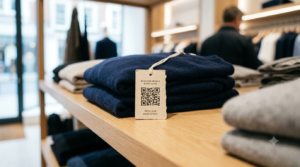
Magazine QR codes benefit strongly from a context label. A code in a fashion editorial linking to a shop page should sit with “Shop this look” or a similar prompt. A code in a food magazine linking to a recipe should say “Full recipe” or “Watch the video.” Without context, the scan rate drops significantly because readers do not know whether the destination is worth the effort.
QR Code on a Receipt
Receipt QR codes have a KD of 4 in the keyword data, meaning almost nobody covers this topic despite 90 monthly searches. The use case is genuinely valuable for retail businesses.
A QR code printed on a customer receipt can link to a review request page, a loyalty programme sign-up, a product registration form, a returns portal, or a post-purchase discount for the next visit. The receipt reaches the customer at peak relevance, immediately after a purchase when satisfaction is highest and the business is front of mind.
Most receipt printers use thermal printing, which produces sufficient contrast for QR scanning if the code is sized correctly. A receipt QR code of 2 x 2 cm prints clearly on thermal receipt paper and scans reliably from hand-held distance. Position it near the bottom of the receipt with a brief prompt: “Review your visit” or “Join our rewards programme.”
Dynamic QR codes work best on receipts because the linked destination changes with campaigns. The same receipt template can point to a summer promotion page in July and a loyalty sign-up in August without reprinting receipt rolls.
QR Code on an Invoice
Invoice QR codes reduce the friction between receiving an invoice and paying it. A QR code on a printed or PDF invoice that links directly to a payment page removes the need for the recipient to navigate to a payment portal, log in, and find the invoice manually.
For service businesses and freelancers, a QR code on an invoice that links to a Stripe, PayPal, or bank transfer page can measurably reduce average payment time. The client scans the code, the payment page opens pre-filled with the invoice amount and reference, and the payment completes in under a minute.
Use a dynamic QR code per invoice so each code links to the specific invoice’s payment page rather than a generic payment homepage. Some invoicing platforms generate unique payment links per invoice automatically, which you can then encode as individual QR codes.
QR Code in Direct Mail
Direct mail QR codes bridge the gap between a physical piece and a digital response. A postcard, letter, or catalogue with a QR code gives the recipient an immediate path to act without typing a URL.
The most effective direct mail QR code strategies include personalisation. A unique QR code per recipient, each pointing to a personalised landing page with the recipient’s name and relevant offer, delivers individual-level response tracking. You know exactly which physical addresses scanned, when, and whether they converted. This level of attribution was never possible with traditional direct mail.
For standard direct mail without personalisation, use UTM parameters on the destination URL before generating the QR code. At minimum, tag the campaign, medium (direct_mail), and source (postcard or letter). This connects physical mail response directly to Google Analytics conversion tracking.
The QR code generator handles URL encoding with full design customisation for direct mail campaigns. Download as SVG for professional print quality and test the scan before the mail goes out.
QR Code in a Newspaper
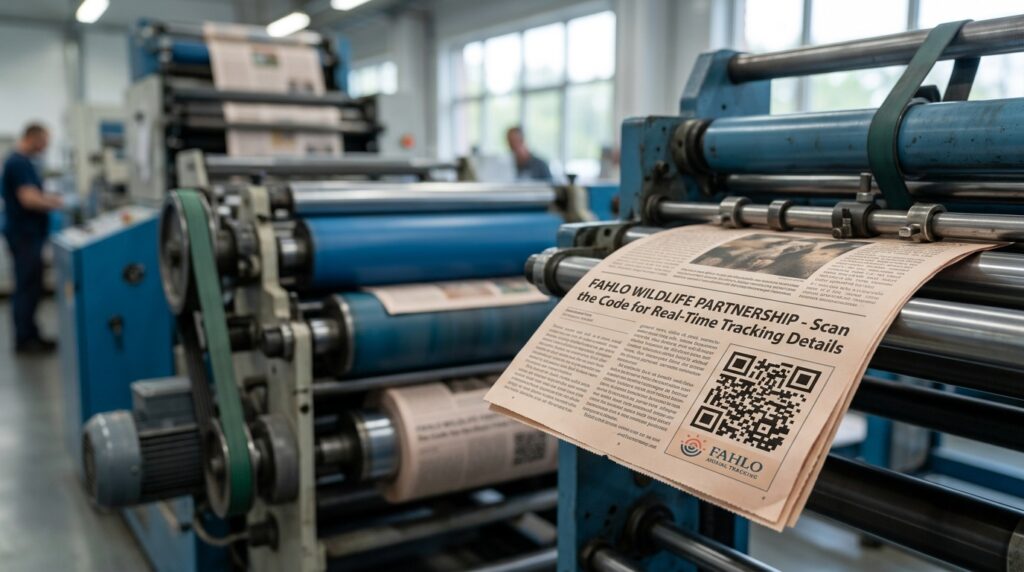
Newspaper print quality is lower than magazine quality, which affects QR code performance. Newsprint uses absorbent paper with lower resolution printing than coated magazine stock. Ink spreads slightly on newsprint, which softens module edges and can cause scan failures on smaller codes.
For newspaper QR codes, use a minimum size of 3 x 3 cm. Use simple, lower-data QR codes by keeping destination URLs as short as possible. Higher-complexity codes with more modules fail more readily on newsprint. Set error correction to level H before generating, which gives the code more redundancy to compensate for print quality variation.
Newspaper QR codes are a short-shelf-life medium. Most newspapers are read within 24 to 48 hours of publication. Use static codes linked to time-relevant pages: same-day event booking, limited offer pages, or breaking news follow-up content. A static code linked to a page that is still active in three months wastes no one’s time, but a dynamic code that can be updated if the linked page changes is more future-proof.
QR Code on a Billboard
Billboard QR codes are viable but require careful thought about scanning context. A driver or pedestrian passing a billboard has two to five seconds of visual exposure. Scanning a QR code during those seconds is not realistic while moving. Billboard QR codes work best in static viewing contexts: bus stops, train platforms, storefront windows, and other locations where the viewer stands still for at least 10 to 15 seconds.
For a billboard QR code that gets scanned in a static environment, size it at a minimum of 15 x 15 cm for a standard billboard format, and position it at eye level for the intended viewing distance. The QR code on a roadside billboard aimed at passing drivers is largely decorative rather than functional.
General Rules for QR Codes in Any Print Format
- Always use SVG or high-resolution PNG: Print requires 300 DPI at the final output size. SVG eliminates resolution concerns entirely by scaling without quality loss.
- Always test before printing: Scan the code from a printed proof before approving a full run. On-screen testing is not sufficient for print quality verification.
- Keep the destination mobile-ready: Every person who scans a print QR code is on a phone. A non-mobile-optimised landing page is a conversion killer regardless of how well the print piece performs.
- Add a call-to-action label: Tell people what they get when they scan. A labelled QR code outperforms an unlabelled one consistently across all print formats.
- Use dynamic codes for long-run materials: Any print material with a shelf life beyond a few weeks benefits from a dynamic QR code so you can update the destination without reprinting.
- Maintain the quiet zone: The white border around the code is not decorative. Cropping it causes scan failures even on otherwise perfect codes.
Frequently Asked Questions
How do QR codes work in print?
A QR code in a printed material encodes a URL or other data in a scannable pattern. When a reader scans it with a smartphone camera, the phone opens the linked destination. The code bridges the physical printed piece with a digital action, measurement, or response.
What size should a QR code be on a poster?
A minimum of 5 x 5 cm for posters scanned from up to one metre away. For larger formats or greater viewing distances, use the 1:10 rule: the code should be at least one tenth of the intended scanning distance. For a poster scanned from two metres away, the code needs to be at least 20 x 20 cm.
Can I put a QR code in a magazine?
Yes. Use an SVG file or a PNG at minimum 1200 x 1200 pixels to ensure the code prints sharply at magazine quality. Size it at 2.5 to 3 cm square for hand-held reading distance. Include a context label so readers know what the scan delivers before deciding whether to scan.
Do QR codes work on receipts?
Yes. Thermal receipt printers produce sufficient contrast for QR scanning. Use a minimum size of 2 x 2 cm. Receipt QR codes work well for review requests, loyalty programme sign-ups, and post-purchase promotions. Dynamic codes allow the destination to be updated for different campaigns without reprinting receipt rolls.
What file format should I use for a print QR code?
SVG is the best format for any print application because it scales to any size without resolution loss. For PNG, ensure the file is large enough to reach 300 DPI at the final print size. For a 5 cm square code, that means a minimum of 591 x 591 pixels.
Should I use a static or dynamic QR code in print?
For any print material with a shelf life beyond a few weeks or where the linked content may change, use a dynamic QR code. Dynamic codes let you update the destination without reprinting. For one-time or very short-run materials where the content is fixed, a static code is free and permanent.
Print QR Codes Done Right
The technical requirements are not demanding: right size for the viewing distance, right file format for the print process, mobile-ready destination, clear call-to-action label, and a test scan from a physical proof before the full run. Get those five things right and print QR codes work reliably across every format from a receipt to a billboard.
Generate your print-ready QR codes with the QR code generator — SVG download, full design customisation, and dynamic option available. And if measuring your print QR performance in Google Analytics is a priority, the QR code tracking guide shows the exact UTM setup that connects every print scan to your campaign data.