You print 500 flyers. Two weeks later the landing page URL changes. With a static QR code, those 500 flyers are now wrong and you have no way to fix them without reprinting. With a dynamic QR code, you log into a dashboard, update the destination in thirty seconds, and every one of those printed codes now points to the right place. Nobody reprints anything.
That single capability explains why dynamic QR codes have become the standard choice for business use. But there is more to them than just editability. Here is exactly how they work and what they can do.
What Is a Dynamic QR Code?
A dynamic QR code is a QR code that routes through a short redirect URL instead of encoding the final destination directly into the pattern. When someone scans it, their phone first hits a redirect server, which then sends them to whatever destination you have set. Because the redirect lives on a server you control, you can change where it points at any time without altering the printed code at all.
The physical pattern of a dynamic QR code never changes after printing. What changes is the instruction on the server that tells the redirect where to go. This distinction is what makes dynamic codes editable, trackable, and far more flexible than their static counterparts.
To understand how this compares to a static QR code at a fundamental level, the static vs dynamic QR code guide breaks down every difference with real use case examples.
How Does a Dynamic QR Code Work?
The mechanics behind a dynamic QR code are straightforward once you see the sequence.
- You create a dynamic QR code through a generator platform. The platform assigns a unique short URL, something like
qr.example.com/abc123, and encodes that into the QR pattern. - You set the destination URL in the platform dashboard. This is where scanners end up after the redirect.
- Someone scans the printed code. Their phone reads the short URL from the pattern.
- The platform’s server receives the request, logs the scan data, and instantly redirects the scanner to your destination URL.
- The scanner arrives at the destination page, typically within a fraction of a second.
The entire redirect process happens faster than most people notice. From the scanner’s perspective, it feels identical to scanning a static code that goes directly to a URL.
What Can You Do with a Dynamic QR Code?
The redirect architecture unlocks several capabilities that static codes simply cannot offer.
Edit the Destination After Printing
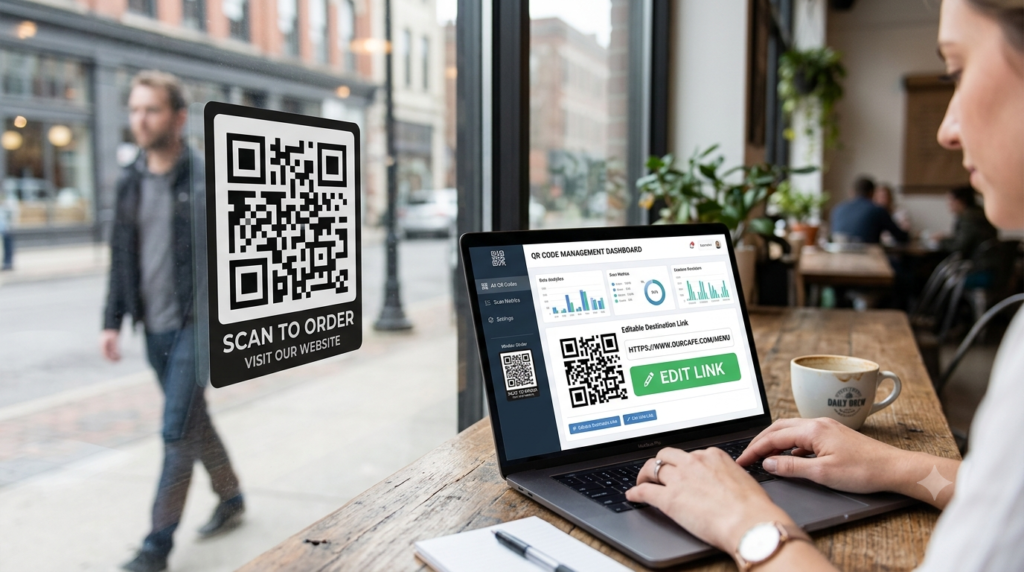
This is the most-used feature. Log into your dashboard, update the destination URL, and save. Every printed code that uses that redirect now points to the new destination immediately. No reprinting, no new codes, no wasted materials.
Restaurants use this to update menu links when dishes change. Event organisers use it to redirect attendees to schedule updates. Retailers use it to swap campaign landing pages between promotions without replacing any signage.
Track Every Scan
Because every scan passes through the redirect server, the platform can log data on each one. Most dynamic QR code platforms provide analytics that include total scan count, unique scans, scan date and time, device type (iOS vs Android), browser used, and geographic location by country or city.
For marketers, this data turns a printed QR code into a measurable channel. You can see which poster location drives the most scans, whether morning or evening traffic scans more, and which device your audience uses most. None of that visibility exists with a static code.
Set Scan Limits or Expiry Dates
Some platforms let you configure rules around when a code stops redirecting. You can set a maximum number of scans, after which the code goes to a fallback page. You can also set an expiry date so the code stops working after a campaign ends. These controls make dynamic codes useful for limited-time offers and access-controlled content.
A/B Test Destinations
More advanced platforms support split testing, where a single QR code alternates between two destination URLs. Half of scanners go to Version A, half go to Version B. Over time, the scan data tells you which landing page performs better, giving you conversion data from a physical printed source.
Password Protect the Content
Some dynamic QR code platforms let you add a password to the redirect, so scanners see a prompt before reaching the destination. This works for internal documents, member-only content, or event materials where access control matters.
Dynamic QR Code vs Static QR Code
| Feature | Dynamic QR code | Static QR code |
|---|---|---|
| Edit destination after printing | Yes | No |
| Scan tracking and analytics | Yes | No |
| Cost to generate | Usually paid | Free |
| Requires server infrastructure | Yes | No |
| Can expire | Yes, if configured | Never |
| Works offline | No | Yes |
| Best for | Business, marketing, campaigns | Personal, permanent content |
Do Dynamic QR Codes Expire?
Dynamic QR codes do not expire by themselves. The redirect URL encoded in the pattern works as long as the platform that manages it keeps the redirect active. In practice, this means the code continues to work for as long as your subscription with the platform remains active.
Several free dynamic QR code generators impose expiry dates or scan limits on codes created without a paid plan. When the limit hits or the expiry date passes, the redirect either stops working or points to a generic error page. This is one of the main reasons free dynamic QR codes carry risk for business use where continuity matters.
Paid platforms typically keep redirects active for the lifetime of the subscription with no scan caps. For long-running campaigns or permanent business materials, a paid plan is the more reliable foundation.
Is There a Free Dynamic QR Code Generator?
Yes, several platforms offer free dynamic QR codes. Most attach conditions: a cap on monthly scans, their own branding on the redirect page, limited analytics, or a time-based expiry. For testing or low-volume personal use, free plans work adequately.
For business use where you need reliable redirects, clean branding, and full analytics without scan limits, a paid plan is worth the cost. The ToolsHash QR code generator lets you create customised QR codes with full design control, so you can build codes that match your brand and download them in high resolution for any print or digital use.
How to Create a Dynamic QR Code
- Choose a QR code platform that supports dynamic codes
- Select dynamic as the code type when creating a new code
- Enter the destination URL you want the code to point to initially
- Customise the design if needed, including colour, logo, and shape
- Download the code in SVG or high-resolution PNG for print use
- Use the platform dashboard to update the destination or view scan analytics at any time
One important note: always test the code by scanning it before printing or distributing it at scale. Check that the redirect lands on the correct destination and that the scan registers in your analytics dashboard.
When Should You Use a Dynamic QR Code?
Dynamic makes sense in most business and marketing situations. Specifically, choose dynamic when any of the following apply:
- The destination URL might change after you print the materials
- You want to measure how many people interact with your printed content
- You plan to reuse the same physical printed code across multiple campaigns
- You need to retire or redirect a code after a campaign ends
- You are managing several codes across different locations or products
Static codes remain perfectly suitable for permanent, unchanging content where tracking adds no value. A QR code on a product that always links to the same fixed manual, for example, gains nothing from being dynamic.
Frequently Asked Questions
What is a dynamic QR code?
A dynamic QR code routes through a short redirect URL rather than encoding the final destination directly. Because the redirect lives on a server you control, you can change where the code points at any time without altering or reprinting the physical code. Dynamic codes also track scan data including count, time, device, and location.
What is the difference between a static and dynamic QR code?
A static QR code encodes its destination permanently and cannot be changed. A dynamic QR code uses a redirect that you can update at any time. Dynamic codes support scan analytics; static codes do not. Static codes are free and work forever without a server. Dynamic codes require a platform subscription but offer far more flexibility for business use.
Do dynamic QR codes expire?
Not automatically. A dynamic QR code keeps working as long as the platform managing the redirect stays active. Free plans on some platforms impose scan limits or expiry dates. Paid plans typically keep redirects active indefinitely with no scan caps.
Can I create a dynamic QR code for free?
Yes. Several platforms offer free dynamic QR codes, though most attach conditions like monthly scan limits, forced platform branding, or time-based expiry. For personal or low-volume use, free plans are adequate. For reliable business use without restrictions, a paid plan is the more dependable option.
How do I track scans on a dynamic QR code?
Log into the dashboard of the platform you used to create the code. Most dynamic QR code platforms provide analytics showing total scans, unique scans, scan dates and times, device types, and geographic location. This data updates in real time as people scan.
Can I change the destination of a dynamic QR code after printing?
Yes. That is the defining feature of a dynamic QR code. Log into your platform dashboard, update the destination URL, and save. The change takes effect immediately across all printed or distributed versions of the code. No reprinting needed.
What is the best dynamic QR code generator?
The best option depends on your needs. Look for a platform that offers reliable redirect uptime, clean analytics, no forced branding on redirects, SVG or high-resolution download options, and reasonable pricing for the scan volume you expect. Test with a free plan first to evaluate the interface before committing to a subscription.
The Bottom Line
Dynamic QR codes solve the most painful problem with printed marketing: the inability to change anything after it goes to print. For any business putting QR codes on physical materials, the edit-after-print capability alone justifies the switch from static. Add scan analytics on top, and the gap between the two formats becomes significant.
Ready to create one? The ToolsHash QR code generator gives you full design control and high-resolution download options for both static and dynamic codes. And if you want to go deeper on how the underlying redirect system connects to the broader question of QR code expiry, the do QR codes expire guide covers every scenario in detail.