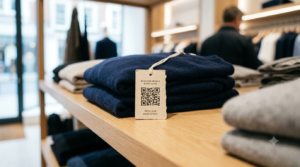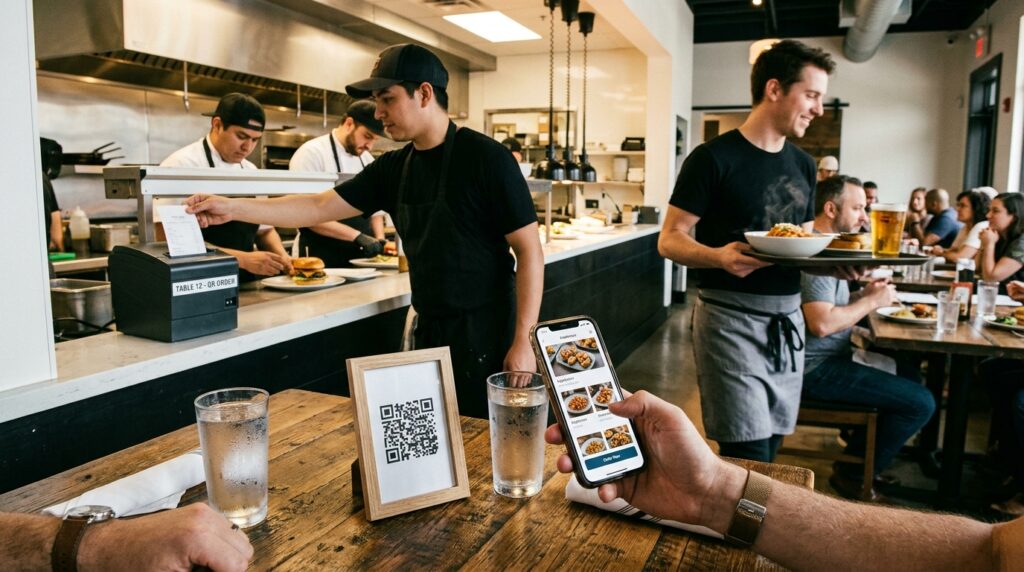
Most product packaging does one thing: describe what is inside. A QR code on the same packaging opens a channel to everything the physical label cannot hold. A how-to video. A sustainability story. A reorder button. A loyalty program sign-up. A support contact.
The customer already has the product in their hands. They are the most engaged they will ever be. A QR code turns that moment of engagement into an ongoing relationship.
This guide covers what to link to, what size the code needs on different formats, and the technical requirements for a code that reliably scans.
What Should the QR Code on Your Packaging Link To?
The answer depends on what your product is and what action you most want customers to take after buying it. Here are the destinations that consistently deliver the most value.
How-to video or usage guide
For any product with a learning curve, a QR code linking to a video demonstration is more effective than a printed instruction leaflet. Video shows assembly, usage, and tips in a way that text and diagrams cannot. A customer who understands how to use a product gets more value from it, is less likely to return it, and is more likely to buy again.
Host the video on YouTube (unlisted keeps it accessible without appearing in search) or your own website. Keep it short. A 90-second to 3-minute video covers most product instruction needs.
Reorder link
A QR code on consumable packaging (coffee, supplements, skincare, cleaning products, pet food) that links directly to the product’s reorder page is one of the highest-conversion applications in e-commerce. The customer finishes the product, scans the code on the empty packaging before it goes in the bin, and reorders in two taps. No searching, no typing the product name, no risk of buying the wrong variant.
Link to the exact product page with the correct variant pre-selected if your platform supports it. Reducing the number of steps between the scan and the completed purchase is everything.
Product origin and sustainability story
Consumers increasingly expect transparency from the brands they buy from. A QR code linking to origin, manufacturing process, and environmental commitments delivers that transparency without cluttering the physical packaging with small-type paragraphs.
According to Nielsen research, a significant and growing proportion of global consumers are willing to pay a premium for products from brands they trust to be sustainable. A QR code that makes your sustainability story accessible in one scan earns that trust more effectively than a claim printed in the corner of the box.
Loyalty program or community sign-up
A QR code inside the box flap or on a product insert card linking to a loyalty program sign-up captures customers while purchase satisfaction is highest. An outdoor brand that puts a QR code inside every garment linking to a hiking community. A coffee brand that links to a subscription discount. A cosmetics brand that links to a first-refill loyalty reward. The scan converts a transaction into a member.
Extended warranty or product registration
A QR code on the packaging of any product with a warranty that links directly to the registration form removes the friction that stops most customers from registering. The majority of customers who intend to register a product never do because by the time they think of it, the packaging is in the recycling. A QR code while the box is open converts that intention into action.
Customer support and FAQ
A QR code on a troubleshooting label or near the product specifications that links to a support page or FAQ reduces customer service calls for common questions. A first-time user who has a problem scans the code and finds the answer without waiting on hold. This is particularly effective for electronics, appliances, and any product with setup complexity.
How to Create a Print-Ready QR Code for Packaging
Create every packaging QR code at toolshash.com. No account. No signup. Completely free. Follow these settings for professional-grade packaging output.
Error correction: always H (High)
Packaging QR codes face real-world conditions. Scratches during transit. Moisture on food and beverage containers. Partial obscuring by stickers or security seals applied over the code. Set error correction to H (High) for every packaging code. The ISO/IEC 18004 standard defines H level as recovering up to 30% of damaged data. A code that is 30% obscured or degraded still scans. For packaging that will be handled, shipped, and stored before it reaches a consumer, this 30% buffer is essential.
Download format: SVG always
Send an SVG file to your packaging designer or printer. SVG is a vector format that scales to any size without losing quality. The same file works on a small lip balm tube and a large cardboard box. PNG files pixelate when scaled up and are not suitable for professional packaging print. If a designer or printer requests a different format, ask them to convert the SVG rather than providing a rasterized alternative.
Quiet zone: do not skip it
A QR code needs a clear white border around all four sides called the quiet zone. The width of this border must be at least four modules (the small squares that make up the code pattern). Without it, scanning software cannot locate the boundary of the code and the code fails or scans inconsistently. When placing the QR code in a packaging design, ensure the surrounding area maintains this clear border. Do not butt the code against text, graphics, or the edge of the packaging panel.
Contrast: dark on light
Print the QR code as dark modules on a light background. The standard is black on white but any dark color on a light background works. If the packaging has a colored background, place the QR code inside a white or light-colored box. Do not print the code directly on a dark or mid-tone background. The camera needs clear contrast between the module color and the background to decode the pattern reliably.
Minimum QR Code Size on Different Packaging Formats
Packaging is scanned at varying distances depending on the format. According to Denso Wave’s printing guidelines, a QR code scans reliably at a distance of up to ten times its own width. Size up from these minimums wherever packaging space allows.
| Packaging format | Expected scan distance | Minimum QR code size |
|---|---|---|
| Small product label (lip balm, spice jar) | 10 to 20cm | 1.5cm x 1.5cm |
| Standard product box or bottle | 15 to 30cm | 2cm x 2cm |
| Retail shelf packaging | 20 to 40cm | 2.5cm x 2.5cm |
| Outer shipping carton | 30 to 60cm | 3cm x 3cm |
| Large format packaging or display | 50 to 100cm | 5cm x 5cm |
The 1.5cm minimum for very small packaging is the technical floor. At that size the code scans only under ideal conditions: good light, steady hand, modern phone camera, and no print degradation. For consumer-facing packaging where the person scanning may be using an older phone in average indoor lighting, add at least 20% to the minimum. A 2cm code where a 1.5cm code is the technical minimum is the practical choice.
Packaging QR Codes and Food Labelling Regulations
In the UK, the EU, and the United States, food labelling regulations require mandatory information (ingredients, allergens, nutritional information, storage instructions) to appear in physical print on the packaging itself. A QR code cannot substitute for this mandatory information. It can supplement with recipes, usage videos, or origin stories. Legally required information must always appear in readable text on the physical packaging.
Both the UK Food Standards Agency and the European Food Safety Authority confirm that digital-only delivery of mandatory information via QR code is not currently permitted for regulated food products. Always check the current regulations for your product category and market before deciding what information to put behind a QR code versus on the physical label.
Branded vs Plain QR Codes on Packaging
A plain black and white QR code on premium packaging disrupts the design language the product has worked to establish. A branded QR code matching the packaging palette, with the brand logo as the center element and rounded dot shapes, looks like a design decision rather than an afterthought.
At toolshash.com, customize the foreground color to match the packaging’s accent color using the hex code. Upload the brand logo as a transparent PNG for the center element. Set error correction to H before uploading the logo and keep the logo under 25% of the code area. For the full logo guide, see how to add a logo to a QR code.
For colored QR codes on packaging, always test the printed output before committing to a full production run. Colors reproduce differently in print than on screen and ink coverage varies between printing processes. A code that looks high-contrast on screen may print lighter than expected, reducing scan reliability. Print a proof, test the scan, and adjust if needed.
Frequently Asked Questions
Does a QR code on packaging need to be on a specific panel?
No regulation specifies which panel a QR code must appear on for non-food products. For consumer products, the back panel or a side panel works well because the front panel is typically reserved for the hero design. For food products, place the QR code away from mandatory labelling information so the two do not visually compete. The most important consideration is visibility. Do not place it where it is obscured on a retail shelf. Do not overlap seams or folds that distort the code. Do not go so small the panel cannot fit a scannable size.
Can I print a QR code directly on packaging without a separate label?
Yes. Flexographic, digital, and offset printing processes all reproduce QR codes well on cardboard, paper, and most packaging substrates. Send the SVG file to your packaging supplier. Specify the exact print dimensions and the minimum quiet zone. Ask for a print proof before the full production run. The same file used for labels works for direct print on packaging. For inkjet-printed packaging at small scale, a home or office printer printing onto flat packaging stock is feasible with the same SVG file.
What happens if the packaging is shiny or has a glossy finish?
Gloss laminate and metallic finishes create glare that can prevent QR code scanning in certain lighting conditions. If the packaging has a gloss finish, print the QR code on a matte section or apply a matte spot varnish to the QR code area specifically. Alternatively, test scanning in the actual lighting conditions where consumers will most often encounter the product. Gloss on a product scanned in a kitchen or bathroom at arm’s length often scans without issue. Gloss on outdoor packaging in direct sunlight is more problematic.
Should I use a static or dynamic QR code on packaging?
Static for most packaging, with one exception. A static code is permanent, has no scan limits, and has no platform dependency. Once printed, it works as long as the destination URL stays live. The exception is reusing the same packaging design across batches where the destination URL changes between them. A seasonal recipe page that rotates quarterly is a practical example. In that case, a dynamic code with an editable destination removes the need to update the printed artwork. For the full comparison, see static vs dynamic QR codes: which one do you actually need?
How do I test a QR code before it goes to print?
Create the code at toolshash.com, download the SVG, place it in the packaging design at the correct dimensions, and export a print-resolution PDF or PNG. Print a single copy on the correct substrate or the closest available substitute. Scan the printed proof on at least two phones (iPhone and Android) in normal indoor lighting. Then scan at the distance a consumer would realistically hold the product. If it scans on both devices in both conditions, the code is ready for production. If it does not, enlarge it, increase the contrast, or reduce the URL length before reprinting the proof.
Can I put two QR codes on the same product?
Yes, though two codes on small packaging can look cluttered. Two codes can coexist on different panels if each has a clear label explaining what it links to. A recipe QR code on the back and a sustainability code on the side, for example, work cleanly with clear labelling. On smaller packaging where two codes would compromise the quiet zone of either, consider combining the destinations into a single landing page linked by one code.