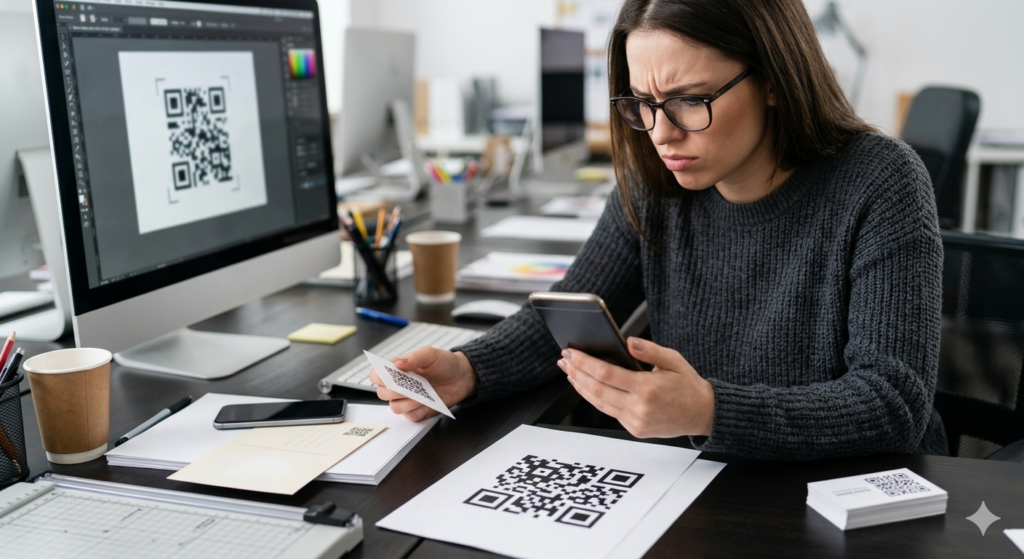
Print a QR code too small and nobody can scan it. Print it too large on a business card and it crowds out everything else. Size sounds like a minor detail until your printed materials come back from the printer and the code fails every scan test. Getting the dimensions right from the start saves a reprint, a delay, and a fair amount of frustration.
This guide covers the minimum QR code size for every common use case, how scanning distance affects the size you need, and what happens to readability when you push the limits in either direction.
Does QR Code Size Actually Matter?
Yes, and more than most people expect. A QR code stores data as a grid of black and white squares called modules. For a scanner to read those modules correctly, each one needs to measure at least a certain physical size. Go below that threshold and the camera cannot distinguish individual modules clearly enough to decode the pattern.

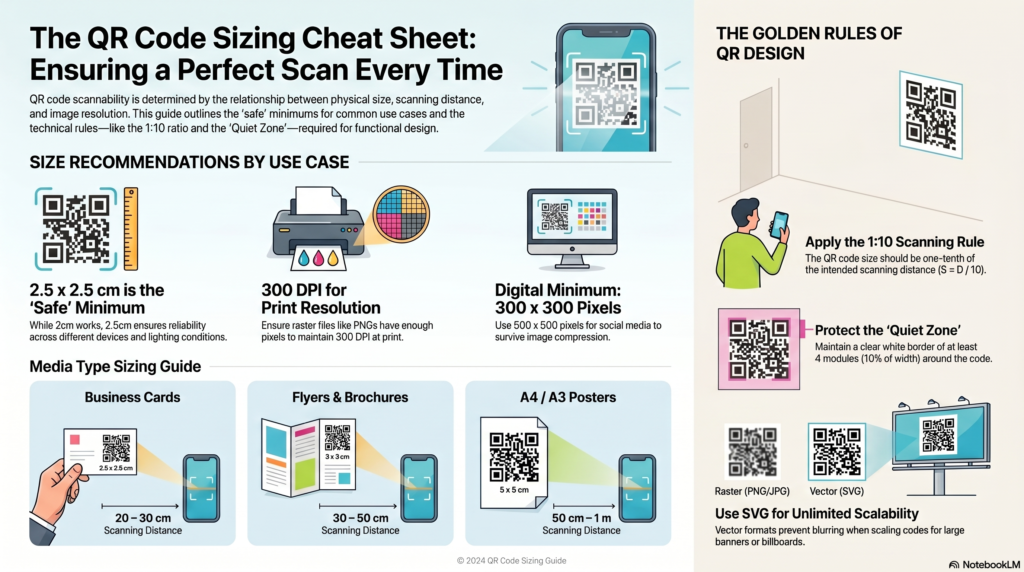
Scanning distance adds another layer to this. A QR code on a poster gets scanned from a metre away. A QR code on a product label gets scanned from about 20 centimetres. The further away the scanner sits, the larger the code needs to be to remain readable. As a general rule, the minimum QR code size should equal one tenth of the scanning distance. So for a code scanned from one metre away, the minimum size is 10 centimetres square.
If you want to generate a QR code and download it at exactly the right size and resolution for your project, the ToolsHash QR code generator lets you set custom output dimensions and download in SVG for unlimited scalability.
What Is the Minimum QR Code Size?
The absolute minimum QR code size for reliable scanning under good conditions is 2 x 2 centimetres (approximately 0.8 x 0.8 inches). At this size, a modern smartphone camera held at close range can typically decode the code, but it leaves very little margin for error. Any slight print quality issue, surface texture, or lighting problem at this size can cause scan failures.
For practical use in most printed materials, 2.5 x 2.5 centimetres is a safer minimum. This gives scanners enough module resolution to work reliably across different devices and lighting conditions.
For print specifically, the minimum QR code size depends heavily on where it appears:
- Business cards: 2 x 2 cm minimum, ideally 2.5 x 2.5 cm
- Flyers and brochures: 3 x 3 cm minimum
- Posters (A3 and above): 5 x 5 cm minimum
- Outdoor signage and banners: 10 x 10 cm minimum for viewing distances up to one metre
- Large format displays: Scale up using the 1:10 rule — one tenth of the intended scanning distance
QR Code Size Guide by Use Case
| Use case | Recommended size | Typical scanning distance |
|---|---|---|
| Business card | 2.5 x 2.5 cm | 20 to 30 cm |
| Flyer or brochure | 3 x 3 cm | 30 to 50 cm |
| Product label or packaging | 2 x 2 cm minimum | 15 to 25 cm |
| Table card or tent card | 3 x 3 cm | 30 to 50 cm |
| A4 or A3 poster | 5 x 5 cm | 50 cm to 1 m |
| Window or door sticker | 6 x 6 cm | 50 cm to 1.5 m |
| Outdoor banner or sign | 10 x 10 cm minimum | 1 to 3 m |
| Billboard or large display | Scale by scanning distance | 3 m and above |
QR Code Size for Printing: Resolution Matters Too
Physical size alone does not guarantee a clean print. Resolution plays an equally important role. Printers measure output quality in DPI, which stands for dots per inch. For sharp, scannable QR codes in print, you need a minimum of 300 DPI at the final printed size.
This is where many people run into problems. A QR code downloaded from a generator at 200 x 200 pixels looks fine on screen, because screens display at 72 to 96 PPI. Stretch that same file to fill a 5 x 5 cm space on a printed flyer and the resolution drops far below 300 DPI. The result is a blurry, soft-edged code that scanners struggle to read.
Two solutions fix this reliably. First, download your QR code as an SVG file. SVG is a vector format, meaning it contains no fixed pixel dimensions and scales to any printed size with no quality loss at all. Second, if you need a raster format like PNG, download at a large pixel size upfront. For a 5 x 5 cm code at 300 DPI, you need a PNG of at least 591 x 591 pixels. For a 10 x 10 cm code, that rises to 1181 x 1181 pixels.
For more on resolution, file formats, and why QR codes blur in print, the QR code blurred guide covers every cause and fix in detail.
How Small Can a QR Code Be and Still Work?
Under ideal conditions with a high-quality camera held close to the surface, a QR code can scan reliably at sizes as small as 1 x 1 cm. Specialised industrial Micro QR codes go even smaller than that for manufacturing applications. In real-world consumer use, however, anything below 2 x 2 cm becomes unreliable quickly.
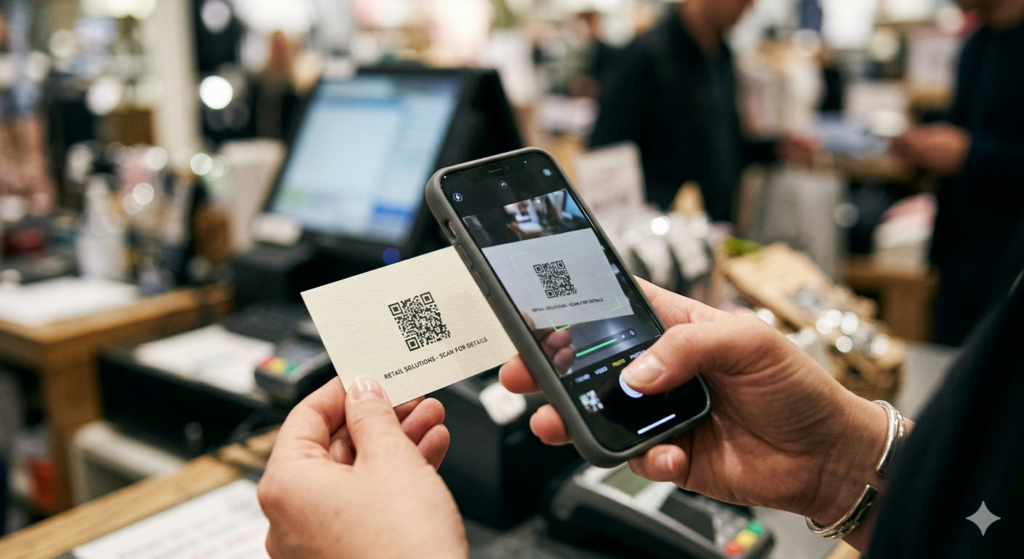
Several factors affect how small you can go before reliability drops:
- Data content: More data means more modules, which means a more complex pattern. A complex pattern needs more physical space to remain readable at small sizes. Keep URLs short and avoid encoding long text strings if you need a compact code.
- Error correction level: Higher error correction adds more redundant modules to the pattern, making the code larger but more resilient. At very small sizes, lower error correction levels produce simpler, more compact patterns that scan more reliably.
- Print quality: Inkjet printing at small sizes can bleed ink slightly between modules, merging what should be distinct squares. Laser printing or professional offset printing produces sharper edges at small sizes.
- Surface texture: Smooth surfaces like coated paper or plastic produce cleaner results than textured or absorbent materials at small sizes.
The Quiet Zone: The Border Your QR Code Cannot Do Without
Every QR code requires a clear white border around its outer edge called a quiet zone. This border tells the scanner where the code starts and ends. Without it, the scanner picks up surrounding content as part of the pattern and fails to decode correctly.
The standard quiet zone requirement is four modules wide on every side. In practical terms, this means the white space around your QR code should equal roughly 10 percent of the total code width on each side. On a 3 x 3 cm code, that means approximately 3 mm of clear white border all the way around.
Placing a QR code directly against a dark background, a coloured border, or another design element without adequate quiet zone space is one of the most common reasons QR codes fail in professionally designed print materials. Always check that the quiet zone stays intact after placing the code in your design.
How Big Can a QR Code Be?
Technically, there is no upper size limit. QR codes scale to any size without losing function, provided the print quality stays consistent across the larger surface. Outdoor billboards, building wraps, and floor graphics all use QR codes successfully.
In practice, very large QR codes present a different challenge: scanning angle. When a code covers a very large surface, people standing close to it may only see part of the pattern, which prevents decoding. For codes larger than about 50 x 50 cm, consider where people will stand when scanning and whether the full code falls within a reasonable camera frame at that distance.
QR Code Size for Digital Use
Digital QR codes on websites, emails, and social media follow different rules than print. On screen, the code needs to display at a minimum of 200 x 200 pixels to scan reliably from a phone held at reading distance. For most digital contexts, 300 x 300 pixels or above works well.
For social media posts where the image may display at various sizes depending on the platform and device, starting at 500 x 500 pixels gives you enough resolution to remain readable even when the platform compresses the image. Always test by scanning directly from the screen before publishing.
The QR code generator lets you download your code at a custom pixel size for digital use or as an SVG for print, so you get exactly the right file for each context without needing to resize anything manually.
Frequently Asked Questions
What is the minimum size for a QR code?
The minimum recommended QR code size for reliable everyday scanning is 2 x 2 centimetres. For most printed materials, 2.5 x 2.5 cm is a safer choice. Anything smaller becomes unreliable in real-world conditions, particularly on lower-quality printers or textured surfaces.
How big should a QR code be on a business card?
On a standard business card, a QR code of 2 to 2.5 centimetres square works well. This gives a modern smartphone camera enough module resolution to scan cleanly from close range while leaving space for the rest of your card design.
How big should a QR code be on a flyer?
For an A5 or A4 flyer, a QR code of 3 to 4 centimetres square is the practical minimum. If the flyer goes on a wall or noticeboard where people scan from further away, size up to 5 centimetres or more.
Does the size of a QR code affect how much data it holds?
No. Physical size does not affect data capacity. Data capacity depends on the QR code version, which determines how many modules the pattern contains. A very small QR code and a very large one generated from the same input hold exactly the same data. Size only affects whether the code is physically readable at the intended scanning distance.
What resolution should a QR code be for printing?
For print, your QR code needs at least 300 DPI at the final printed size. The easiest way to guarantee this is to download your code as an SVG file, which scales to any printed size without resolution loss. If you use PNG, make sure the pixel dimensions are large enough to reach 300 DPI at the size you plan to print.
How small can a QR code be and still scan?
Under ideal conditions with a high-quality camera, QR codes as small as 1 x 1 cm can scan. In practical real-world use, 2 x 2 cm is the reliable minimum. Below that, print quality variations, surface texture, and lighting become significant factors that cause scan failures.
What is the quiet zone on a QR code?
The quiet zone is the clear white border that surrounds every QR code. Scanners use it to identify where the code starts and ends. The standard requirement is four modules wide on every side. Removing or cropping the quiet zone is one of the most common causes of QR codes that fail to scan in otherwise well-designed materials.
The Short Version
For print, start at 2.5 x 2.5 cm and scale up based on how far away people will scan. Always download as SVG or high-resolution PNG, keep 300 DPI at the final printed size, and never crop the quiet zone. For digital use, 300 x 300 pixels works for most contexts and 500 x 500 pixels gives you a safe buffer for social media compression.
When you are ready to generate a code at exactly the right size and format, the QR code generator gives you full control over output dimensions, file format, and design. And if your printed code is already coming out blurry, the QR code blurred guide walks you through exactly how to fix it.