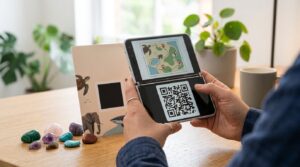
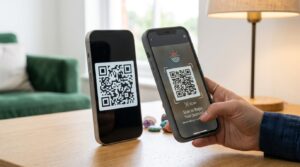
Passing a collection plate or a donation box gets fewer responses every year. Most people do not carry cash, and fumbling with a payment app URL while someone waits is awkward for everyone involved. A QR code changes the dynamic entirely. Someone spots the code, scans it, and sends money from their phone in under twenty seconds. No cash required, no URL to type, no friction.
Here is how to set up a donation QR code for a church, nonprofit, charity event, or personal fundraiser, which payment platforms work best, and what to put on the physical display to make people actually use it.
How a Donation QR Code Works
A donation QR code links to a payment destination when scanned. The destination can be a payment platform profile (PayPal, Venmo, Cash App, GoFundMe), a direct checkout link with a suggested amount pre-filled, or a payment page on your own website. The person scanning sees your payment page, enters or confirms the amount, and the donation goes through using whatever payment method they already have set up on their phone.
The code itself is just a URL in a scannable format. Nothing about the QR code handles the money. The payment happens through whichever platform the link points to, and that platform’s security and fee structure applies exactly as it would for any other transaction through that service.
Which Payment Platform to Use
The right platform depends on your organisation’s size, location, and which payment methods your donors are most likely to have.
PayPal
PayPal has the widest global recognition and works across more countries than most alternatives. Setting up a PayPal donation link is free, and PayPal provides a dedicated Donate button and link generator for nonprofits and charities. Registered nonprofits may qualify for PayPal’s discounted processing rates, which are lower than standard commercial rates.
PayPal also generates its own QR code from within the app, but that code is resolution-limited for print. For any material larger than a small handout, generate the QR code externally from your PayPal donation link for proper print quality.
Venmo
Venmo works well for US-based organisations where the donor base skews younger. Most people who use Venmo regularly already have a payment method connected and can complete a donation in a few taps. Venmo’s business profiles allow organisations to accept payments under a business name rather than a personal account.
One thing to know about Venmo for donations: payments to personal Venmo accounts from non-friends may be subject to Venmo’s review process for large or unusual transactions. A business profile removes some of that friction for regular donation activity.
GoFundMe and Dedicated Fundraising Platforms
For campaign-specific fundraising with a defined goal and end date, GoFundMe and similar platforms (JustGiving, Fundly, Donorbox) provide a hosted fundraising page with progress tracking and social sharing. The QR code links to the campaign page rather than a payment profile, which works better for time-limited drives where showing progress toward a goal encourages additional donations.
Donorbox deserves specific mention for nonprofits. It integrates with most nonprofit websites, supports recurring donations, and generates an embeddable form with its own shareable link you can encode as a QR code. The free plan handles up to a certain transaction volume before fees apply.
Cash App and Zelle
Cash App and Zelle work for US-focused donations where donors are already on those platforms. Cash App has a dedicated business profile option. Zelle works through bank-to-bank transfers which means lower fees for the recipient, but the donor needs a Zelle-connected bank account rather than a standalone app.
How to Create a Donation QR Code
- Set up your payment destination. For PayPal, create a donation link or button from the PayPal website. For Venmo or Cash App, create a business profile and copy your profile link. For GoFundMe, publish your campaign and copy the campaign URL.
- Open the QR code generator, select URL as the content type, and paste your donation link.
- Customise the design. Add your organisation’s logo or brand colours. A donation QR code on printed materials benefits from looking professional and intentional, not like a generic black and white box dropped onto a page.
- Download as SVG for printed display materials or PNG for digital use. For anything that will be printed larger than A5, SVG is the right format.
- Test the complete flow before printing anything. Scan the code, confirm it opens the correct donation page, and complete a small test transaction to verify the payment processes correctly.
QR Code for Church Donations and Offerings
Church donation QR codes have become one of the most adopted use cases since contactless payment became normalised. A code displayed during the offering portion of a service, printed in the bulletin, or placed on a physical stand near the entrance gives congregation members who do not carry cash a way to give without missing the moment.
For churches, the placement decision matters as much as the technical setup. A QR code displayed on a screen during the offering works for congregations that are comfortable scanning during a service. A printed card in each pew or chair is more accessible for people who are unfamiliar with QR codes since it gives them time to scan without holding up others. A standing display near the exit captures people who decide to give as they leave.
Churches registered as tax-exempt nonprofits should use a platform that issues automated donation receipts with the information required for tax deduction purposes. PayPal’s Giving Fund and Donorbox both handle receipt generation automatically, which removes a significant administrative burden compared to platforms that require manual receipt processing.
For more detail on how QR codes work in physical church and event contexts, the QR codes for events guide covers placement, sizing, and display strategies that apply directly to in-service use.
QR Code for Nonprofit Fundraising
Nonprofits use donation QR codes across a wide range of contexts: charity events, direct mail campaigns, print advertising, merchandise, and in-person outreach. Each context calls for a slightly different approach.
For charity events, use a dynamic QR code so you can update the destination if the campaign page changes or if the same physical materials get reused for a future event. Print the code prominently on event programmes, table cards, and backdrop displays. A suggested donation amount displayed alongside the code increases average donation size compared to an open-ended ask.
For direct mail, a QR code on a postcard or letter removes the need for the recipient to type a URL. Keep the destination landing page focused on a single action: donate. Remove navigation and unrelated content from the page the QR code opens. Every extra element on that page is a reason for someone to click away before completing the donation.
For street or in-person outreach, consider a weather-resistant printed display. A QR code on a laminated card or a printed acrylic stand survives outdoor conditions far better than paper. Test scannability in varying light conditions before deployment since codes on glossy surfaces can reflect light in ways that interfere with camera scanning.
How Much Does It Cost to Accept Donations via QR Code
The QR code itself is free to create. The cost of accepting donations depends on the payment platform.
| Platform | Standard fee | Nonprofit rate | Notes |
|---|---|---|---|
| PayPal Giving Fund | 0% | 0% | For registered charities only |
| PayPal standard | 2.89% + $0.49 | 1.99% + $0.49 | Nonprofit rate requires application |
| Venmo (personal) | 0% (bank-funded) | N/A | 3% for card-funded payments |
| Venmo Business | 1.9% + $0.10 | N/A | |
| Cash App | 0% (bank-funded) | N/A | Business accounts have separate fees |
| Donorbox | 1.5% platform fee | Reduced for verified nonprofits | Plus payment processor fees |
| GoFundMe | 0% platform fee | N/A | Payment processor fees apply |
For registered nonprofits, applying for discounted payment processing rates before setting up donation infrastructure is worth the time. The difference between standard and nonprofit rates adds up across a year of donations.
What to Put on the Donation QR Code Display
A QR code on its own rarely gets scanned. People need context about what they are scanning and why it is worth their time. The physical display around the code does as much work as the code itself.
- A clear heading: “Give Online” or “Donate Now” tells people the purpose immediately without requiring them to scan first to find out
- Your organisation name or logo: Confirms the destination is legitimate before scanning
- The platform name: “Pay via PayPal, Venmo, or card” reduces hesitation for people who want to know which app they need
- A suggested amount if appropriate: “Any amount welcome” or a specific ask based on your campaign
- A short URL beneath the QR code: Gives people who prefer typing a fallback option, and adds legitimacy to the display
Frequently Asked Questions
How do I create a QR code for donations?
Set up a payment profile or donation page on your chosen platform, copy the donation link, paste it into a free QR code generator, customise the design, and download as SVG or PNG. Test the complete payment flow before printing or displaying the code anywhere.
What is the best payment platform for a donation QR code?
For registered nonprofits, PayPal Giving Fund charges no platform fee and is widely recognised. For churches and community organisations, Donorbox handles recurring donations and tax receipts well. For casual or personal fundraising, GoFundMe has zero platform fee and a familiar interface for donors. The best choice depends on your registration status, donor demographics, and whether you need automatic receipt generation.
How do I create a QR code for church donations?
Set up a payment page through PayPal, Donorbox, or another platform that issues donation receipts. Copy the donation link, generate a QR code from it, and display it during services on a screen, in printed bulletins, or on a physical stand. For tax-exempt churches, applying for nonprofit rates on your payment platform reduces fees on every transaction.
Can I use a QR code for a GoFundMe campaign?
Yes. Open your GoFundMe campaign page, copy the URL from the address bar, and generate a QR code from it. Anyone who scans the code lands directly on your campaign page with the donate button visible. GoFundMe charges no platform fee, though standard payment processor fees apply to each transaction.
Are donation QR codes safe for donors?
Yes, provided the code links to a legitimate payment platform rather than a phishing site. Display your organisation name and the platform name alongside the code so donors can verify the destination before completing a payment. For high-value donation contexts, adding a short URL beneath the QR code lets donors confirm the destination matches the displayed platform.
Can I accept donations via QR code without a business account?
Yes. Personal PayPal, Venmo, and Cash App accounts accept payments via QR code without requiring a business registration. For organisations accepting regular donations, a business or nonprofit account provides better receipt management, clearer transaction records, and in some cases lower processing fees.
Remove Every Barrier Between the Impulse and the Gift
Most people who intend to donate do not follow through because the process has too many steps. A donation QR code removes most of them. The person sees the code, scans it, confirms a payment amount, and the transaction is done before the impulse passes.
Set up your donation QR code using the QR code generator, add your organisation branding, and download in print-ready format. And if you want to track how many people scan versus how many complete a donation, the QR code tracking guide shows you how to connect scan data to Google Analytics alongside your payment platform conversion data.