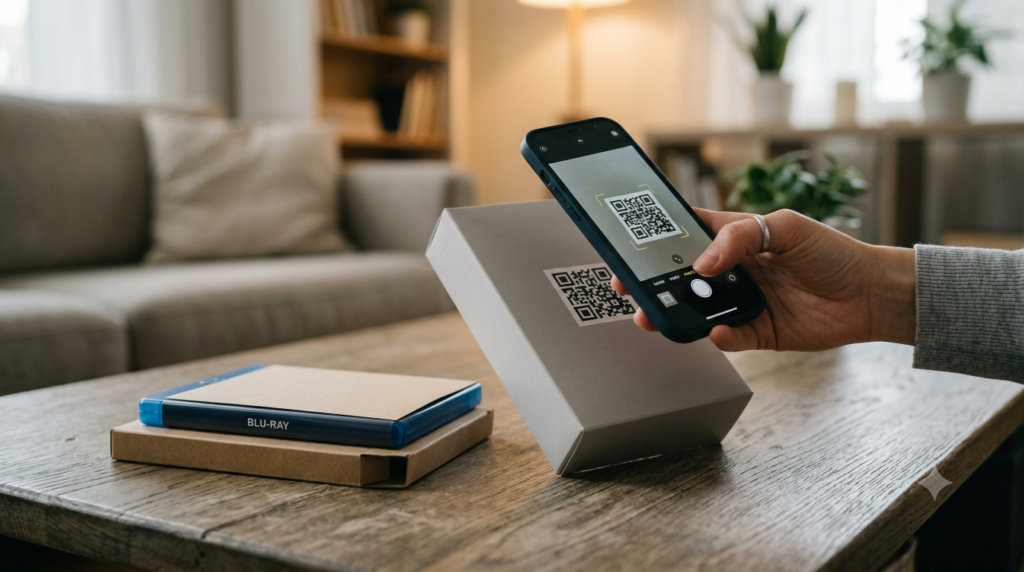
The Hasbro Star Wars Movie FX lightsaber series uses QR codes to unlock content in a companion app. Each lightsaber comes with a QR code that, when scanned with the app, activates specific sound effects, combat modes, and content tied to that particular character or weapon. The QR codes are not interchangeable — each one is linked to a specific product and unlocks different content depending on which saber it came with.
Here is how the Star Wars Movie FX QR code system works, what the codes unlock, how to scan them correctly, and what to do when a code does not work as expected.
What Are Star Wars Movie FX QR Codes?
Hasbro’s Star Wars Movie FX lightsaber line — part of the broader Star Wars: A New Hope, The Empire Strikes Back, and sequel trilogy product ranges — includes a companion app component. The QR codes printed on the packaging or included with the product unlock specific in-app content when scanned with the official Hasbro or Star Wars companion app.
The content unlocked varies by product. Some codes activate additional sound profiles, some unlock combat modes, and some unlock character-specific content or customisation options within the app. The exact unlockables depend on the specific product version and the current state of the app, which has been updated multiple times since the product line launched.
How to Scan Star Wars Movie FX QR Codes
The QR codes in the Star Wars Movie FX line are designed to be scanned within the companion app, not with a standard phone camera or generic QR scanner. Here is the correct process:
- Download the relevant Hasbro or Star Wars companion app from the App Store (iPhone) or Google Play (Android) — the specific app required is noted on the product packaging
- Open the app and navigate to the QR code or activation section, which is typically accessible from the main menu or a product registration screen
- When prompted, point the in-app camera at the QR code on the packaging or product insert
- The app recognises the code and unlocks the associated content automatically
Scanning these codes with a generic camera app or QR reader typically opens a URL rather than activating the in-app content. The activation mechanism requires the companion app’s specific QR handling, which validates the code against Hasbro’s product database and unlocks the content for the linked account.
Hasbro Star Wars QR Codes: What Each One Unlocks
The Star Wars Movie FX lightsaber line covers several character-specific sabers from the franchise. Each product’s QR code is tied to that character’s weapon and associated content:
- Luke Skywalker lightsaber: Unlocks Luke’s combat sounds and A New Hope era content
- Darth Vader lightsaber: Activates Vader’s signature breathing, combat sounds, and Empire-era content
- Obi-Wan Kenobi lightsaber: Unlocks Kenobi’s sound profile and prequel trilogy content
- Rey lightsaber: Unlocks sequel trilogy combat modes and Rey-specific content
- Kylo Ren crossguard lightsaber: Activates the crossguard ignition sounds and First Order content
The specific content available depends on the version of the companion app installed at the time of scanning. Hasbro has updated the app multiple times, and some content unlocked in earlier app versions has changed in subsequent updates.
Star Wars Movie FX QR Code Not Working: Common Causes
Several issues cause Movie FX QR codes to fail or not register correctly, and most of them have straightforward fixes.
Wrong App
Hasbro has released several companion apps across different product lines and years. Scanning a Movie FX QR code in the wrong Hasbro app — one designed for a different product line — produces no result. Check the product packaging for the specific app name and version required. The app name and store link are typically printed on the inner flap of the packaging or on the QR code insert itself.
App Version Outdated
Some QR codes require a minimum app version to function. If the app has not been updated recently, certain codes may not register. Update the companion app to the latest version before attempting to scan.
Code Already Redeemed on Another Account
Movie FX codes are typically single-use and tied to the account that first redeems them. If you purchased the product secondhand or the code was redeemed by a previous owner, it will not activate on a new account. This is the most common cause of failure for codes associated with purchased or gifted products where the original packaging has been opened.
Poor Scan Conditions
The QR codes on packaging are standard QR patterns that respond to standard scan mechanics. Ensure adequate lighting, hold the device steady, and make sure the entire QR code is visible within the camera frame. Creased or damaged packaging can distort the pattern enough to prevent a successful scan.
App or Server Connectivity Issues
The code redemption process requires an active internet connection to validate against Hasbro’s server. Attempting to scan and redeem in an area with poor connectivity causes the process to fail silently or display an error. Try again with a stable WiFi or data connection.
Star Wars FX QR Codes: Finding Them When the Packaging Is Lost
If the original packaging with the QR code has been discarded, retrieving the specific code becomes difficult. Hasbro does not maintain a public database of product QR codes, and the codes are product-specific — a generic QR code pointing to the app’s download page does not activate in-app content the way a product-specific code does.
Several options exist for recovering lost codes:
- Check whether the code was photographed during unboxing — many collectors and parents photograph packaging before discarding it
- Search collector communities and forums where product codes are sometimes shared after the original owner has redeemed them (though these may already be single-use redeemed codes)
- Contact Hasbro customer support with proof of purchase — some manufacturers provide replacement codes for registered products when the original is lost
The Broader QR Code in Toy Context
Hasbro is not alone in using QR codes to bridge physical toys with digital content. The practice — sometimes called “phygital” product design — has become increasingly common across toy lines, trading card games, action figures, and collectibles. The QR code becomes the physical-to-digital bridge that extends product value beyond the object itself.
From a technical standpoint, these product QR codes work like any other QR code — they encode a URL or a product identifier that the companion app validates. The difference from a standard marketing QR code is the validation layer: the code is checked against a product database, associated with a user account, and flagged as redeemed after first use. This prevents the same code from unlocking content multiple times across different accounts.
If you create QR codes for your own products that link to digital content, warranty registration, or instructional videos, the QR code generator produces print-ready codes suitable for packaging inserts, product tags, and box printing at any scale.
Frequently Asked Questions
What do Star Wars Movie FX QR codes unlock?
Star Wars Movie FX QR codes unlock character-specific content in the Hasbro companion app — sound profiles, combat modes, and in-app content tied to specific lightsaber characters. The exact content depends on which product the code came with and the current version of the companion app.
How do I scan a Star Wars Movie FX QR code?
Download the companion app specified on the product packaging, navigate to the QR scan or product activation section within the app, and scan the code using the app’s built-in camera function. Standard camera apps open a URL rather than activating the in-app content — the activation only works through the companion app itself.
Why is my Star Wars FX QR code not working?
The most common causes are using the wrong companion app, an outdated app version, the code having already been redeemed on another account, poor scan lighting or damaged packaging, or a connectivity issue during the server validation step. Check the correct app, update it, ensure a stable internet connection, and confirm the code has not been previously redeemed.
Can I use someone else’s Star Wars Movie FX QR code?
Product QR codes are typically single-use and tied to the account that first redeems them. A code that has already been redeemed by the original owner will not activate on a different account. This applies to secondhand purchases and shared codes from online communities.
What app do I need for Hasbro Star Wars QR codes?
The specific app required is noted on the product packaging — Hasbro has released multiple companion apps across different product lines and years, and not all apps work with all QR codes. Check the inner packaging or product insert for the exact app name and download link.
I lost the packaging with the QR code — what can I do?
Check whether the packaging was photographed before disposal. Contact Hasbro customer support with proof of purchase — some manufacturers provide replacement codes for registered products. Collector communities sometimes share codes, but these may already be redeemed single-use codes that will not activate on a new account.
Understanding Product QR Codes
Star Wars Movie FX QR codes are a specific implementation of a broader product category: physical-to-digital bridge codes that link a tangible product to app-based content. They work on the same technical principles as any QR code — encoding a URL or identifier in a scannable pattern — with an additional validation layer that ties each code to a specific product and limits its use to a single account redemption.
For anyone interested in using QR codes on their own physical products — packaging, inserts, tags, or labels — to link customers to instructional content, warranty registration, loyalty programmes, or additional digital resources, the QR code generator creates print-ready codes suitable for any packaging format, with full design customisation and high-resolution output. For guidance on getting QR codes right on physical packaging specifically, the QR code for product packaging guide covers material choices, sizing, and print specifications in detail.